Getting Started
For assistance, please visit http://www.panasonic.com/phonehelp 29
Initialization Wizard
1 Open your Web browser on your computer connected to the “LAN” port on the base
unit.
2 Enter http://192.168.0.242/ (the KX-WPA102’s default IP address) or http://kx-
wpa.webpage in the address field of your browser and press ENTER key. You can
also double click the KX-WPA102 icon in My Network Places in Start menu when using
Windows XP and UPnP is enabled. See “Setting UPnP to display the shortcut” on page
153 for details.
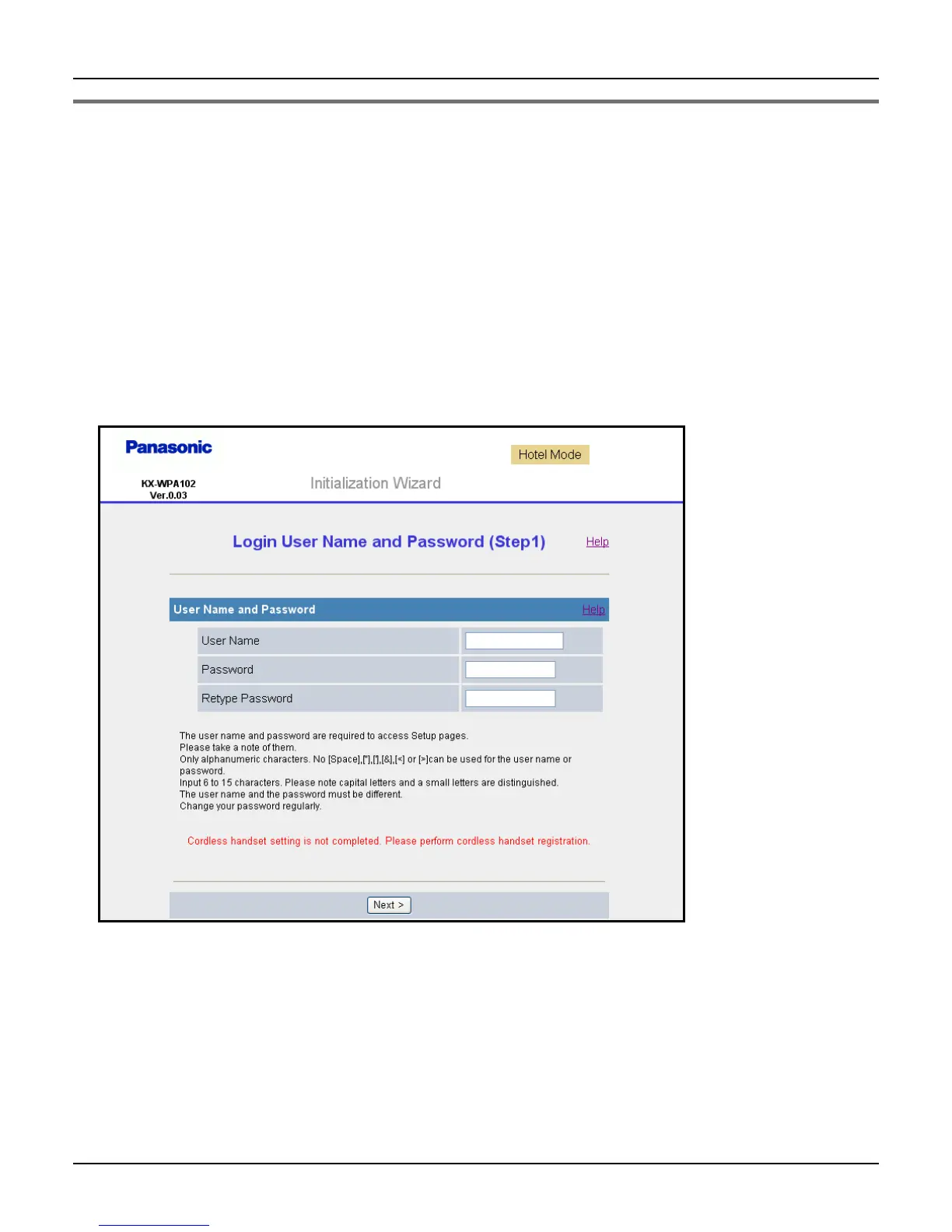
L Initialization Wizard starts. A screen with fields for your user name and password
(Login User Name and Password page) is displayed.
If “Initialization Wizard” window is not displayed:
L Check the setting of Local Area Connection of your computer. It is necessary to
obtain an IP address of your computer automatically from a DHCP server (page 147).
L Sometimes it is necessary to set up your Web browser’s proxy server to access the
KX-WPA102 base unit (page 151).













 To Next Page