89
[Setting]
Test Mode
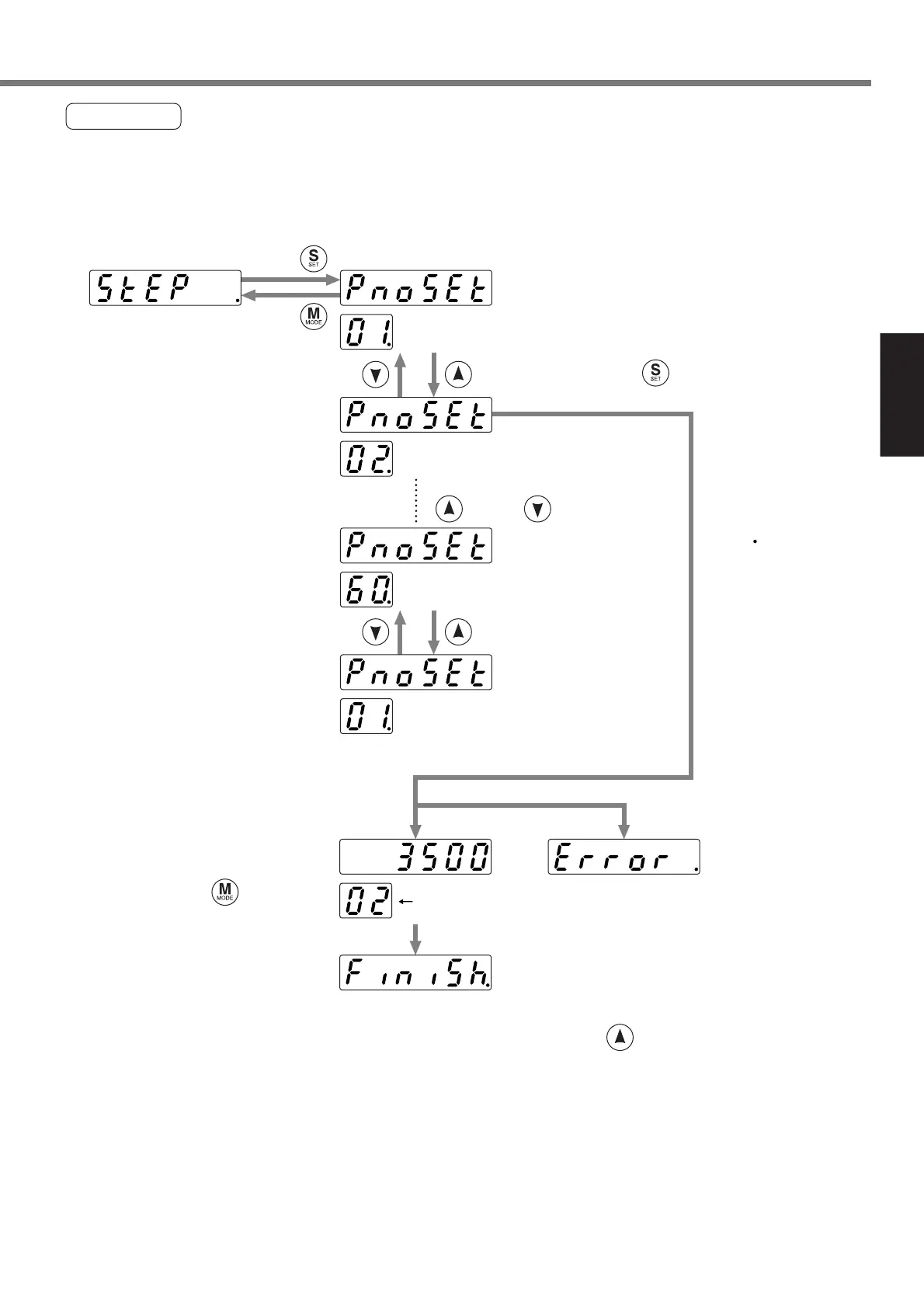
• Step operation
An operation is performed at a position of a selected point number.
* Execute homing completely before performing a step operation.
An example of an operation to move to the point No. 2 is shown below.
An error has occurred.
Select a point number using
and/or .
Keep on pressing at a desired point number.
A dot ( ) moves and
then the motor rotates.
.....Point No. 1
.....Point No. 60
.....Point No. 2
Movement completed
.....Point No. 1
Point number
A current position is shown
during moving to a point.
If you press during
movement, the motor stops.
To move to the next process, press .
An error occurs if SV.Pr02 is not set.
Press .
Press .







 To Next Page