93
[Setting]
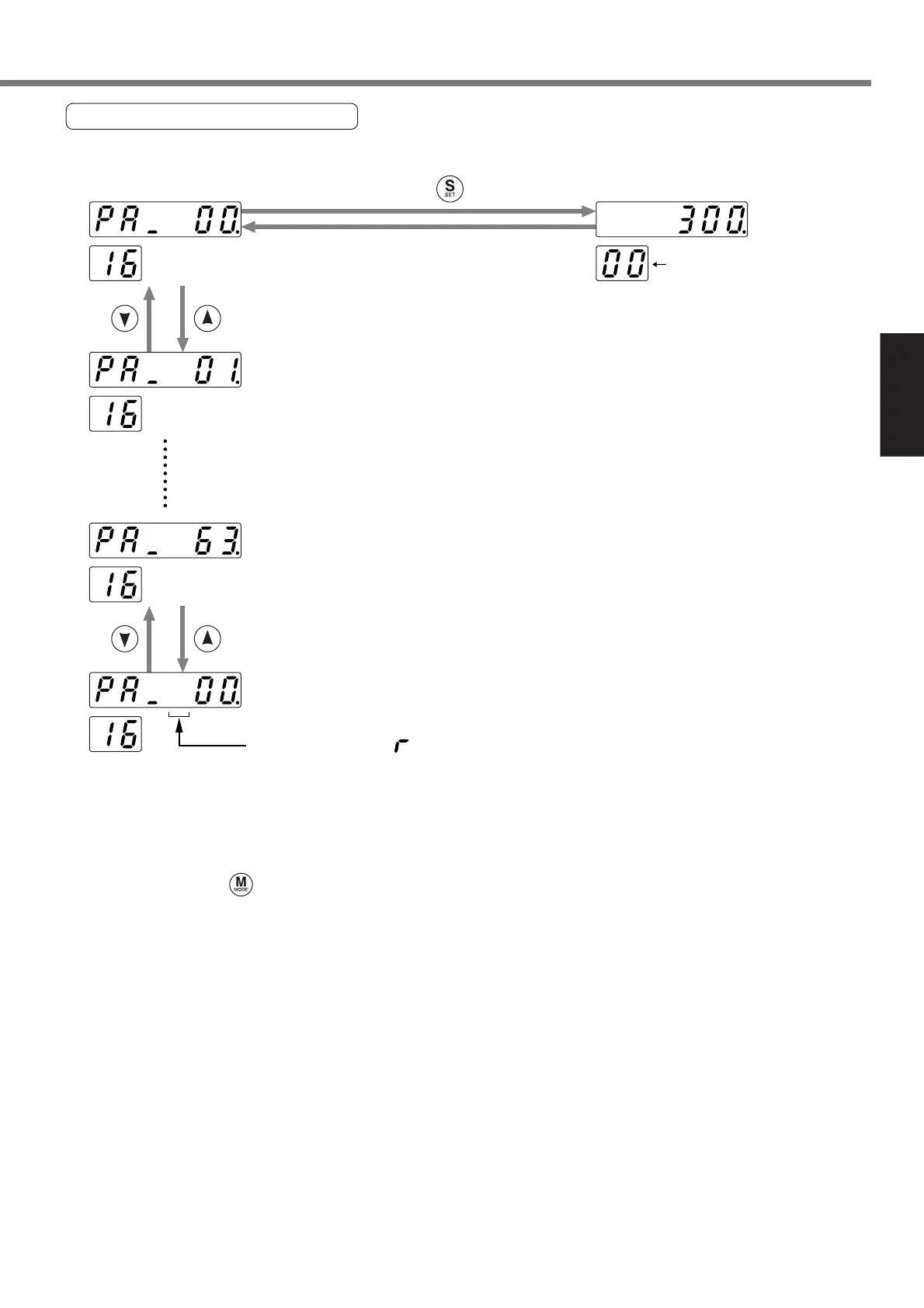
16-Bit Positioning Parameter
16-bit positioning parameter can be set.
.....16.Pr01
.....16.Pr00
Selected 16.PrNo.
.....16.Pr63
<Notice>
Select an input digit (a dot blinks) by the [SHIFT] key and a parameter by the [UP]/[DOWN] key.
When you press the [SET] key, the parameter is modified.
* When you press during parameter setting, any parameter in process is not changed and “No.”
display is shown again.
* When you have set the parameters, write the parameters into EEPROM. If you turn the power supply
off before writing the parameters into EEPROM, those parameters are cleared.
A parameter that “ ” is displayed on this position is enabled
after writing a set value in EEPROM and resetting the system.
Press .






 To Next Page