17
[Before Use]
MINAS
DIGITAL AC SERVO
MODE
SHIFT
SET
S
M
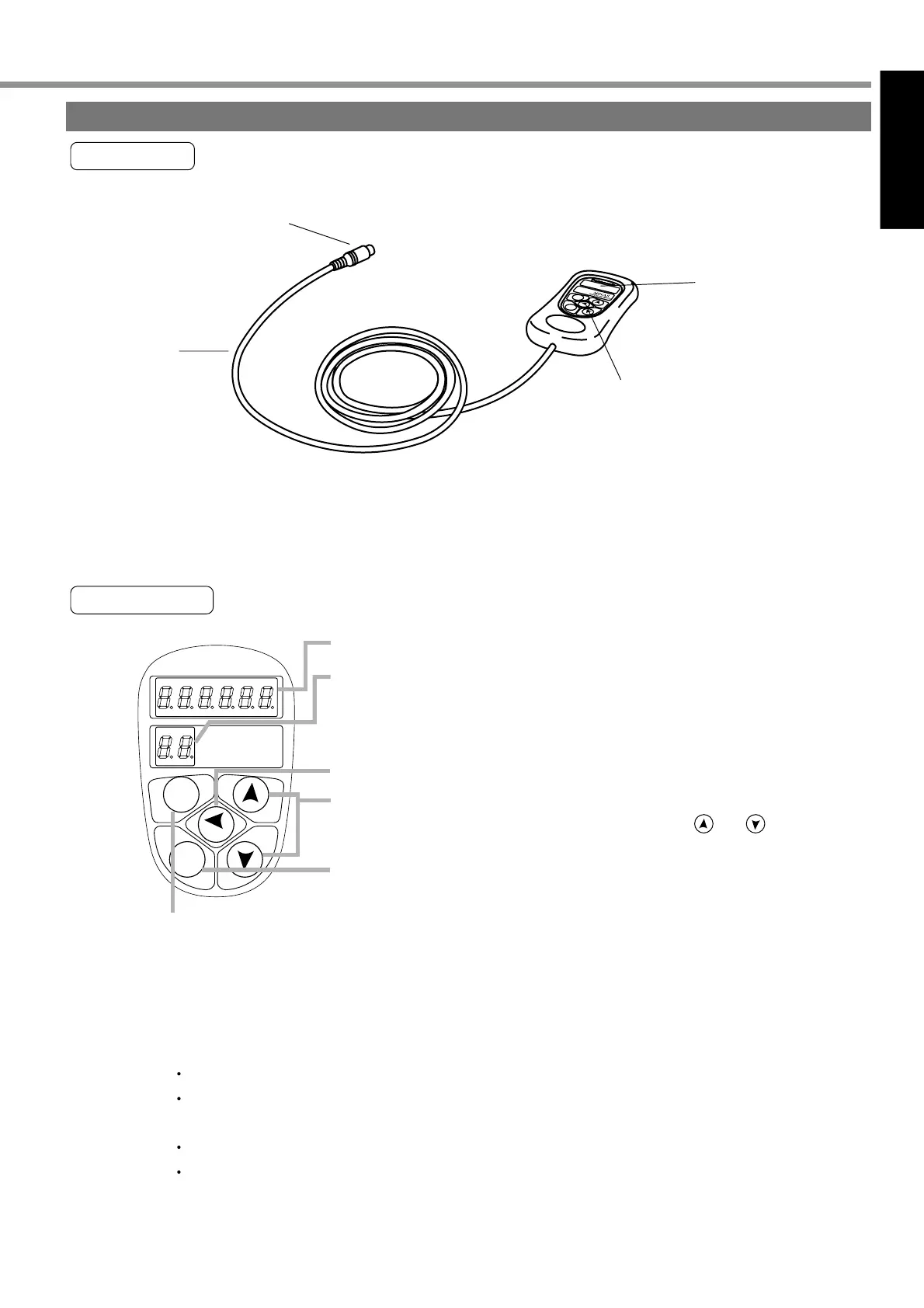
Display, LED (display in 6 digits)
Display of selected Driver ID No. (2 digits)
The value set up on Pr00 (shaft name) is ID No.
Parameter No. (2 digits) is displayed under Parameter Setting
mode.
Setting Button: This is to shift each mode, which was selected by
the mode selector button, to EXECUTE display.
Mode Selector Buttons: These buttons are used to select 6 different modes.
(1) MONITOR mode
(2) PARAMETER SETTING mode
(3) EEPROM WRITE mode
(4) NORMAL AUTO GAIN TUNING mode
(5) AUXI FUNCTION mode
Test run (JOG mode)
Alarm clear
(6) COPING FUNCTION mode
To copy parameters to the console from the servo driver.
To copy parameters to the servo driver from the console.
This is used to shift the digits of data.
This is used to change the data and to execute parameter selection.
The numerical value goes up and down by pressing and .
Touch panel
Console
M
O
DE
S
H
I
F
T
S
E
T
S
M
Cable
Touch panel
Connector
Console main unit
Display
(7-segment LED)
Main body
<Remarks>
The console is optionally available. (Part No.: DV0P3690)
Buy: www.ValinOnline.com | Phone 844-385-3099 | Email: CustomerService@valin.com


 To Next Page