62
SET
S
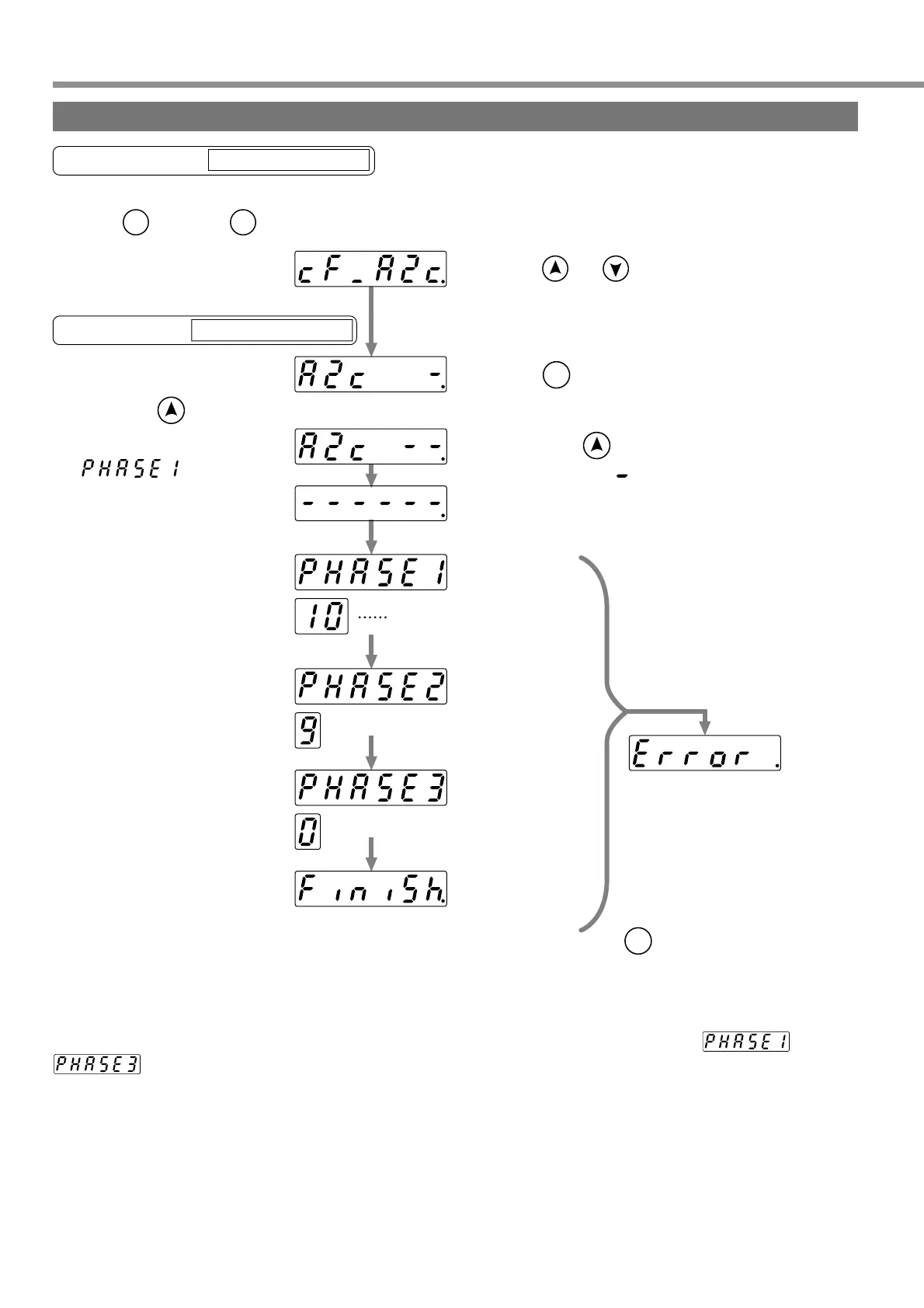
by pressing and .
Reveal execution display by pressing .
Keeping pressing (about 3 seconds)
increases number of " " as shown left.
Keep pressing until the LED
display of the console is changed
to " ".
Initialization of EEPROM of the
console starts.
Copying parameters and model
code from servo driver to consloe
starts.
Writing parameters into EEPROM
of console starts.
Copying has finished normally.
SET
S M
MODE
Error display
<Note>
If this error display appears,
start the operation from the
beginning again.
To cancel the error, press
.
SET
S
<Note>
Do not disconnect the console cable from the servo driver during the proceeding from to
.
After finishing copying, return to Selection Display referring to Structure of Each Mode (Page 48 and 49).
Enter the copy mode by
pressing once and
five times in the initial state of
LED, and then bring in
The number decreases
over time as 10, 9, 8, ----.
Copying parameters from servo driver to console (Copy Function)
Using the Console
Operation with Execution Display
Operations with Selection Display
If the connector is disconnected during the time by any chance, connect the connector again, and restart the
operation from the beginning.
<Remarks>
If the error display appears repeatedly, that is presumably because of break of cable, disconnection of
connector, wrong operation due to noises, or failure of EEPROM of the console.
Buy: www.ValinOnline.com | Phone 844-385-3099 | Email: CustomerService@valin.com


 To Next Page