40
Setting the Parameters
x
1
x
3
x
4
x
5
x
6
STATUS
ALM CODE
M
O
D
E
S
H
I
F
T
S
E
T
S
M
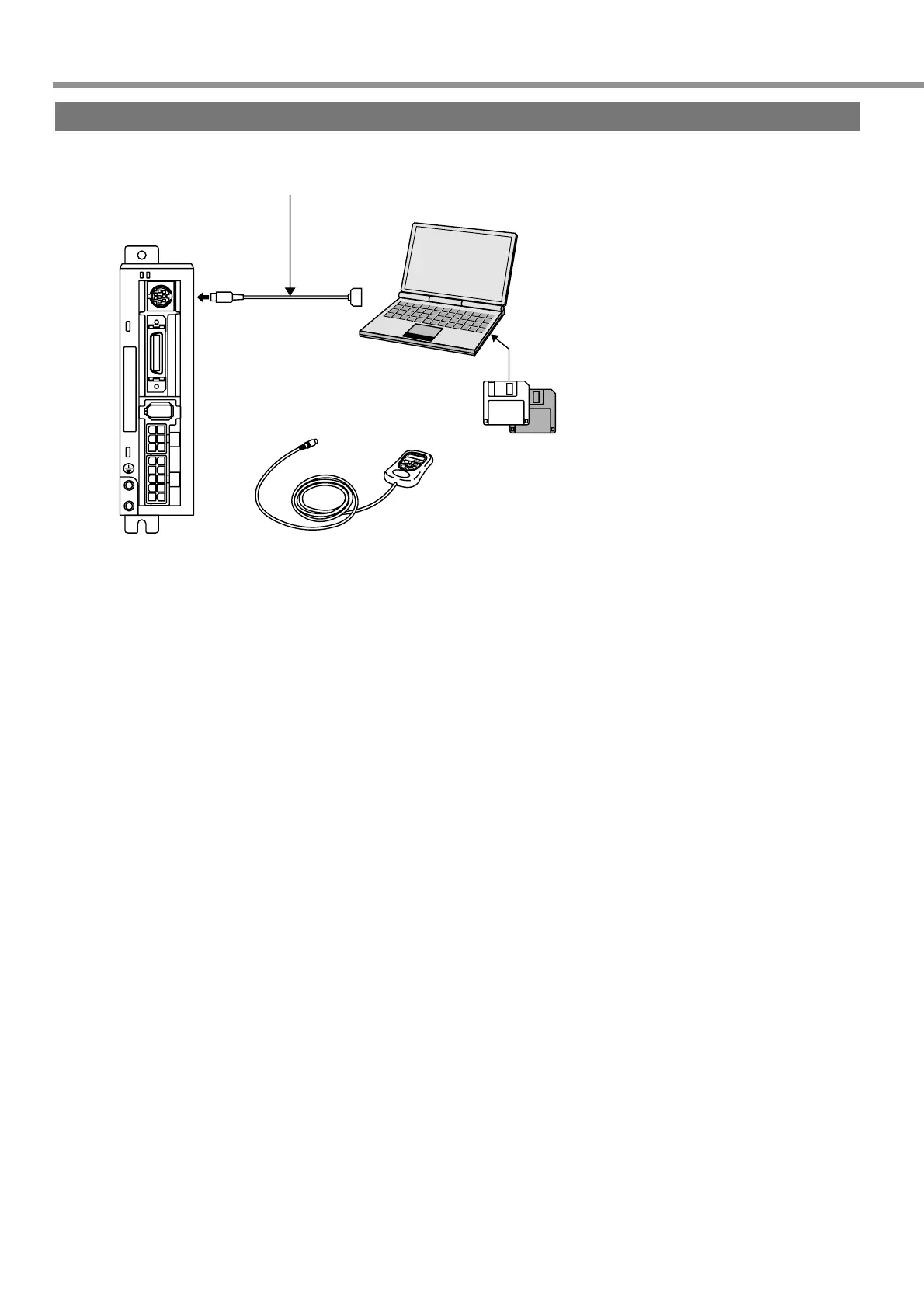
Setup Disk for Setting-up Support
Software “PANATERM®”
• DV0P4230: Japanese version
• DV0P4240: English version
For the latest version, contact us.
RS-232C connecting cable
• DV0P1960 (for DOS/V)
Connecting to CNX6
Connecting to CNX6
Console
• DV0P3690
How to Connect
<Notes>
• Securely connect the connector with the connector CN X6 of the driver.
• Never insert or pull out the connector while holding a cable.
Buy: www.ValinOnline.com | Phone 844-385-3099 | Email: CustomerService@valin.com


 To Next Page