70
Input Signal and Pin No. of Connector CN X5
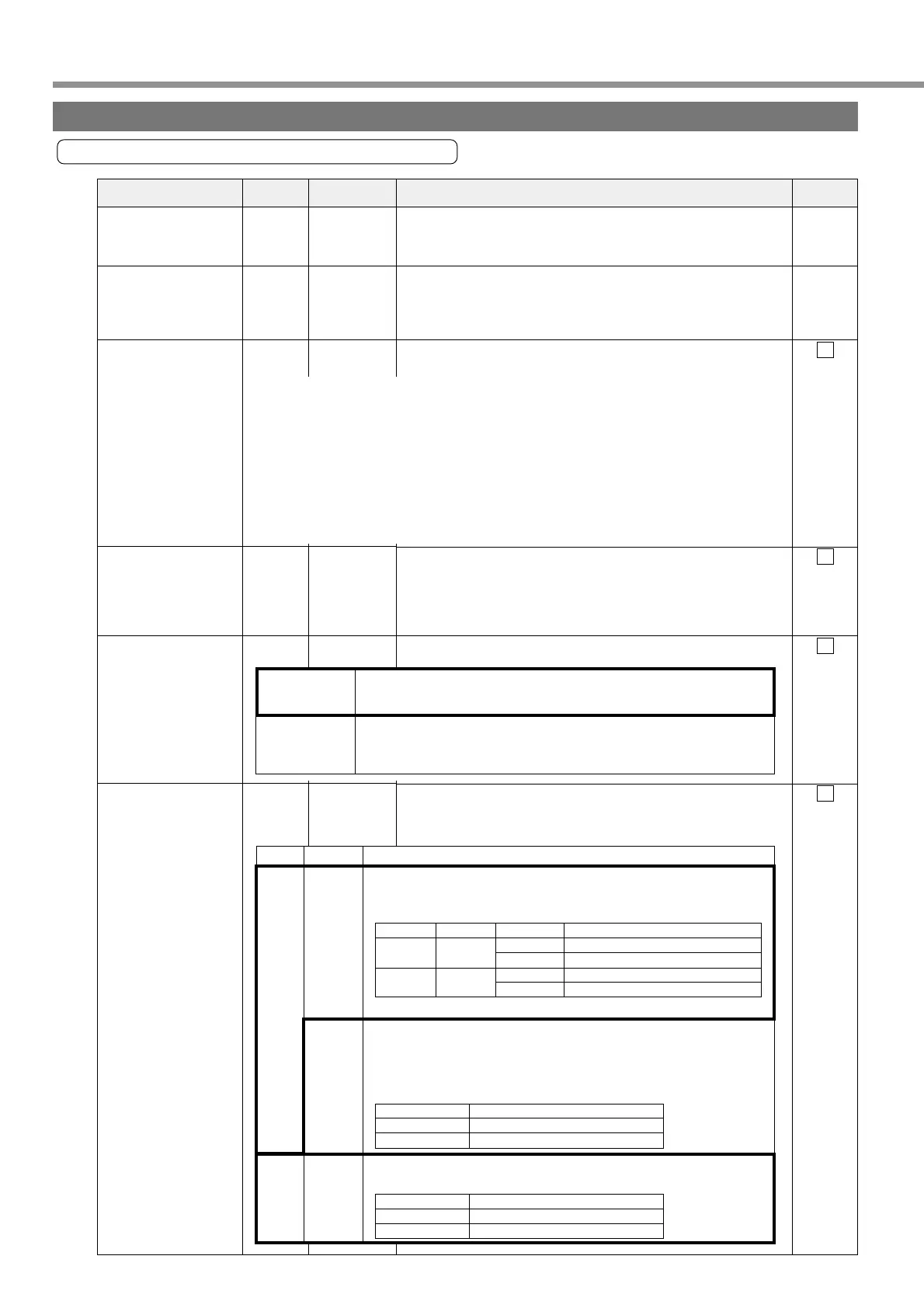
Input signals (common) and their functions
Signal Name
Control Signal Power
Supply Input (+)
Control Signal Power
Supply Input (–)
Servo-ON input
Alarm Clear Input
Deviation Counter
Clear/Internal Com-
mand Speed Selec-
tion 2 Input
Gain Switching/Speed
Zero Clamp/Torque
Limit Switching Input
• Connect positive (+) pole of external DC power supply (12 to
24V).
• Total supply voltage should range from 12V ± 5% to 24V ± 5%.
• Connect negative (-) pole of external DC power supply (12 to
24V).
• The voltage source capacity varies depending on configuration
of input/output circuits to be used. We recommend 0.5A or
greater.
• When this signal is connected to COM-, the driver will be en-
abled (Servo-on) (motor energized).
• If this signal is connected to COM- for 120 ms or longer, it will
clear alarm status.
• There are some alarms that this signal cannot release.
For details, refer to “Protective Functions” on Page 144 of Edi-
tion of When You Have Trouble.
The control mode changes functions.
• Settings of Pr06 and control mode can change functions.
1
13
2
3
4
5
——
SI
Page 68
SI
Page 68
SI
Page 68
SI
Page 68
Pin No. Symbol Function
I/F Circuit
Wiring to Connector CN X5
COM +
COM–
SRV-ON
A-CLR
CL /
INTSPD2
GAIN
/ZEROSPD
/TC
<Cautions>
1. The signal will become valid about 2 seconds after power-ON.
(See the timing chart.)
2. Don’t use Servo ON/OFF signal to drive/stop the motor. Refer to “Dynamic Brake” on
Page 36 of Preparation edition.
• Take the time of 100 ms or longer before entering a command on speed, pulse, etc.,
after transition to Servo-ON.
• When you open the connection with COM-, the driver will be disabled (Servo-OFF) and
the current flow to the motor will be cut off.
• You can select dynamic brake operation during Servo-OFF and clear operation of the
deviation counter by using Pr69 (sequence during Servo-OFF).
Position
Control
Internal
Velocity
Control
• Input of this signal is to clear the deviation counter.
When the signal is connected to COM- for 2 ms or longer, it will
clear the deviation counter.
• With input of internal command speed selection 2 (INTSPD2),
four-speed can be set in combination with INTSPD1 input.
• For details on settings of control mode, refer to Page 117.
Pr06
0, 1
2
For details on the 2nd gain switching function, refer to Page 138.
Descriptions
Control Mode
Connection with COM-
Open 1st setting value selected (Pr70,5E,63)
Connected 2nd setting value selected (Pr71,72,73)
Pr06
0 ZEROSPD input is invalid.
1 [Default value] ZEROSPD input is valid.
Setting of Pr30
Description
0
[Default value]
Velocity loop: P1 (proportional/integral) operation
Setting of Pr31
Connection
with COM-
–
Open
Connected
Velocity loop: P (proportion) operation
1st gain selected (Pr10,11,12,13,14)
1
Open
Connected
2
2nd gain selected (Pr18,19,1A,1B,1C)
When
position
control
Pr02 is
0 or 2
When
internal
velocity
control
Pr02 is 1
• The following 2 functions can be used with settings of Pr30.
• Gain switching input (GAIN) switches P1/P operation and
first/second gain.
• With speed zero clamp input (ZEROSPD), velocity command is
opened when connection with COM- is opened.
• You can override this input with Pr06.
• A default value of Pr06 is 1, and this input is valid. When
connection with COM- is opened, speed will be zero.
Description
Description
Position
Control/
Internal
Velocity
Control
With torque limit switching input, parameters of acceleration level,
torque limit, excessive position deviation can be switched.
Buy: www.ValinOnline.com | Phone 844-385-3099 | Email: CustomerService@valin.com


 To Next Page