85
[Connections and Settings in Position Control Mode]
Connections and
Settings in Position
Control Mode
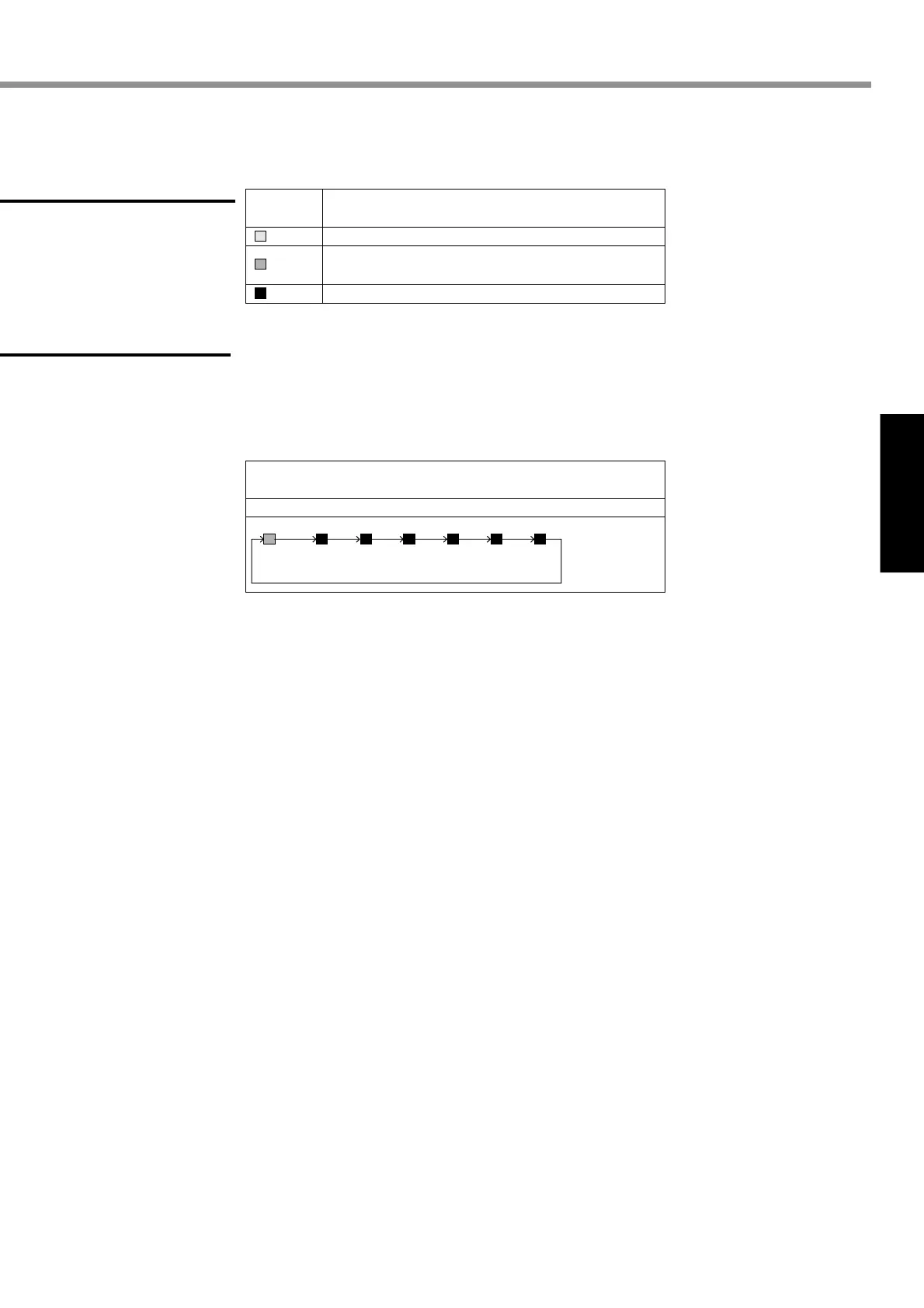
Check that alarm code LED does not flash? (It is out during normal operation).
It starts flashing in case of an alarm.
An alarm code (refer to pages 145 to 148) indicates the alarm code number
by the number of flashes of orange and red lights.
Orange: 10 digit Red: 1 digit
Description
Color of
LED Status
The main power is turned ON. The driver is switched ON.
The LED flashes (for 1 second) when a warning is issued.
(Abnormal overload, regeneration, and fan rotation speed)
Alarm output.
(Example)
When overload (alarm code No.16) occurs and the motor stops:
The orange light flashes once and red one flashes 6 times.
Orange
1 sec.
Red
0.5 sec.
0.5 sec.1 sec.
Red
0.5 sec.
Red
0.5 sec.
Red
0.5 sec.
Red
0.5 sec.
Red
0.5 sec.
0.5 sec. 0.5 sec. 0.5 sec. 0.5 sec.
After 2 seconds
Green
Orange
Red
(2) Check LED status.
(3) Setting the parameter
Prepare for a personal computer and “PANATERM®”. Or prepare for a console.
(4) Enter a command that matches the control mode.
Buy: www.ValinOnline.com | Phone 844-385-3099 | Email: CustomerService@valin.com


 To Next Page