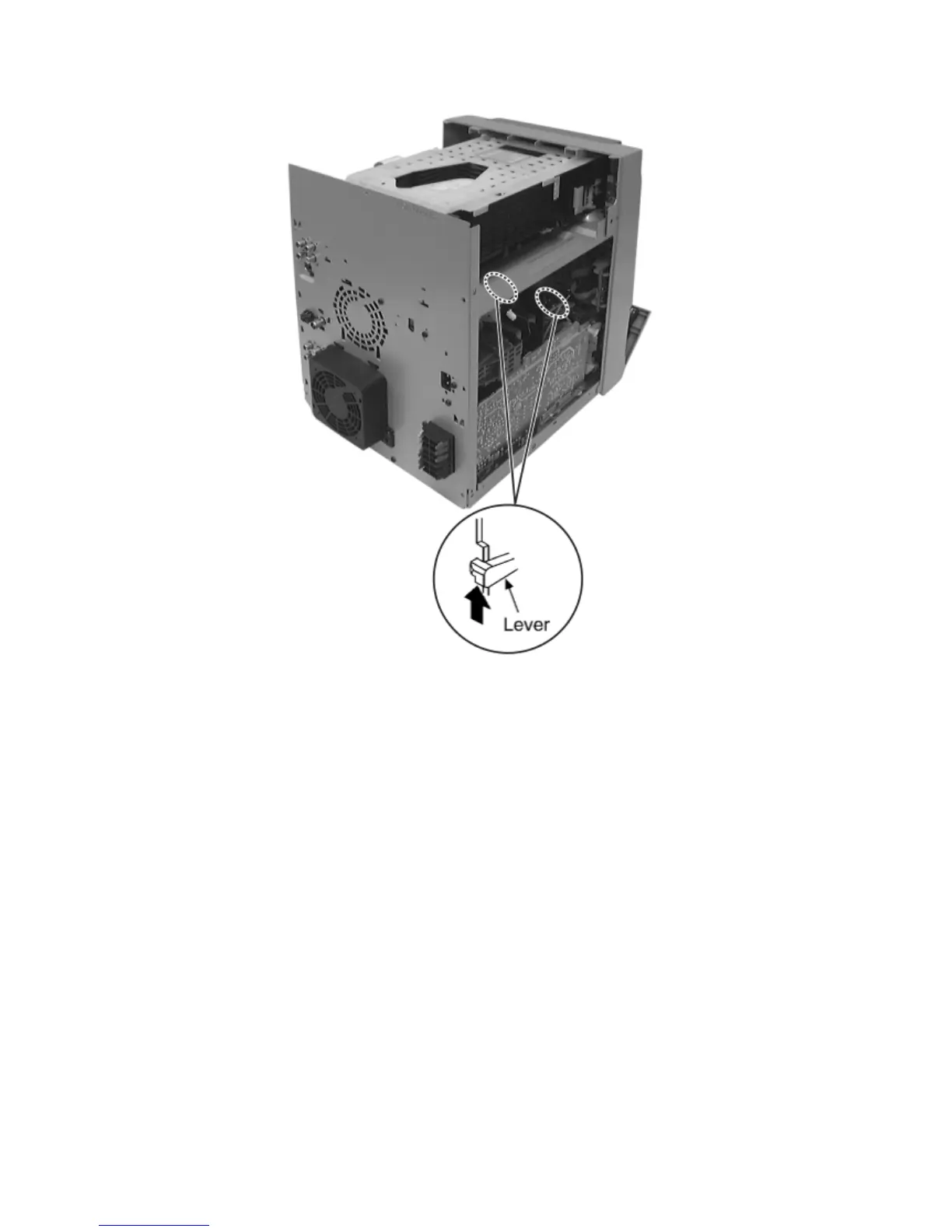
Step 2 Force the lever upward and open the cassette lid ass’y. Take the cassette tape off.
18 Service Position
18.1 Checking Procedure
18.2 Checking the Main P.C.B., Power P.C.B., Power Supply P.C.B., Power Amp P.C.B., Transformer P.C.B., Voltage
Selector P.C.B. and AC Inlet P.C.B.
18.3 Checking the Panel P.C.B., Tact Switch P.C.B., Mic P.C.B., Deck P.C.B. & Deck Mechanism P.C.B.
18.1 Checking Procedure
Note:
For the disassembling procedure, see Section 17.
18.2 Checking the Main P.C.B., Power P.C.B., Power
Supply P.C.B., Power Amp P.C.B., Transformer P.C.B.,
Voltage Selector P.C.B. and AC Inlet P.C.B.
1. Remove Top Cabinet and Rear Panel.
2. Remove DVD Mechanism Unit.
3. Connect FFC board (CN2810 & CN2813) from DVD Mechanism Unit.




 To Next Page