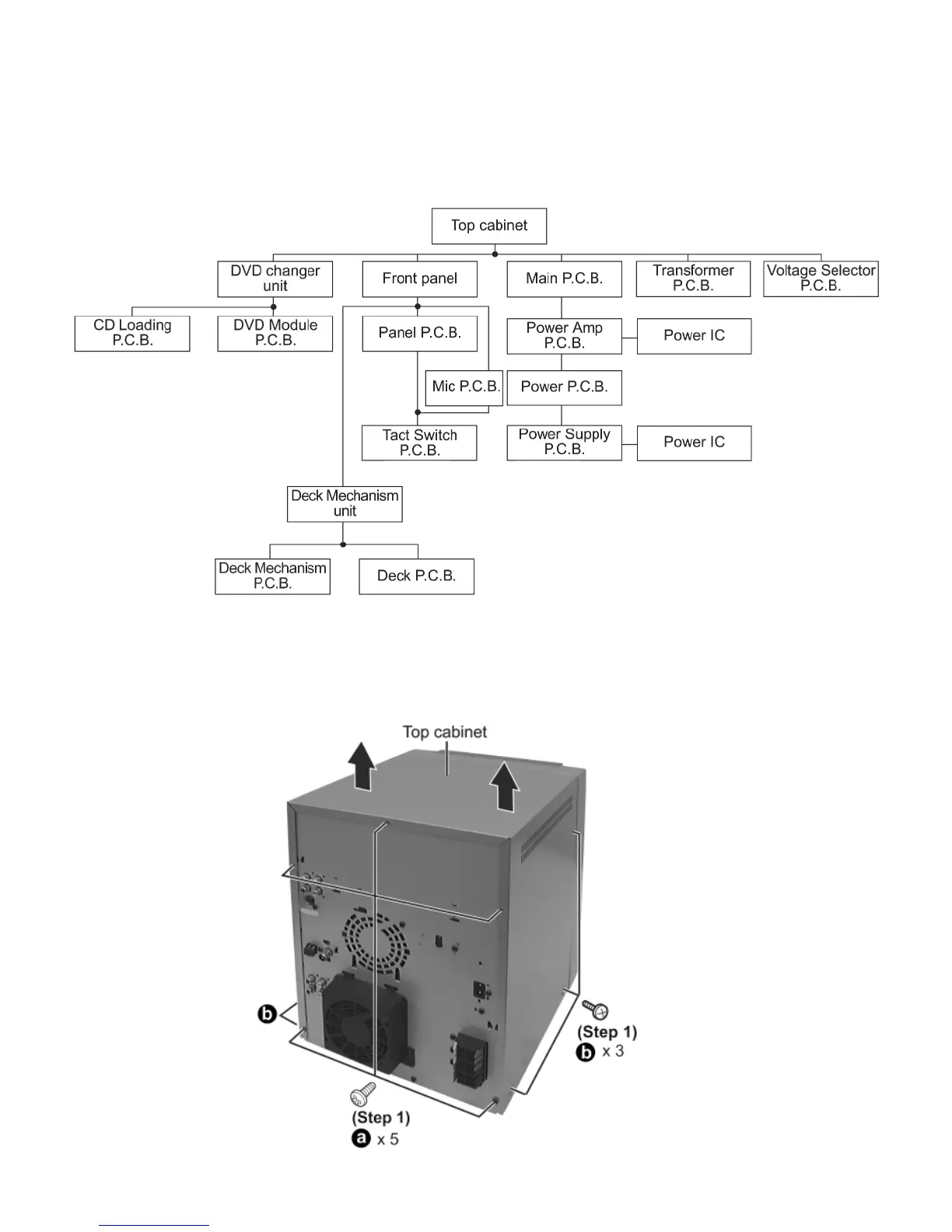
17.1 Disassembly flow chart
The following chart is the procedure for disassembling the casing and inside parts for internal inspection when carrying
out the servicing.
To assemble the unit, reverse the steps shown in the chart as below.
17.2 Disassembly of Top Cabinet
Step 1 Remove 3 screws each side and 5 screws at rear panel.
Step 2 Lift up both sides of cabinet ass’y, push the cabinet ass’y toward the rear and remove the top cabinet.










 To Next Page