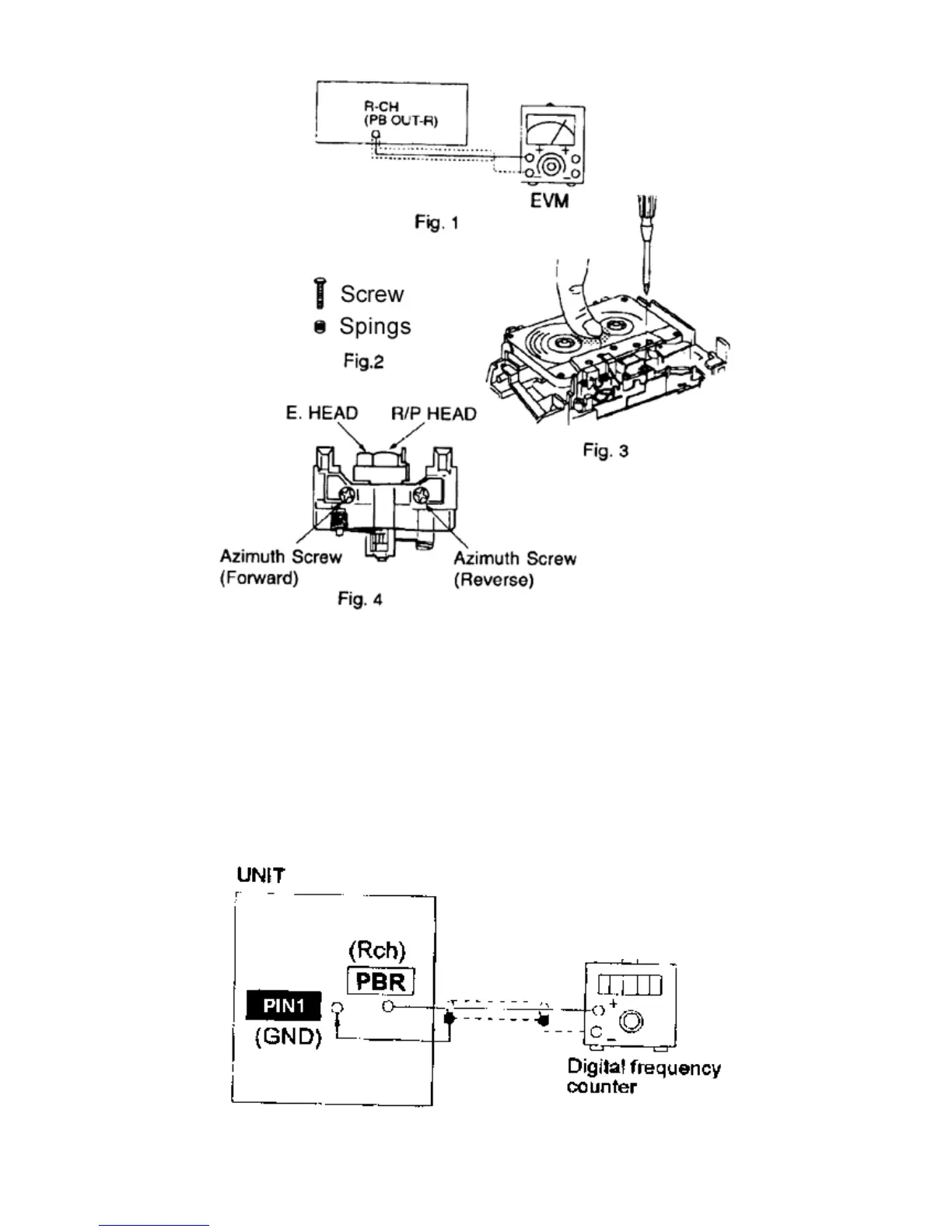
19.1.2 Tape Speed Adjustment (Deck 1/2)
1. Set the tape edit button to “NORMAL” position.
2. Insert the test tape (QZZCWAT) to DECK 2 and playback (FWD side) the middle portion of it.
3. Adjust Motor VR (DECK 2) for the output value shown below.
Adjustment target: 2940 ~ 3060 Hz (NORMAL speed)
4. After alignment, assure that the output frequency of the DECK 1 FWD are within ±60 Hz of the value of the output
frequency of DECK 2 FWD.




 To Next Page