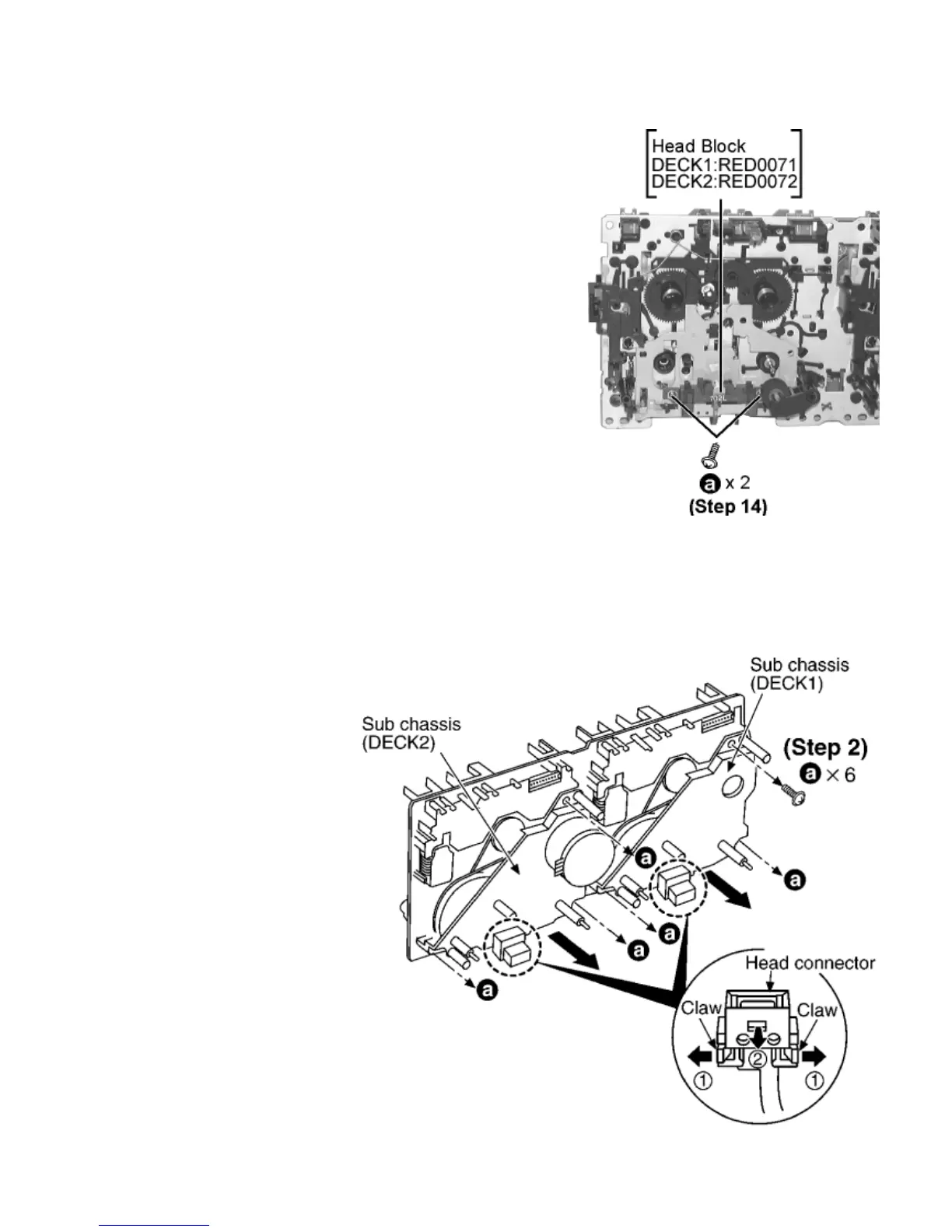
Step 14 Remove 2 screws.
17.12.1 Replacement for the CD motor ass ’ y, capstan belt A, capstan belt B and winding belt
17.12.1 Replacement for the CD motor ass’y, capstan
belt A, capstan belt B and winding belt
Step 1 Release the 2 claws, and then remove the head connector.
Step 2 Remove 6 screws.
Step 3 Remove the sub chassis.









 To Next Page