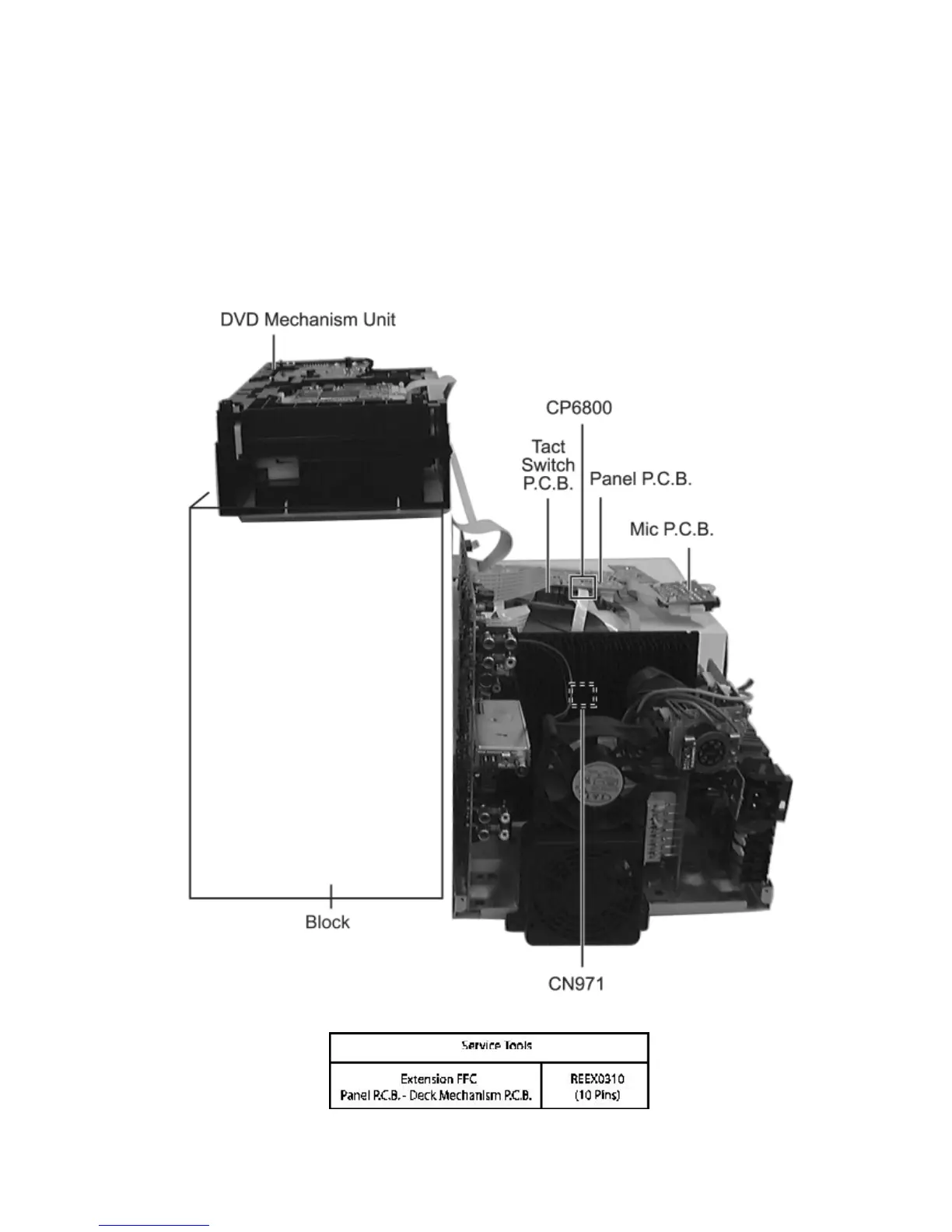
18.3 Checking the Panel P.C.B., Tact Switch P.C.B., Mic
P.C.B., Deck P.C.B.& Deck Mechanism P.C.B.
1. Remove Top Cabinet and Rear Panel.
2. Remove DVD Mechanism Unit.
3. Remove volume knob at front panel.
4. Remove Panel P.C.B., Mic P.C.B. & Tact Switch P.C.B.
5. Remove Deck Mechanism P.C.B.
6. Use the extension cable (REEX0310 - 10 Pins) to reconnect (CP6800) Panel P.C.B. and (CN971) Deck Mechanism
P.C.B.









 To Next Page