Table Of Contents
COVER
1 Before Use
2 Before Repair and Adjustment
3 Protection Circuitry
4 Safety Precautions
4.1 General Guidelines
4.1.1 Leakage Current Cold Check
4.1.2 Leakage Current Hot Check (See Figure 1)
5 Prevention of Electro Static Discharge (ESD) to Electrostatically Sensitive (ES) Devices
6 Handling the Lead-free Solder
6.1 About lead free solder (PbF)
7 Cautions to be taken when handling Optical Pickup
7.1 Handling Optical Pickup
7.2 Replacing Precautions for Optical Pickup Unit
7.3 Grounding for Preventing Electrostatic Destruction
8 Precaution of Laser Diode
9 Accessories
10 Operation Procedures
11 Disc information
12 About HighMAT
12.1 What is HighMAT?
12.2 Why use HighMAT?
12.3 The advantages of using HighMAT
12.4 Outline of the HighMAT standard
13 Procedure for repairing the set
13.1 Distinguish the problem
13.1.1 Troubleshooting Guide Part 1
13.1.2 Troubleshooting Guide Part 2
13.1.3 Checking of VIDEO COMPONENT OUTPUT
13.2 Diagnosis of Optical Pick-up Unit
14 Optical Pickup Self-Diagnosis and Replacement Procedure
14.1 Self-diagnosis
14.2 Cautions to Be Taken During Replacement of Optical Pickup and Spindle Motor
14.2.1 Cautions to be taken during replacement of optical pickup
15 Self-Diagnosis Function
15.1 Automatic Displayed Error Codes
15.1.1 Automatic Display Function
15.1.2 Re-Display
15.1.3 Description of Error Code
15.2 Memorized Error Codes
15.2.1 Activating Self-Diagnosis Function and Displaying Method
15.2.2 Re-Display
15.3 Mode Table 1
15.4 DVD / CD Self-Diagnosis Error Code Description
15.5 Error Codes Stored During No Play
15.6 Mode Table 2
15.7 Tray Lock Function
15.7.1 Setting
15.8 Things to Do After Repair
16 Cautions To Be Taken During Servicing


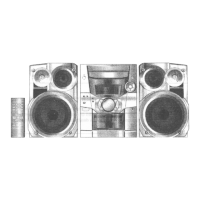
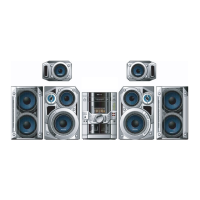
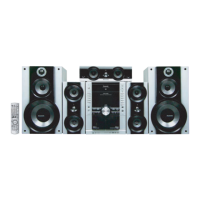







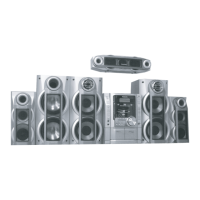

 To Next Page