82
MENU FUNCTIONS
5. Select and tap a folder.
x Tap and hold a file and tap Upload to upload the file to
other devices.
x Tap and hold a file and tap Download to download the
file to your phone.
x Tap and hold a file and tap Properties to view the file
information.
6. Select and tap a file to view.
1
2
3
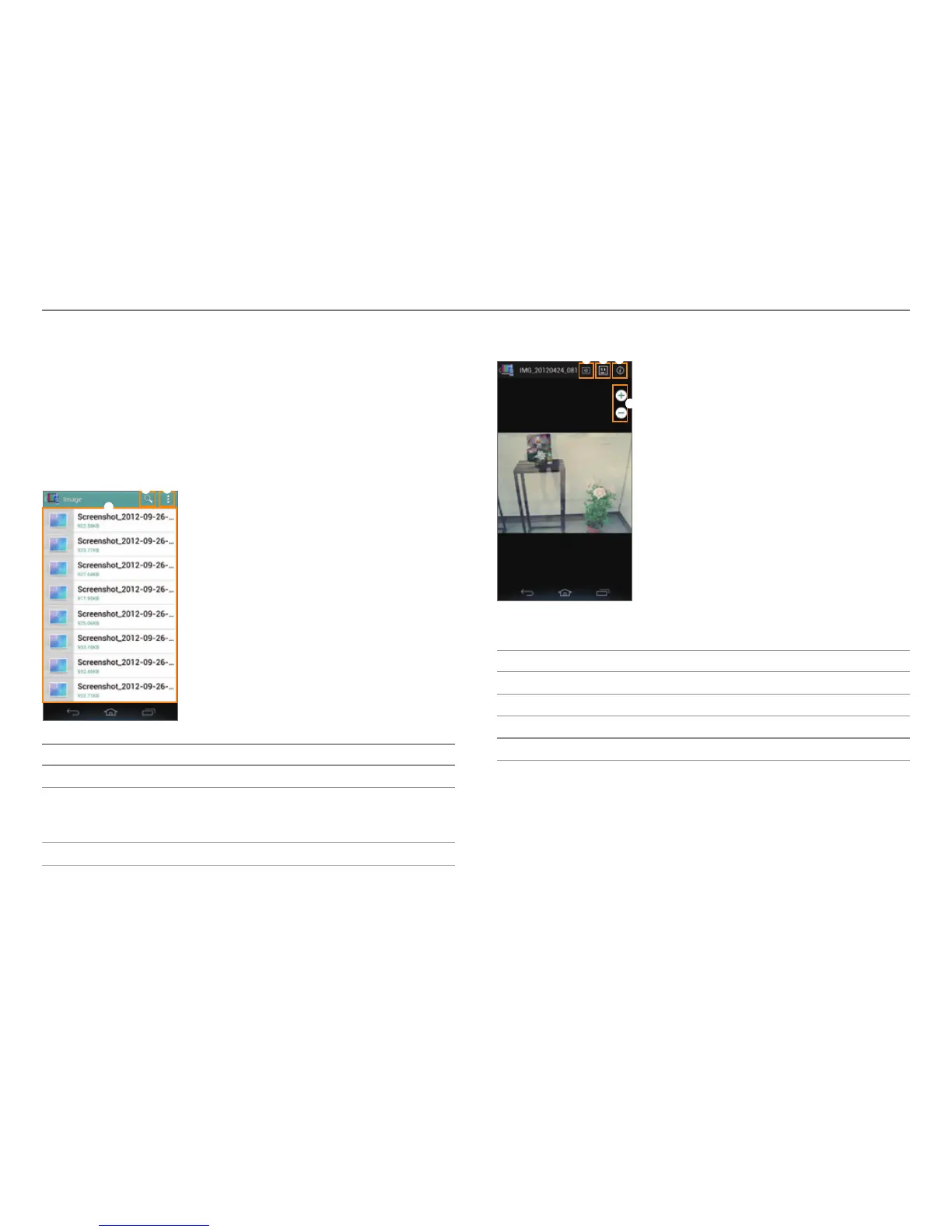
No. Description
1
Search for a file.
2
Move to main. Select a playlist. Select files to
download or upload. View files b
y content type or
folder type. Change the sorting order.
3
File list
7
. View the file.
4
1 2
3
Example: When you view a photo.
No. Description
1
Play a slide show.
2
Select a device to play the file with.
3
View the file information.
4
Zoom in or out.



 To Next Page