ARIES8 REFERENCE GUIDE
v2.1 | 35
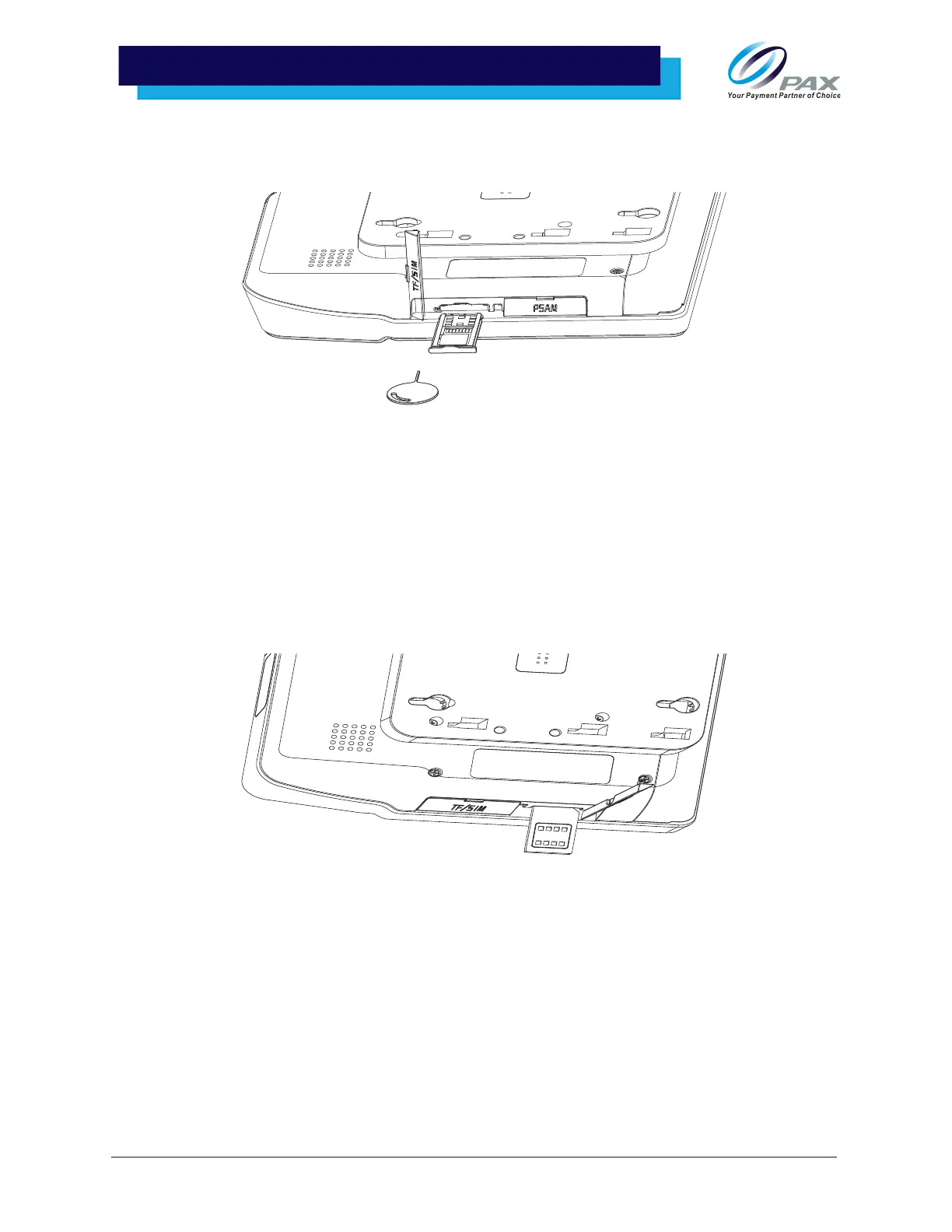
2. Insert the SIM and/or Micro SD card into the tray, aligning each card with the cutouts in the
tray and the contacts facing up. Ensure that the cards are held firmly in the adapter and then
reinstall the cover.
Please Note: Do not attempt to reinstall the tray until the cards are snapped flat into the tray
or the tray, cards, or tablet could be damaged.
11 .2 SIM/PSAM Card Installation
The Aries8 and Aries8 Pro comes with two SIM/PSAM card slots.
1. Open the card slot cover and then insert card with chip facing up. When inserted, close the
PSAM card slot cover.
12. Terminal Location
Locate the tablet on a clean, flat surface when not being applied in mobile use-case. Keep the tablet away
from direct sunlight, excessive dust, moisture, and/or heat. Avoid locating the tablet near electrical
devices that might introduce interference, such as microwave ovens and blow dryers.



 To Next Page