ARIES8 REFERENCE GUIDE
v2.1 | 26
9 .3 Mounting Plate Communication Box
This section describes the Aries8 Pro Mounting Plate with Communication Box.
9 .3.1 MOUNTING PLATE WITH COMMUNICATION BOX PORTS
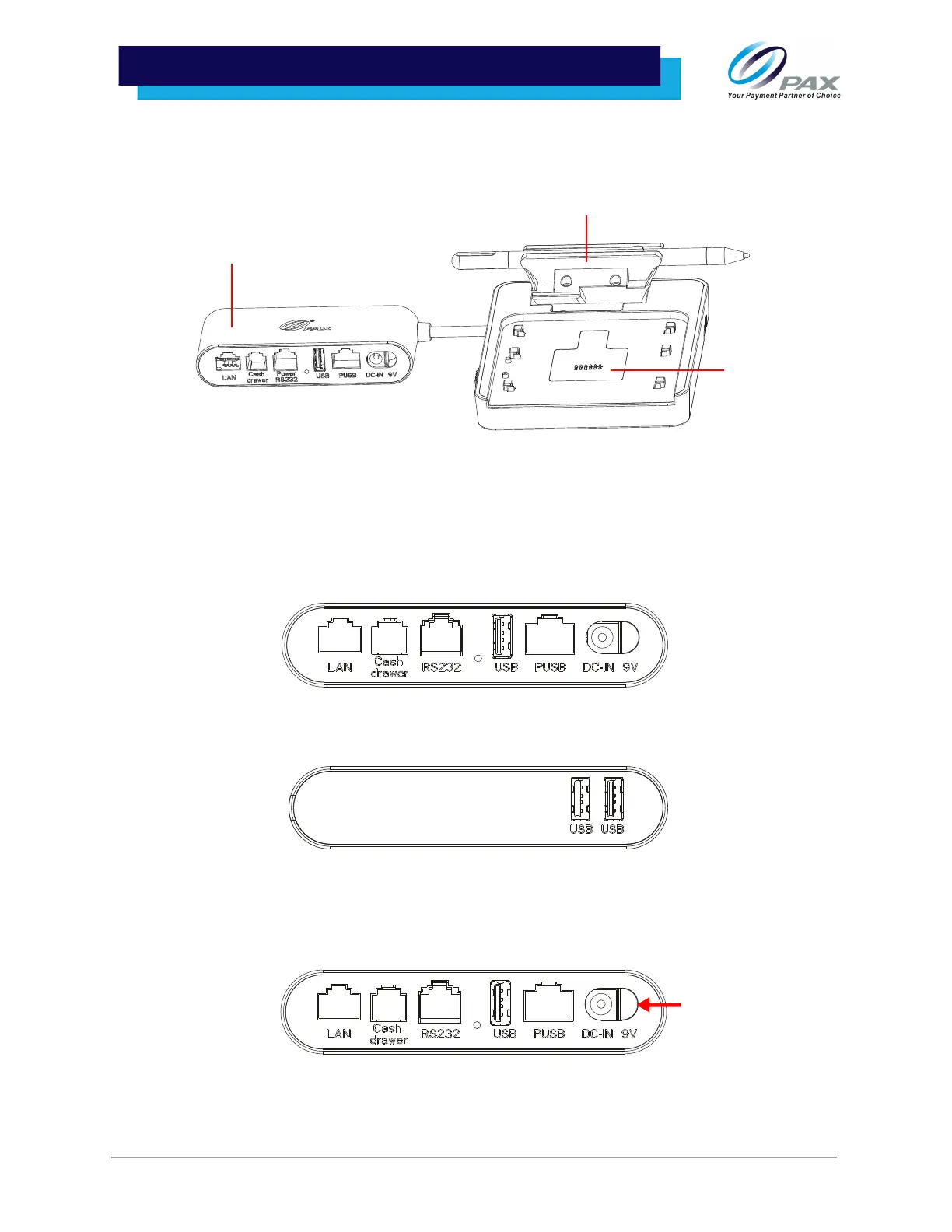
The Aries8 Mounting Plate, with its integrated Communication Box, provides additional communication
ports: LAN, Cash Drawer, Power (RS232), USB, PUSB, and DC-IN 9V.
Additionally, the Communication Box has two USB ports on the opposite side:
9 .3.2 MOUNTING PLATE WITH COMMUNICATION BOX POWER
1. Make sure the Aries8 cable and power supply are connected to the port marked [DC-IN 9V]
on the mounting plate’s Communication Box.
Communication Box
Optional Stylus Pen Holder
Pogo Pin



 To Next Page