ARIES8 REFERENCE GUIDE
v2.1 | 46
14. Card Reader
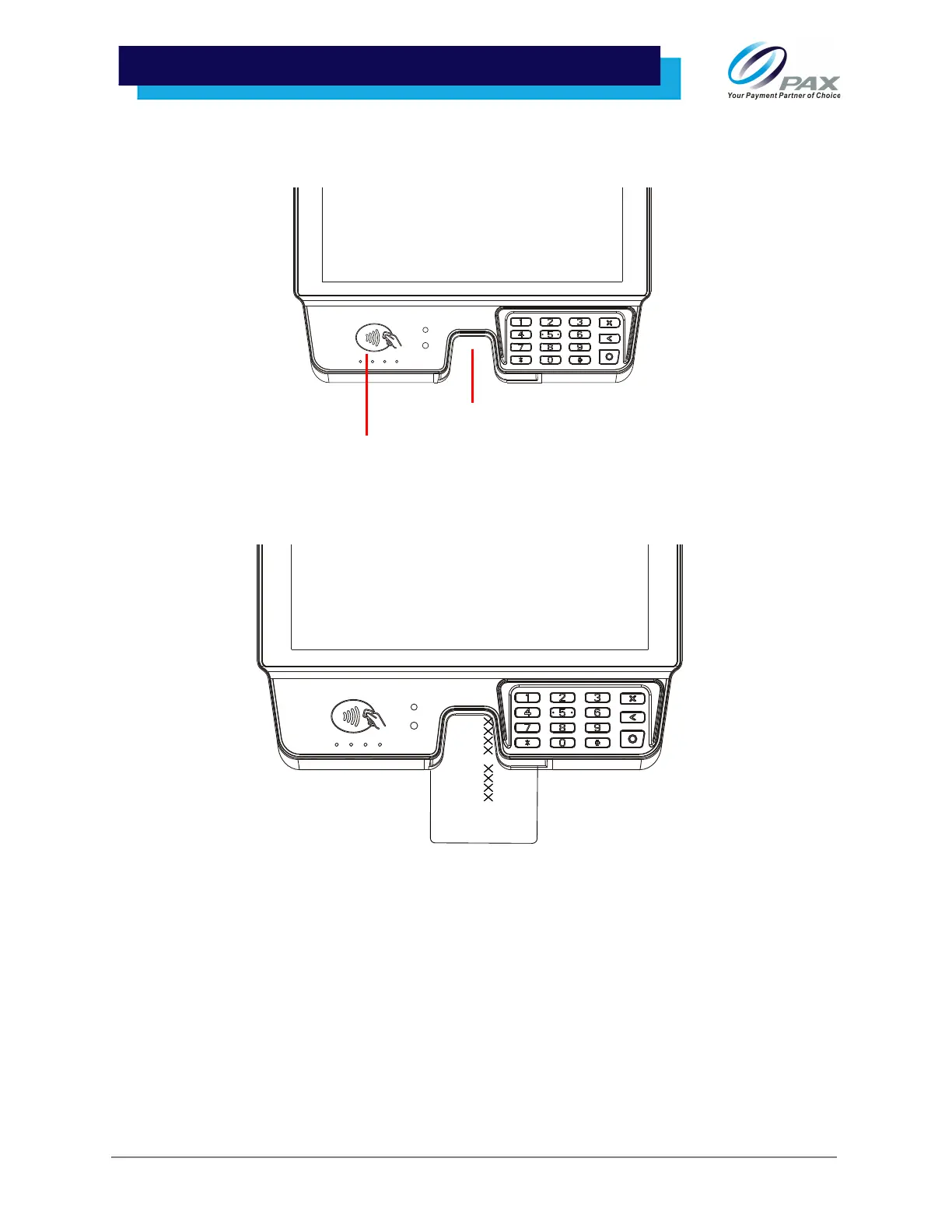
The Aries8 and Aries8 Pro include a hybrid card reader that can be used as a Magnetic Stripe Reader, an
EMV Card Reader, and an NFC/Contactless Card Reader.
14 .1 Hybrid Card Reader
This section describes how to use the Aries8 Hybrid EMV/MSR Card Reader.
Magnetic Stripe Reader
To use the Magnetic Stripe Reader, insert the Magnetic Stripe card with the magnetic stripe down into the
card reader slot located at the front edge of the tablet. The terminal reads the information from the
magnetic stripe card when the magnetic stripe is inserted into the card slot.
EMV Card Reader
To use the EMV Card Reader, insert the EMV Card with the front of the card facing you, chip side up, and
chip end down into the card slot located at the front edge of the tablet. Leave the card inserted until the
terminal provides a message to remove the card.
Contactless Card Reader
Hybrid MSR/EMV Card Reader



 To Next Page