ARIES8 REFERENCE GUIDE
v2.1 | 40
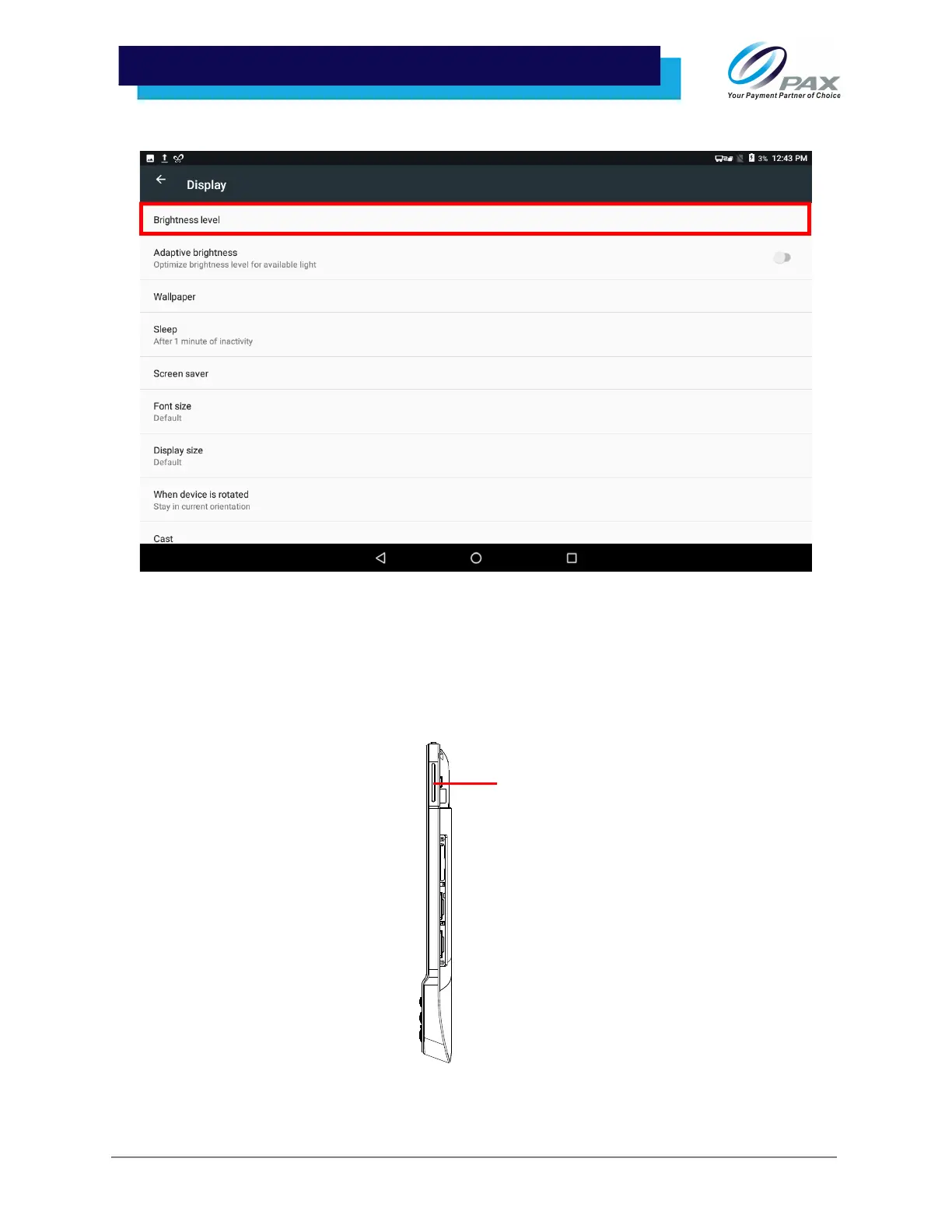
3. In [Brightness level], adjust the level, select [Adaptive brightness], and set screen sleep time.
13 .4 Adjust Volume
There are two ways to change the volume on an Aries8 tablet:
• Use the toggle switch on the right side of the tablet near the power button. Pressing the top of
the toggle switch increases the volume. Pressing the bottom of the toggle switch decreases the
volume.



 To Next Page