Install Drivers for 9000 Boards
38
7. A window notifying of installation completion appears. Click “Finish”.
NOTE: If you are installing the driver with Microsoft WHQL, you will see
the screen in step 6 directly instead of step 5.
8. Then restart operating system.
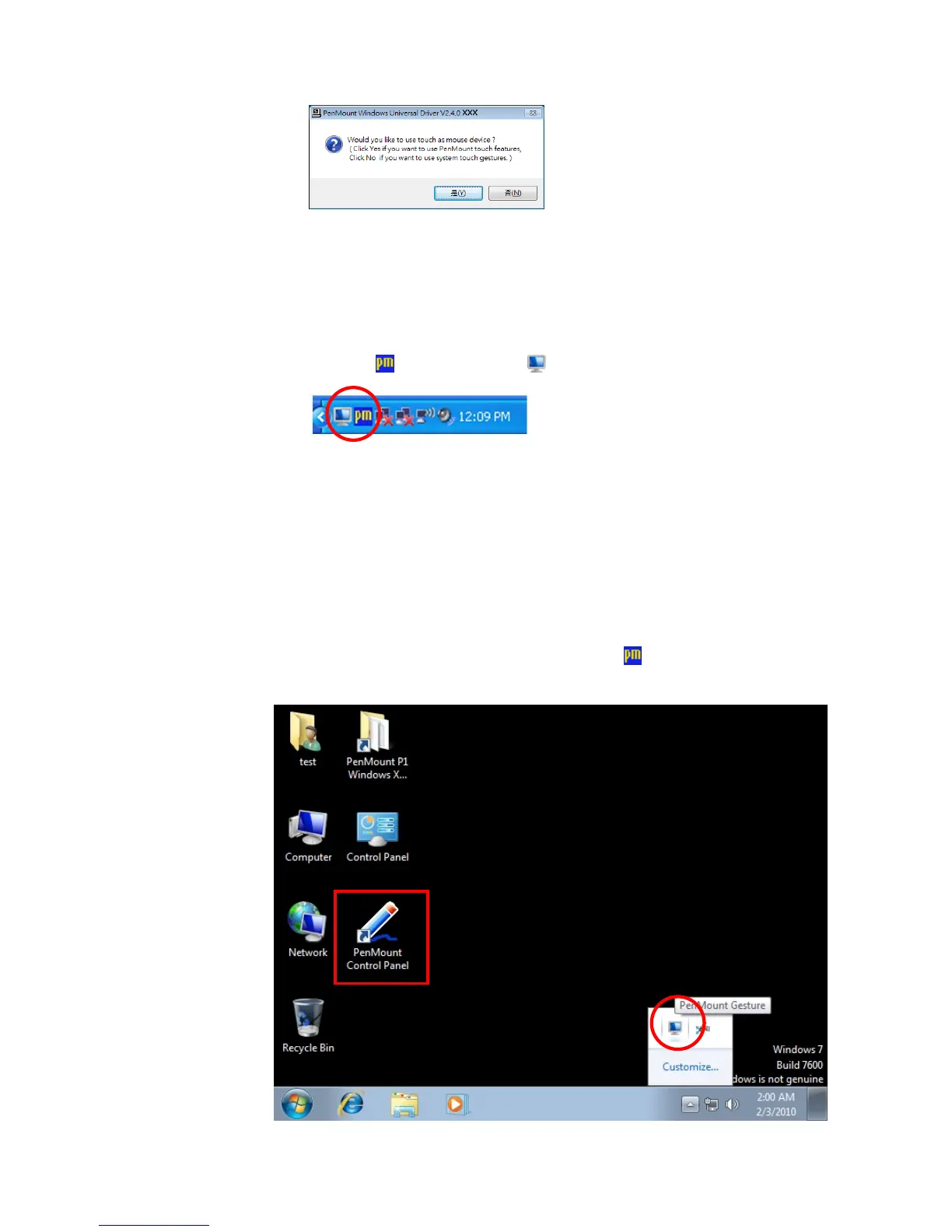
As soon as driver installation finishes, both the icons of PenMount
Monitor
and Gesture AP show up in the notification area.
3.6.2. Install PenMount Digitizer Driver in Windows XPT/VISTA/7/
WES7/2008/ 8
The default installation steps are same as XP. To select “no” in step 6,
PenMount will be installed as a digitizer device; If your operating system
doesn’t support Windows tablet input, digitizer device can’t be used, therefore
you have to select “yes” here, otherwise after the installation the touch doesn’t
work after re-booting.
After the installation,You will see the difference that a PenMount Control
Panel icon shows up on the desktop without the
icon in the notification
area. See the screenshot below:



 To Next Page