Install Drivers for 9000 Boards
46
Calibration
calibrate touch panel linearity of aged touch screens
efficiently. Click this button and touch the red
squares sequencely with a stylus. To skip, press
‘ESC’.
Command
Calibration
Command call calibration function. Use
command mode call calibration function, this
can uses Standard, 4, 9, 16 or 25 points to
calibrate.
E.g. Please run ms-dos prompt or command prompt.
c:\Program Files\PenMount Universal
Driver\DMCCtrl.exe -calibration 0 (Standard
Calibration)
DMCCtrl.exe - calibration ($)
0= Standard Calibration
4=Advanced Calibration 4
9=Advanced Calibration 9
16=Advanced Calibration 16
25=Advanced Calibration 25
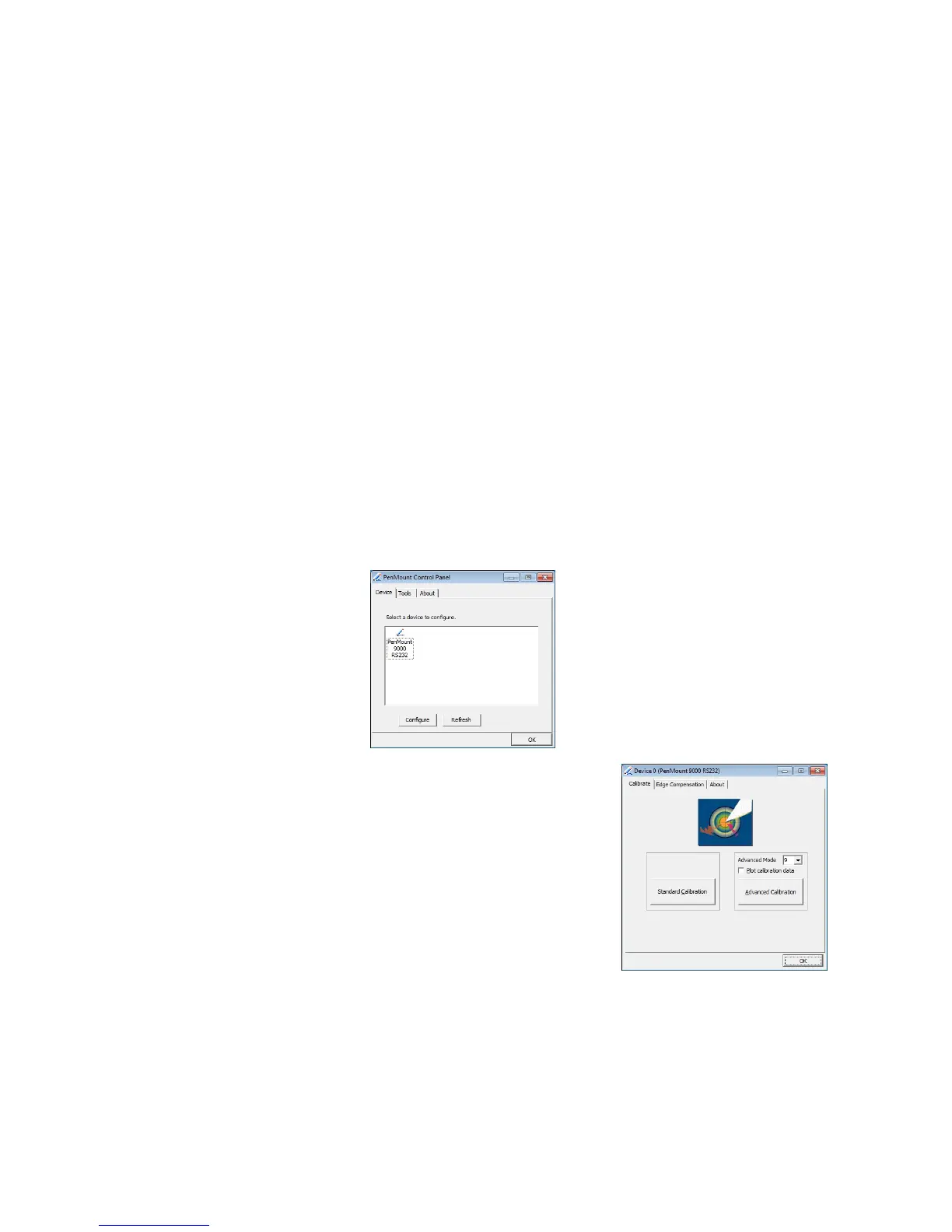
To calibrate your touch screen:
1. Please select a device then click “
Configure
”. You can double
click the device too.
2. Click “
Standard Calibration
” to
start the standard calibration.



 To Next Page