EasyManua.ls Logo

Pentax 555 - Example of Menu Operation

Pentax 555
144 pages
Print Icon
To Next Page IconTo Next Page
To Previous Page IconTo Previous Page
Loading...
35
Common Operations
3
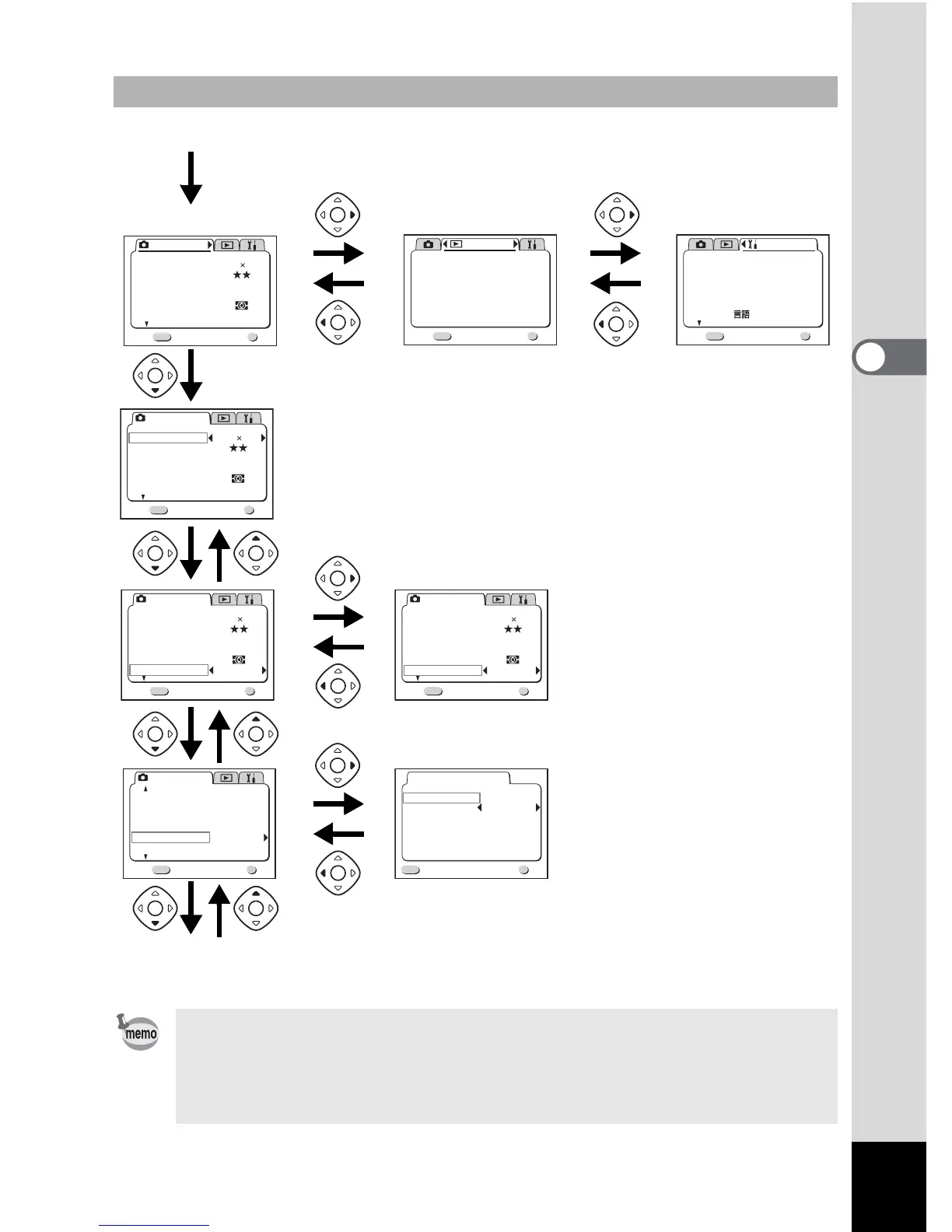
Example of menu operation
If you press the shutter release button halfway and move the camera to
Capture mode, any changes to the setting will not be saved.
The [A Rec. Mode] menu will be displayed and when you display the
menu from Playback mode, the [Q Playback] menu will be displayed
when you display the menu from Capture mode.
Rec. Mode
Wide
AWB
Auto
Quality Level
White Balance
Focusing Area
AE Metering
Sensitivity
Exit
1/3
MENU
OK
OK
2592 1944
Recorded Pixels
1 Menu / Fn button
[
A
Rec.Mode] menu
[
Q
Playback] menu
OK
OK
Playback
Resize
Trimming
Alarm
Slideshow
PictBridge
Digital Filter
3sec
Off
Exit
MENU
1/1
2

3
Rec. Mode
Wide
AWB
Auto
Quality Level
White Balance
Focusing Area
AE Metering
Sensitivity
Exit
1/3
MENU
OK
OK
2592 1944
Recorded Pixels
3
Rec. Mode
Wide
AWB
Auto
Quality Level
White Balance
Focusing Area
AE Metering
Sensitivity
Exit
1/3
MENU
OK
OK
2592 1944
Recorded Pixels
3
Rec. Mode
Exit
2/3
MENU
OK
OK
Auto Bracket
Digital Zoom
Instant Review
Interval Shoot
Off
On
2sec
Fast Fwd Movie
Flash Exp. Comp.
0.0
3
To the next screen
Rec. Mode
Wide
AWB
100
Quality Level
White Balance
Focusing Area
AE Metering
Sensitivity
Exit
1/3
MENU
OK
OK
2592 1944
Recorded Pixels
Interval Shoot
Interval
Number of Shot
Start Time
0hr 00min
02
1min 10sec
MENU
OK
OK
Exit
OK
OK
Exit
MENU
1/3
Set-up
Format
Sound
Date Style
mm/dd/yy
1/ 1/2003
Off
Date Adjust
World Time
Language/
English
[B Set-up] menu
Select screen
2
4
4’

Table of Contents

Related product manuals