64
Taking Pictures
4
You can take 3D pictures using the LCD monitor and view them by the parallel
method or cross method (p.66). If you print out the 3D pictures taken by parallel
method and look at them through the 3D image viewer provided, the image will
appear in three dimensions.
Print 3D pictures taken using the parallel method and view them using the
provided 3D image viewer. Images will appear three-dimensional.
The default setting is [Parallel]. If you do not need to switch to [Cross], go to
Step 5.
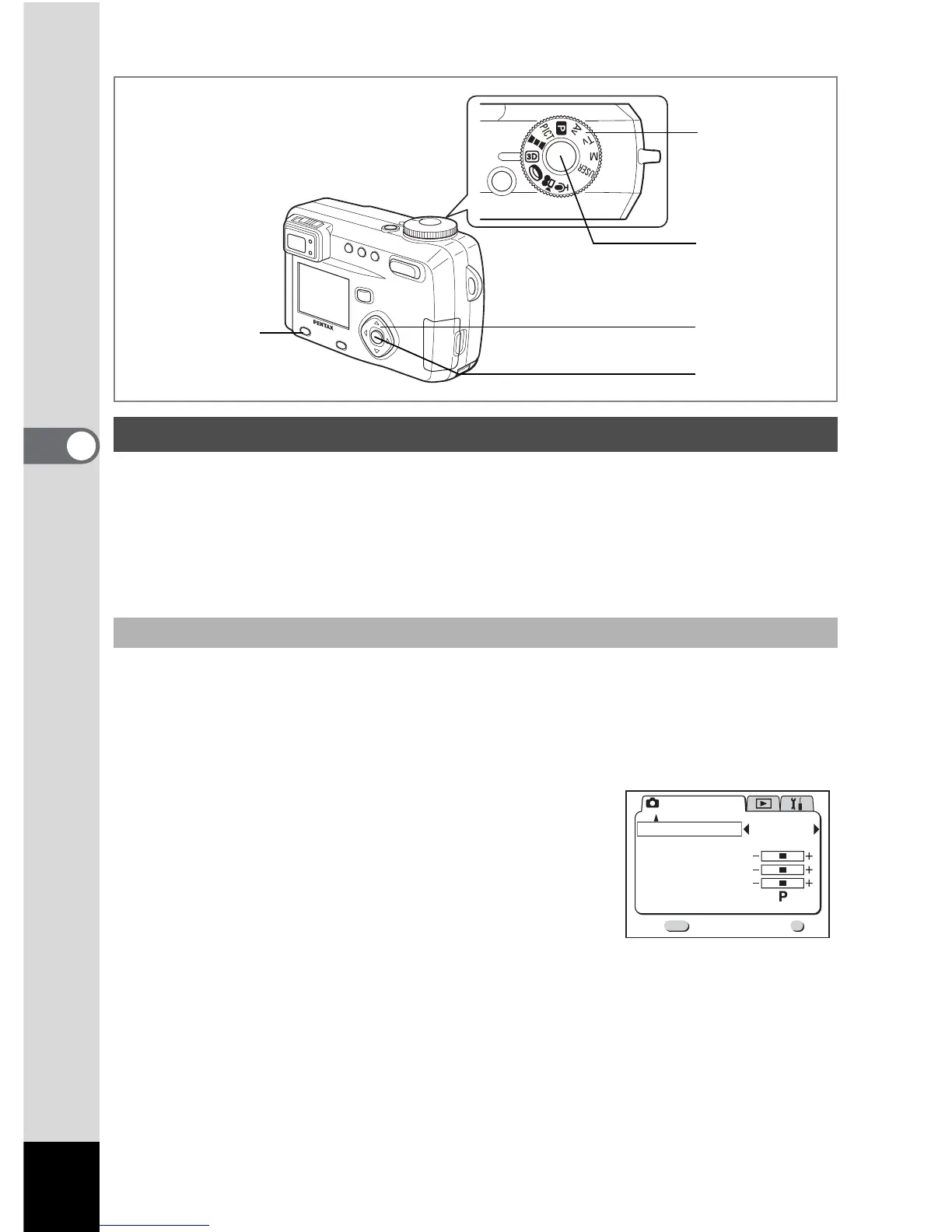
1 Press the Menu / Fn button.
The [A Rec. Mode] menu will be displayed.
2 Press the four-way controller (23) to
select [3D Mode].
3 Use the four-way controller (45) to
select [Cross].
To view the picture with the 3D image viewer,
select [Parallel].
You can also view it without the image viewer.
4 Press the OK button.
The 3D image mode screen appears again.
Taking Stereo Pictures (3D Image Mode)
Select the 3D mode
6, 8
5
2, 3
4, 9
1
Rec. Mode
Exit
3/3
MENU
OK
OK
Memory
Sharpness
Saturation
Contrast
USER
3D Mode
Cross



 To Next Page