93
5
Playback / Erasing
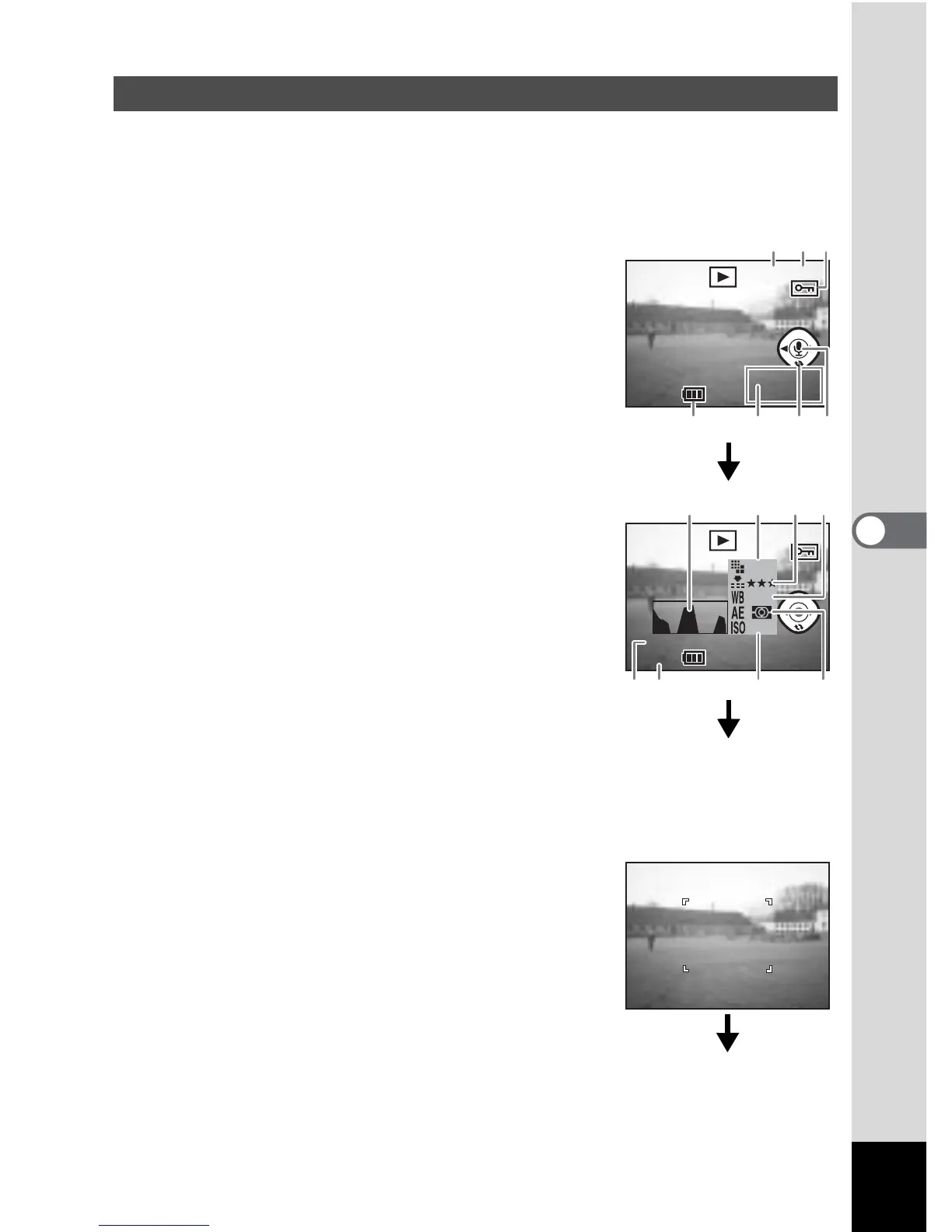
You can display shooting information on the LCD monitor. Use the Display button
to change the information displayed.
Display On
Playback information is displayed.
1 Folder No.
2 File name
3 Protect icon
4 Voice memo icon
5 Four-way controller operation guide
6 Date & time
7 Battery indicator
Histogram Display
The brightness distribution of the image is
displayed.
The x-axis shows the brightness (darkest at the
left end and brightest at the right end) and the
y-axis shows the number of pixels.
1 Histogram
2 Recorded pixels
3 Quality level
4 White balance
5 AE metering
6 Sensitivity
7 Aperture value
8 Shutter speed
Display Off
No playback information is displayed.
Playing back Shooting Information (Playback Mode)
100-0019



 To Next Page