60
Taking Pictures
4
You can select the Picture mode according to the shooting scene.
!Picture mode
There are nine available modes in Picture mode.
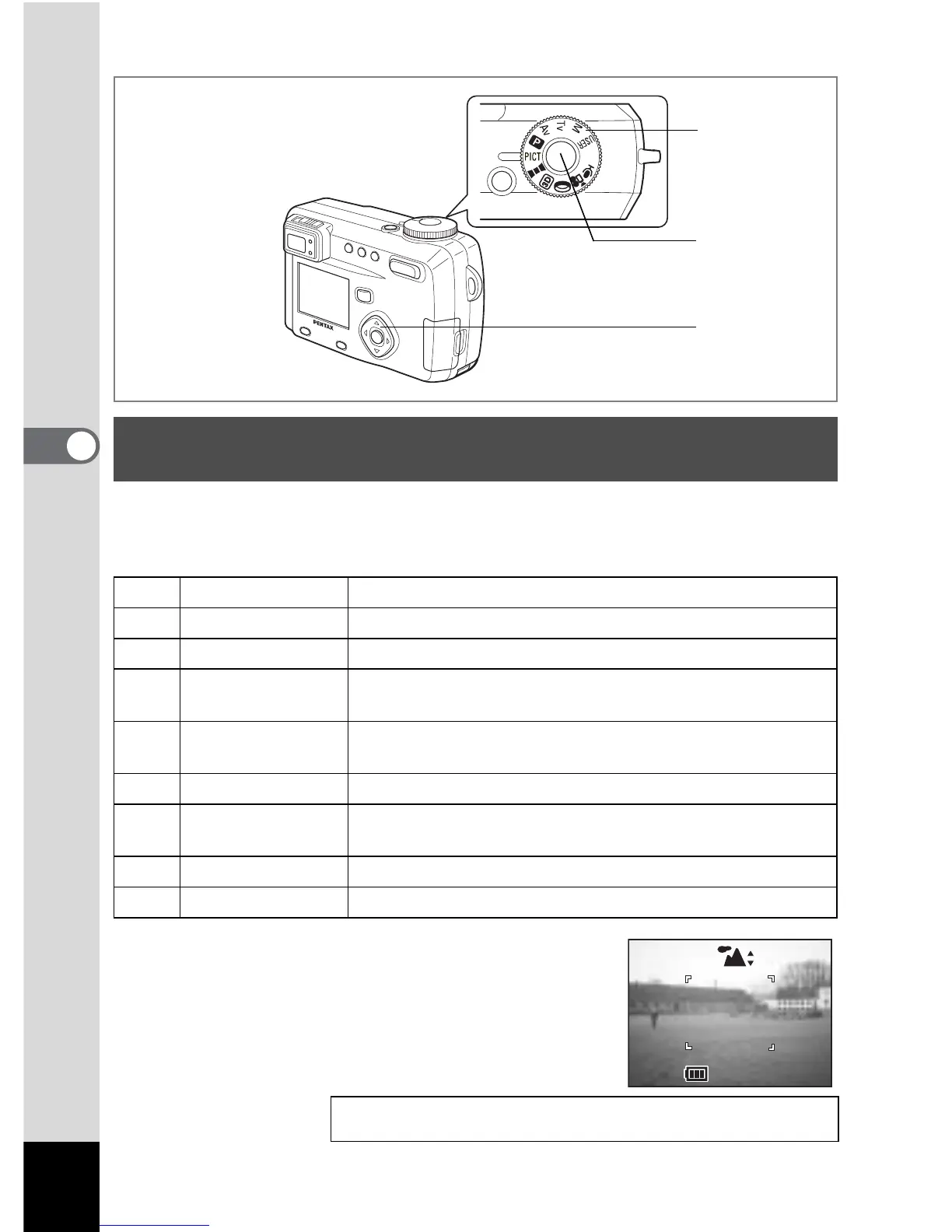
1 Set the Mode dial to d..
2 Use the four-way controller (23) to
select the required mode
3 Press the shutter release button.
The picture will be taken.
Selecting the Picture Mode According to the Shooting
Scene (Picture mode)
H Landscape Enables to take landscape photos with bright colors.
B Night-Scene Mode Enables you to take dark scenes such as night views.
I Flower Enables to take flower photos bright in color.
J Portrait
Enables to take portraits with spatial effect, by emphasizing
the person.
L Surf & Snow
Enables to take clear photos at dazzling places like beaches
and snow covered mountains.
N Autumn Colors Enables you to take colorful photos of trees in autumn.
K Sunset
Enables to reproduce beautiful colors for sunrise and sunset
photos.
g Fireworks Enables you to take bright photos of fireworks.
W Text Enables you to take clear photos of text.
Playing Back Still Pictures 1 p.26
1
3
2
200



 To Next Page