99
3
Taking Pictures
1
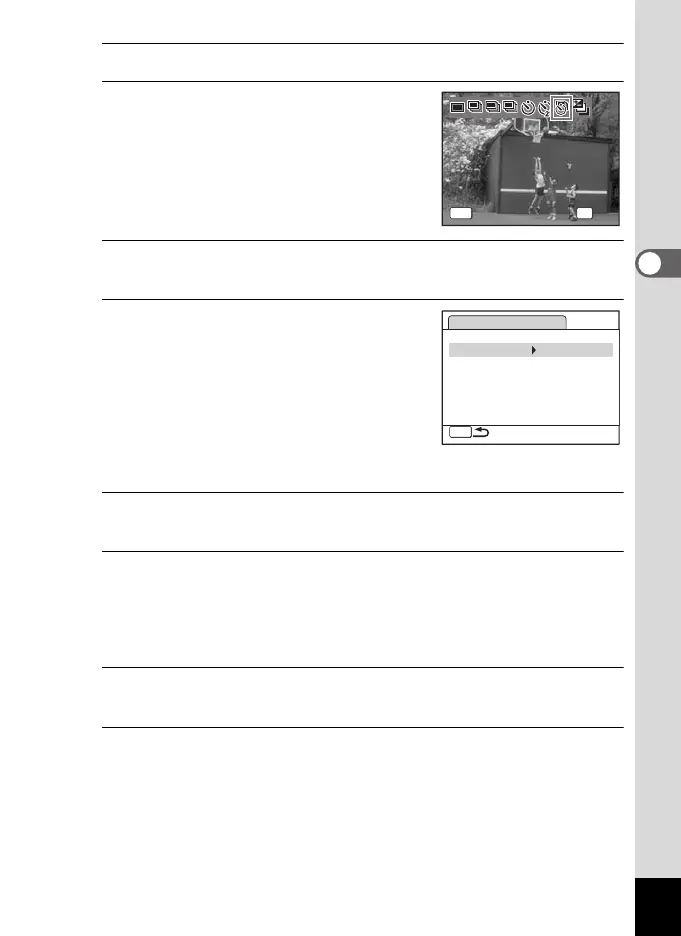
Press the four-way controller (2) in A mode.
2
Use the four-way controller (45)
to select k (Interval Shoot) and
press the 4 button.
The current interval shoot settings appear
for approximately 1 minute. To take pictures
with the current settings, go to Step 10.
3
Press the 4 button while the settings are displayed.
The [Interval Shoot] setting screen appears. [Interval] is marked with the frame.
4
Set the interval.
1 Press the four-way controller (5).
2 Use the four-way controller (23) to
set the minutes, then press the four-
way controller (5).
3 Use the four-way controller (23) to
set the seconds, then press the four-
way controller (5).
The frame returns to [Interval].
5
Press the four-way controller (3).
The frame moves to [Number of Shots].
6
Set the number of shots.
1 Press the four-way controller (5).
2 Use the four-way controller (23) to set [Number of Shots],
then press the four-way controller (5).
The frame returns to [Number of Shots].
7
Press the four-way controller (3).
The frame moves to [Start Delay].
8
Set the start delay.
1 Press the four-way controller (5).
2 Use the four-way controller (23) to set the hours, then press
the four-way controller (5).
3 Use the four-way controller (23) to set the minutes, then press
the four-way controller (5).
The frame returns to [Start Delay].
LL MM HH
Drive Mode
Interval Shoot
MENU
Drive Mode
Interval Shoot
OK
OK
Cancel
OK
Cancel
Interval Shoot
MENU
Interval0min.10sec.
Number of Shots
2
Start Delay 0hr.0min.
e_kb484.book Page 99 Wednesday, March 18, 2009 5:23 PM



 To Next Page