INSTRUMENT PANEL
3
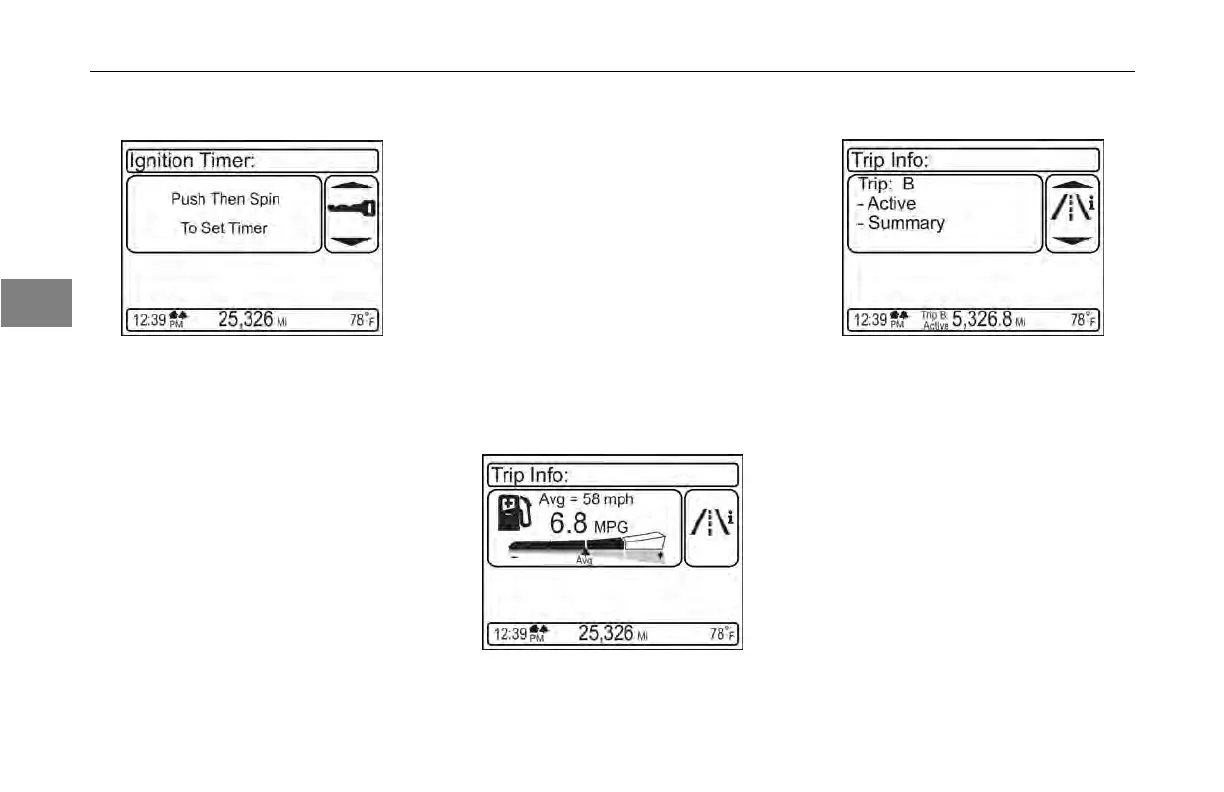
Ignition Timer
This function allows the driver to set a
timer to shut off the truck. This feature
is only available when the vehicle
is parked. After the timer is set, the
ignition key may be turned to the off
position and removed. The engine will
continue to run for the programmed
time then will shut off automatically.
Fuel Economy
This function
displays the dynamic fuel
economy performance of the vehicle.
It shows Average Speed, Average
Fuel Economy, and a dynamic
instantaneous indication of fuel
economy above or below the current
average. The screen is available
when driving. Average fuel economy
is computed by the fuel consumed
during the trip (see the next section for
Trip information). The fuel economy
for a trip will be reset when that trip
odometer is reset.
Trip Information
This function allows you to keep trip
information data on up to 4 separate
trips – labeled A, B, C, and D. Trips
are also selectable as “Active” or
“Inactive” so you can use the data
logging function to treat trips separate
from each other, or as segments of
a combined trip. When driving, the
screen only allows you to toggle which
trip is viewed in the trip odometer and
set the active/inactive status. When
parked you can select and view a
variety of data collected for each trip,
as seen in the list below:
3-24
Y53-6047–2C (04/13)



 To Next Page