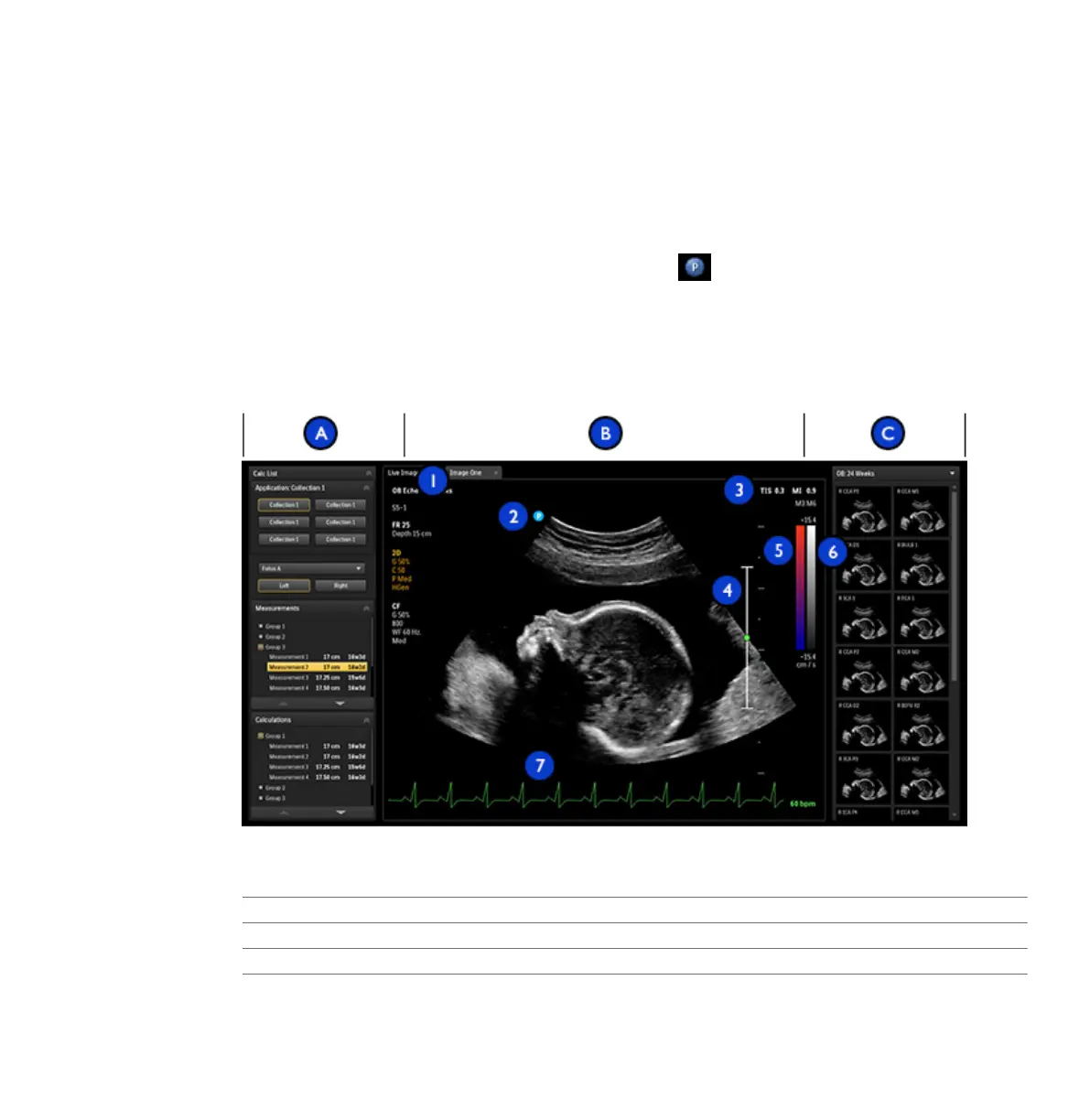
• Imaging area: Displays the live image (or other applications, such as Q-Apps), a depth scale
that includes the focus setting (to the right of the image), a TGC curve, a grayscale bar, and
a color bar (to the right of the depth scale). In M-mode and Doppler, the sweeping display
appears either below the 2D image or to the right of it, depending on the format you select.
• Thumbnail pane: Displays thumbnail images from the current exam.
For general imaging, a scan plane orientation marker appears at the top left of the image.
For cardiac exams, the orientation marker appears at the top right of the image. The marker
corresponds to the orientation marker on the transducer. The marker always follows the
orientation of the image. When you invert the image by using Left/Right or Top/Bottom, the
marker position changes accordingly.
Image Area
A Left pane
B Imaging area
1 Image tabs
2 Scan plane orientation marker
Imaging Display
Using the System
EPIQ 7 User Manual 4535 617 25341 137



 To Next Page