3 MI and TI values
4 Focal indicator
5 Color bar
6 Grayscale bar
7 ECG Display
C Thumbnail images
Tools and Icons Area
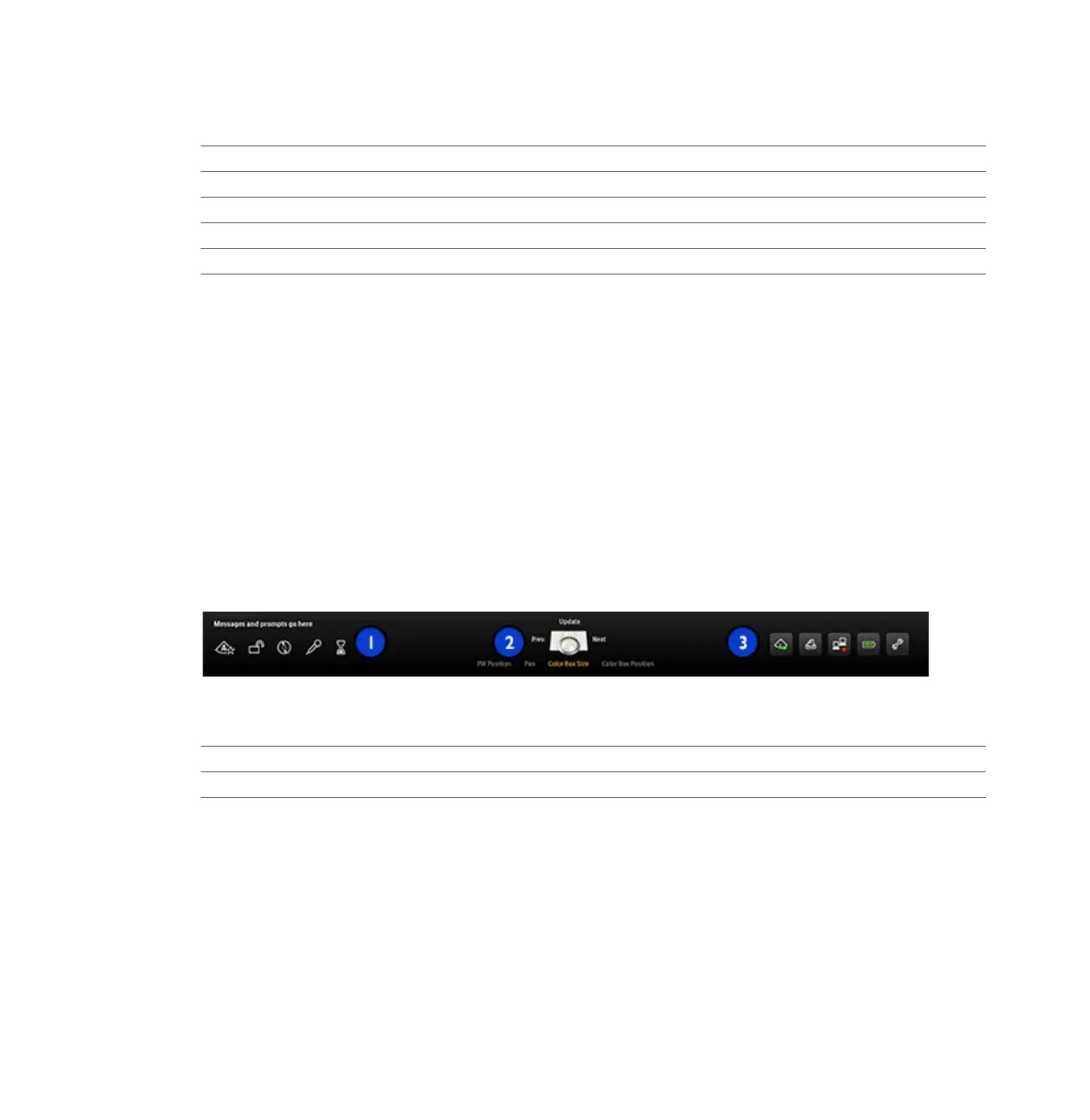
The tools and icons area displays the following:
• Status icons: Provide status of system features and cannot be selected.
• Trackball arbitration icon: Displays the current function of trackball and the trackball
buttons. The labels above and to the left and right of the trackball icon indicate the function
assigned to the middle trackball button and the left and right trackball buttons,
respectively. The labels under the trackball icon indicate the functions that are available for
the entire trackball. For details, see “Trackball” on page 126.
• System management icons: Provide status and can be selected. When you click a system
management icon, a dialog box displays additional information or available actions.
For definitions of status and system management icons, see “Status Icons” on page 129.
Tools and Icons Area
1 Status icons
2 Trackball arbitration icon
3 System management icons (interactive)
Emergency Studies
If the system administrator has enabled the data security feature on your system, it is
important to understand how to start a study in an emergency situation.
Using the System
Imaging Display
138 EPIQ 7 User Manual 4535 617 25341



 To Next Page