FL SWITCH LM ...
3-2
PHOENIX CONTACT 7278_en_04
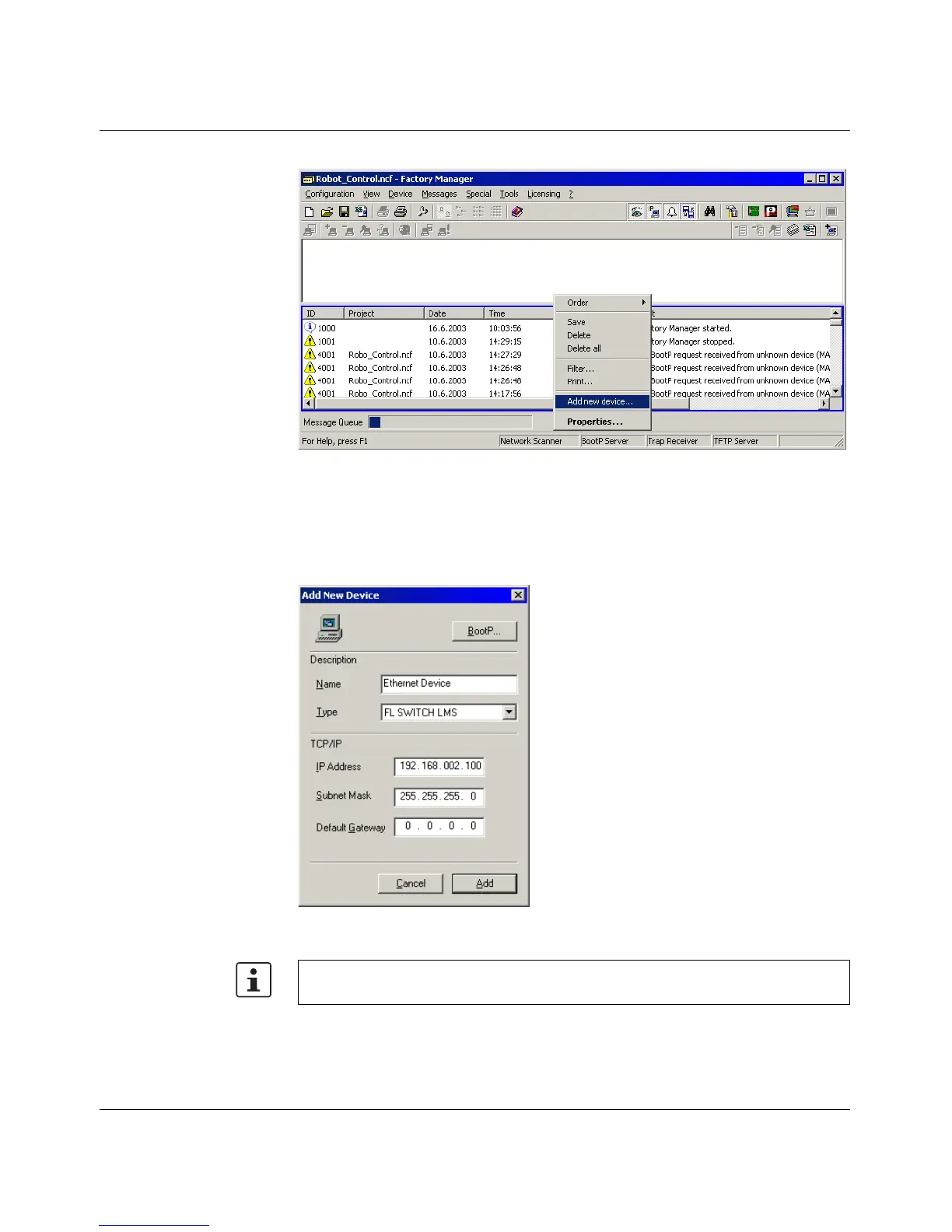
Figure 3-1 Messages from the LMS in the Factory Manager
Right-click on one of the LMS messages and select the "Add new device..." menu item.
Under "Description", select an icon and enter a device name.
Specify the desired IP parameters under "TCP/IP" (see also "Assigning IP parameters" on
page 3-1).
Figure 3-2 Input mask for IP parameters
Make sure that the assignment of IP parameters via BootP is also activated.



 To Next Page