FL SWITCH LM ...
3-18
PHOENIX CONTACT 7278_en_04
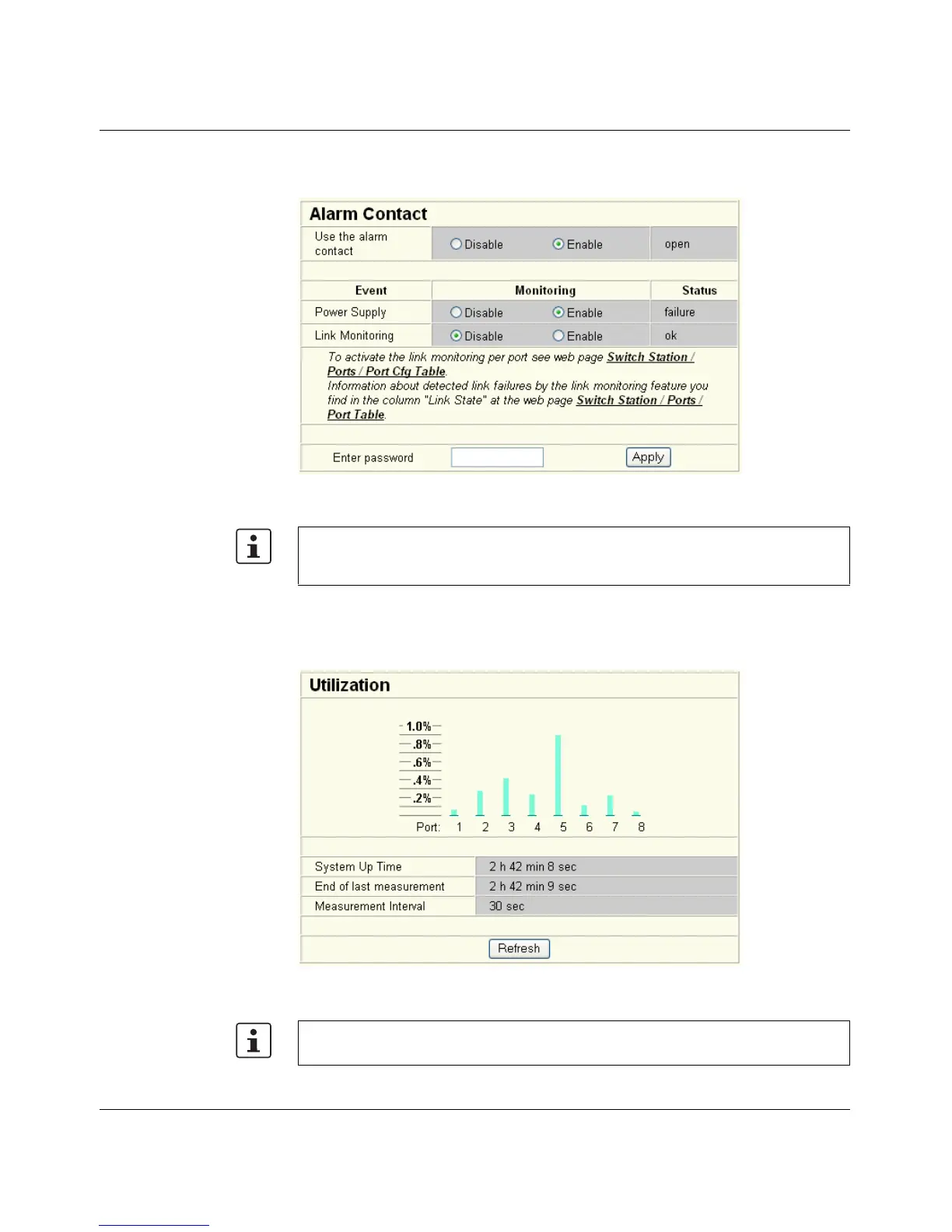
"Diagnostics/Alarm Contact" menu
Here, you can set whether and for which events the alarm contact can be used.
Figure 3-23 "Alarm Contact" web page
"Utilization" menu
Here, the network capacity of each individual port is displayed as a bargraph. The display
is automatically updated according to the refresh interval.
Figure 3-24 "Utilization" web page
Click on the "Switch Station / Ports / Port Table" link (on "Alarm Contact" page in WBM) to
access the port configuration page. Here, the ports to be monitored must be explicitly
enabled for link monitoring.
Please note that the % scale is spread according to the capacity utilization.



 To Next Page