95
5277A
Replacing INTERBUS IP20 devices
Do not remove the cover from the devices!
1. Unplug the bus connector from the device.
2. Unplug the I/O connectors and PE connecting cable.
3. Unhook the device from the DIN rail.
4. Installation is done in reverse order.
Replacing INTERBUS IP65 Devices
The location of the mounting screws is described in the data
sheet of the relevant device.
The module can be replaced without having to open the hous-
ing.
1. Remove all connectors.
2. Unscrew the mounting screws.
Diagnostic Functions on INTERBUS Devices
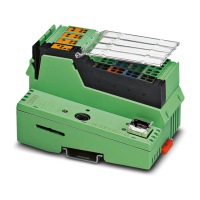
Figure 43: IBS ST 24 BK-T bus terminal module
BK modules with I/O connectors can also indicate
module errors (short circuit of sensor/actuator, miss-
ing I/O voltage). Correspondingly, there are addition-
al LED indicators (also see diagnostic functions on
I/O modules).


 To Next Page
 Loading...