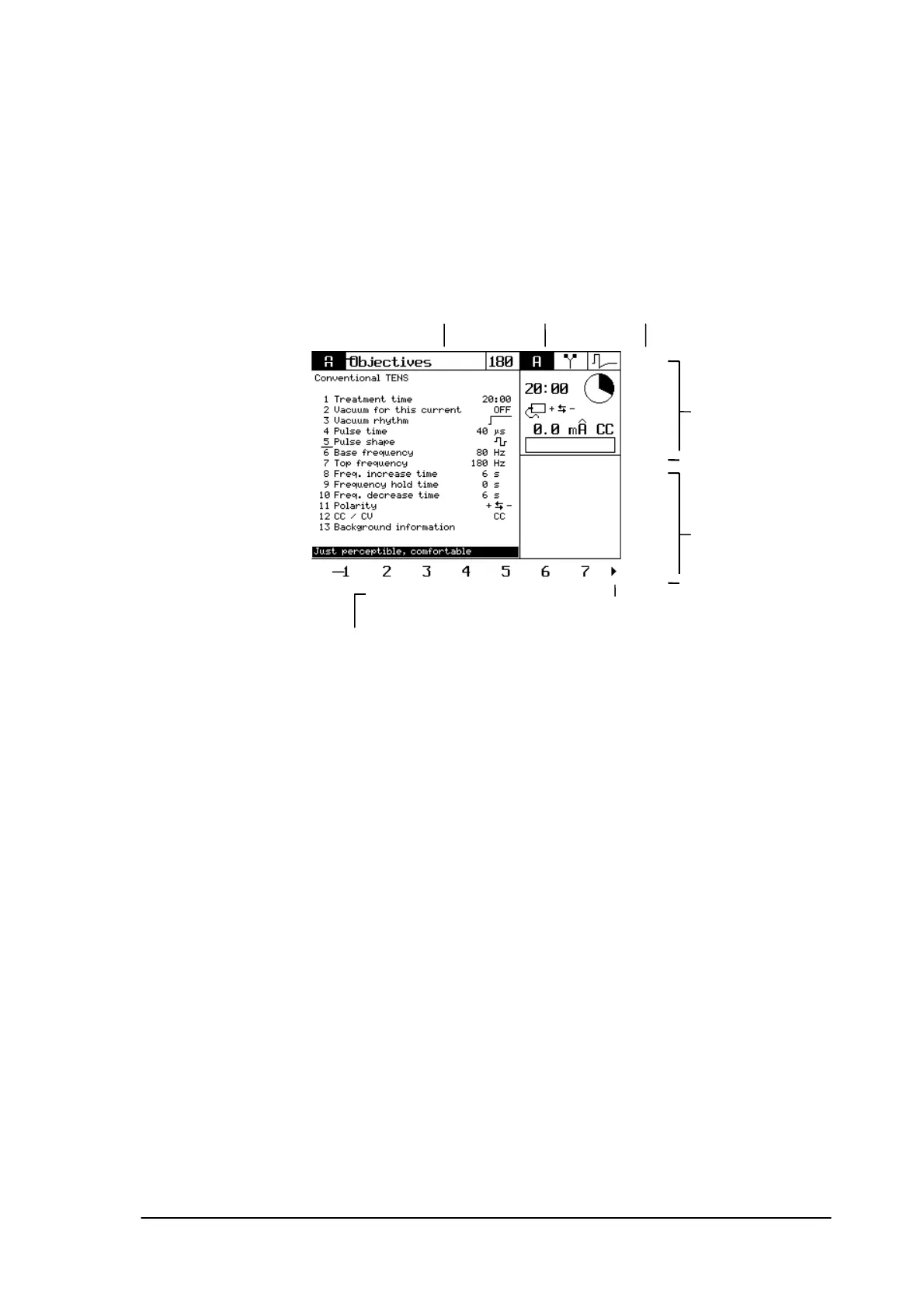
3.2 Display indication overview
Title of the screen; it indicates which
option you chose for
presetting the
treatment
Symbol representation
of the selected current
Program
number
Window channel A with
data about:
• remaining treatment
time
• activated electrode
• polarity
• set amplitude
• current amplitude
• (bargraph)
• CC / CV
Recommended
amplitude (for
programs from the
Objectives / indication
list)
Parameters of the selected
channel
Selected channel
Window channel B;
is empty here, since
channel B is not
activated.
Sometimes used as well
for the graphic
representation of the
current
Option line, with the blue buttons
under the display the desired option
can be selected
Arrow to the right
indicates that you can
scroll with the button >
Phyaction Guidance E/C – service manual version 0.5 Page 9



 To Next Page