Effect Settings
QuietTime has four kinds of built-in sound effects which can be customized. These effects are called
Reverb, Chorus/Rotary, Delay and Transpose. On the following pages we will describe how to access
and how to adjust these effects. The settings for transpose remain active when the tone is changed.
The settings for other sound effects are reset to factory defaults when the tone is changed. The
settings for all sound effects are reset to factory defaults when the power is switched off and back on.
The effects are available for most tones, but not for all.
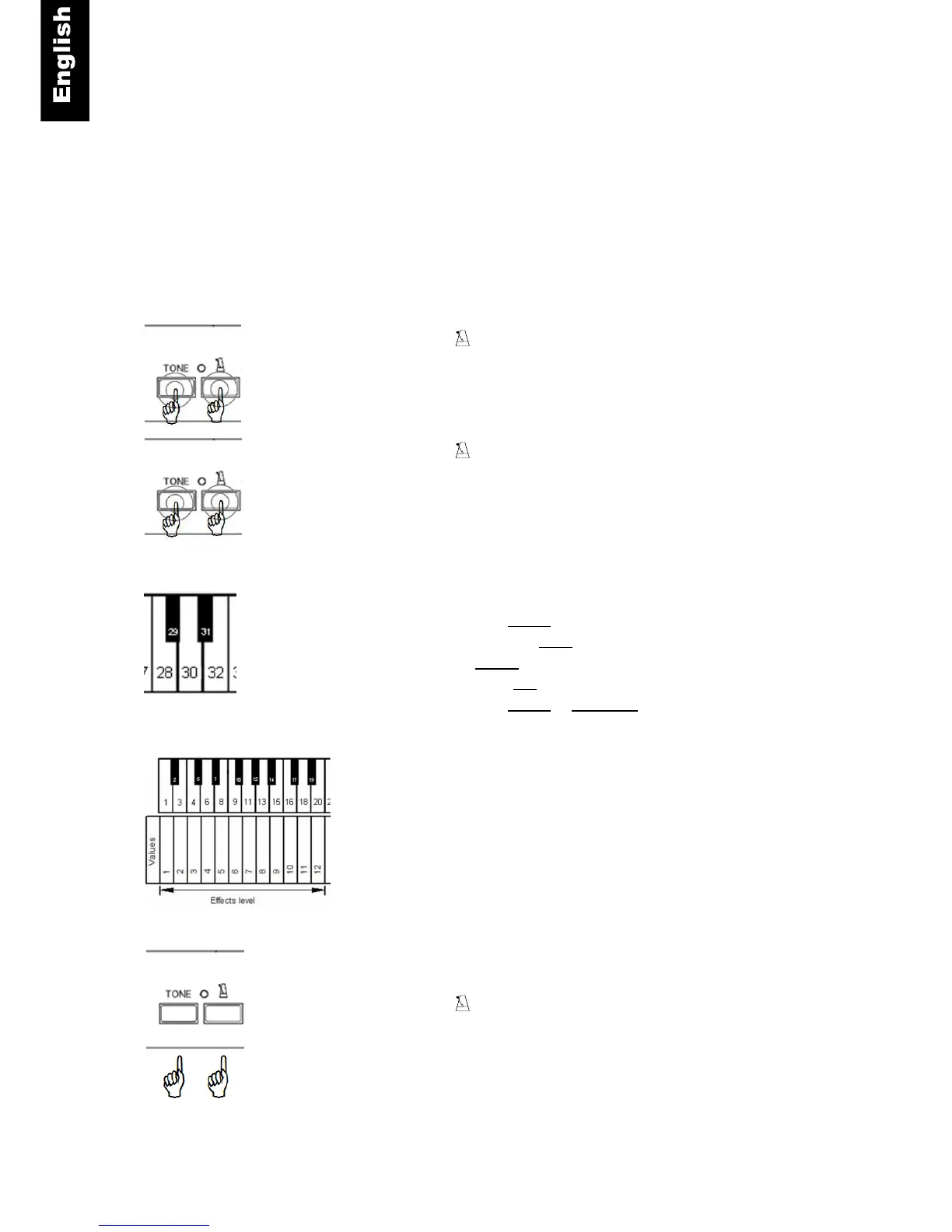
Tone and – Press and hold the “TONE”- and the
“METRONOME”-button.
Tone and - Continue to hold the “TONE”- and the
“METRONOME”-button.
Piano key
– Play piano key 28 to select the reverb sounding like you
are playing in a room or
– piano key 30 to select the reverb sounding like you are
playing in a hall.
– Play piano key 32 to deactivate the reverb effect.
Piano key – Play piano key 1, 3 … 18 or 20 to select the level
(intensity) of the reverb effect.
Tone and – Release the “TONE”- and the “METRONOME”-
button to save your settings.



 To Next Page