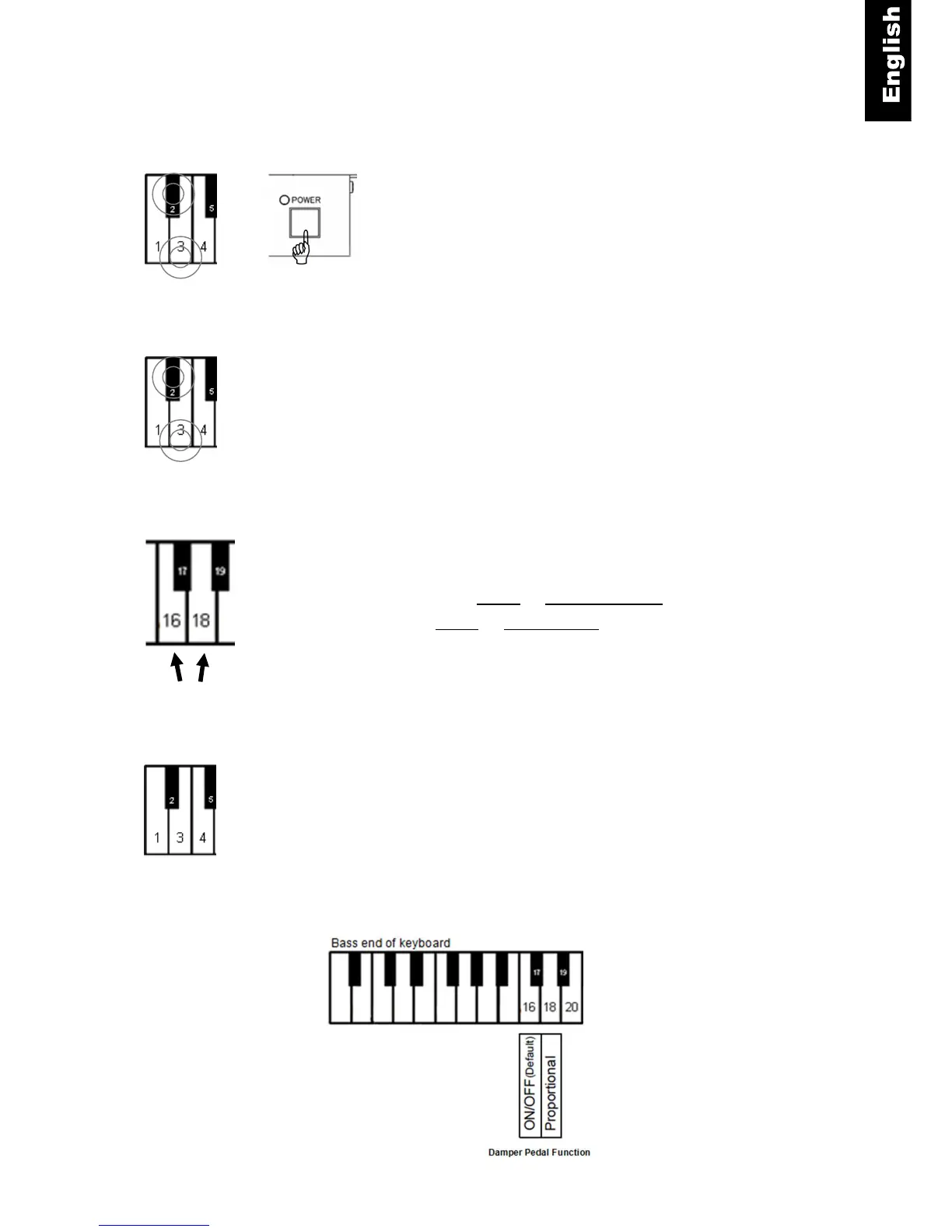
Pedal Resolution Setting
Enable/disable proportional pedal
Piano keys 2 and 3 + Power ON - Press and hold key 2 and 3
while turning the power on. A chime will sound to confirm that you
are in pedal setup mode.
Piano keys 2 and 3 - Continue holding the two piano keys.
Piano key 16 or 18 - To enable or disable proportional damper
pedal.
- Press key 18 for proportional pedal or
- key 16 for ON/OFF pedal.
Release the two piano keys to exit setup mode.
Note:
Proportional pedal is not recommended for use with a piano player system.



 To Next Page