Effect Settings
Transpose
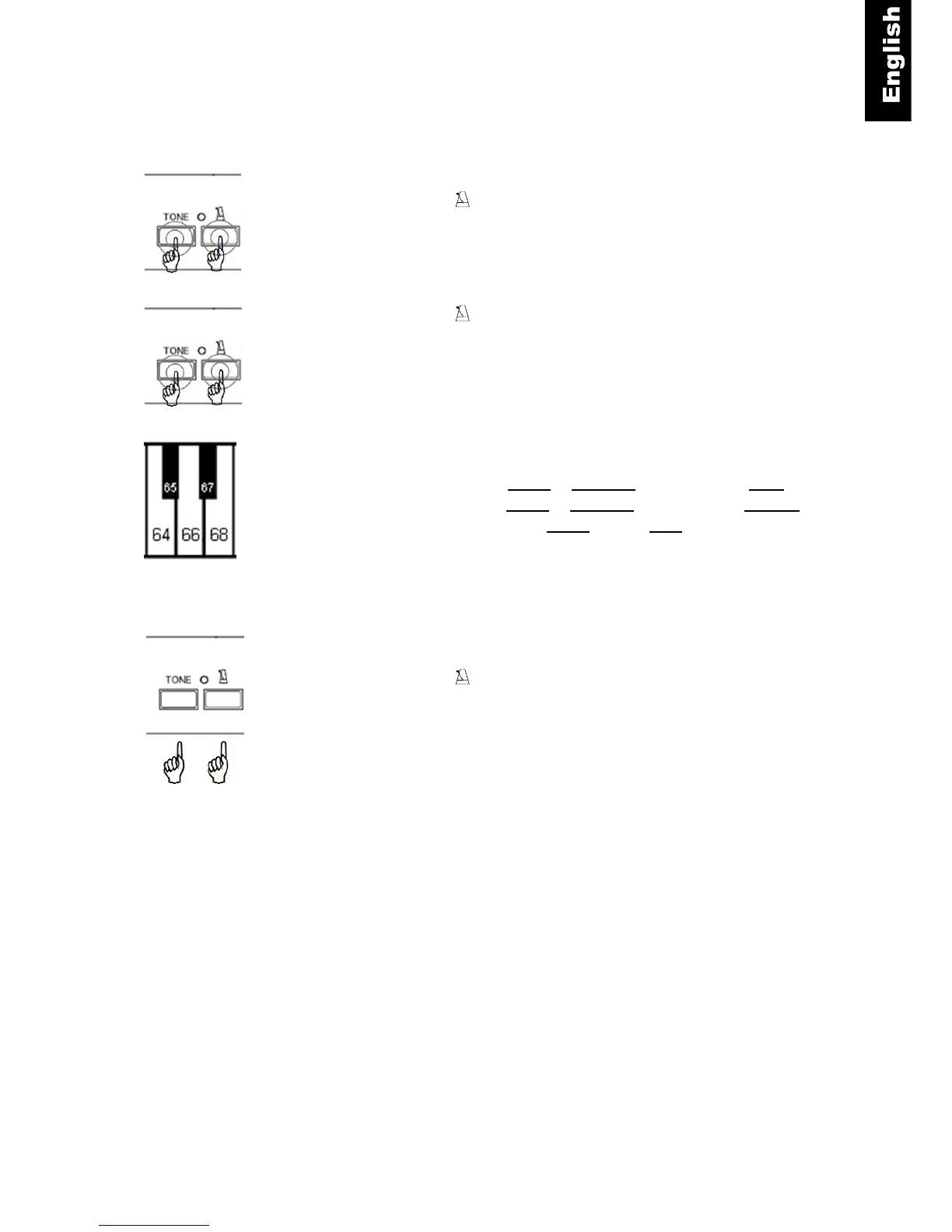
Tone and – Press and hold the “TONE”- and the
“METRONOME”-button.
Tone and - Continue to hold the “TONE”- and the
“METRONOME”-button.
Piano key
– Play piano key 64 to transpose the piano’s pitch down,
– play piano key 68 to transpose the pianos pitch upwards.
– By playing piano key 66 you can reset the piano’s pitch
to normal.
Tone and – Release the “TONE”- and the “METRONOME”-
button to save your settings.
Note:
The settings for transpose remain active when the tone is changed.
The settings for all sound effects are reset to factory defaults when the power is switched off and back on.



 To Next Page