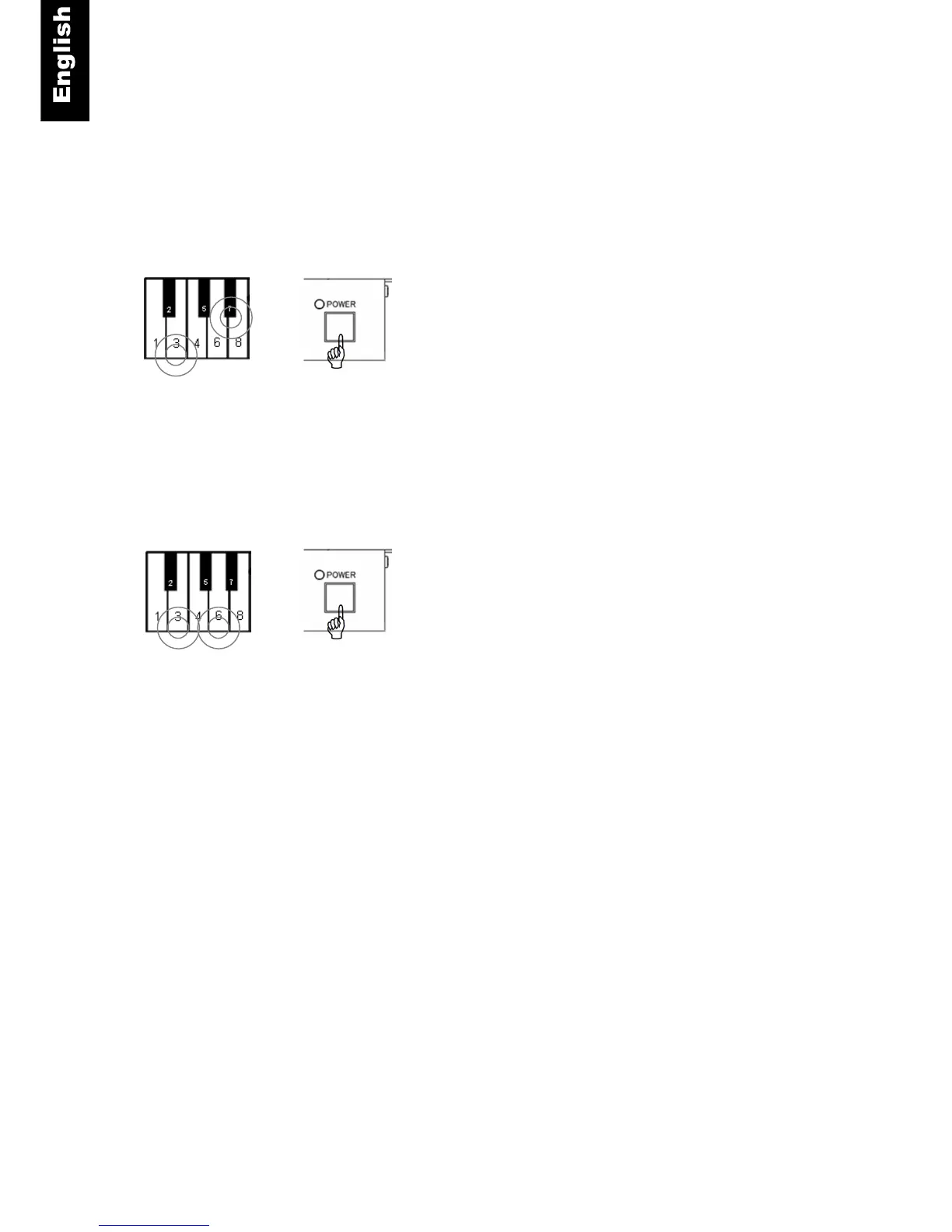
Bass end of keyboard
Bass end of keyboard
Automatic Sensor Calibration
ProRecord has the capability of calibrating the key and pedal sensors automatically. This function is
enabled by default but can be disabled if desired.
Disable Automatic Sensor Calibration
Piano keys 3 and 7 + Power ON - Press and hold
keys 3 and 7 while turning the power on. A MIDI
signal will sound indicating that the automatic sensor
calibration function has been disabled.
Enable Automatic Sensor Calibration
Piano keys 3 and 6 + Power On - Press and hold
keys 3 and 6 while turning the power on. A MIDI
signal will sound indicating that the automatic sensor
calibration function has been
enabled.
+



 To Next Page