Chapter 5 Adjustments and Configurations
Note Repeat Limit
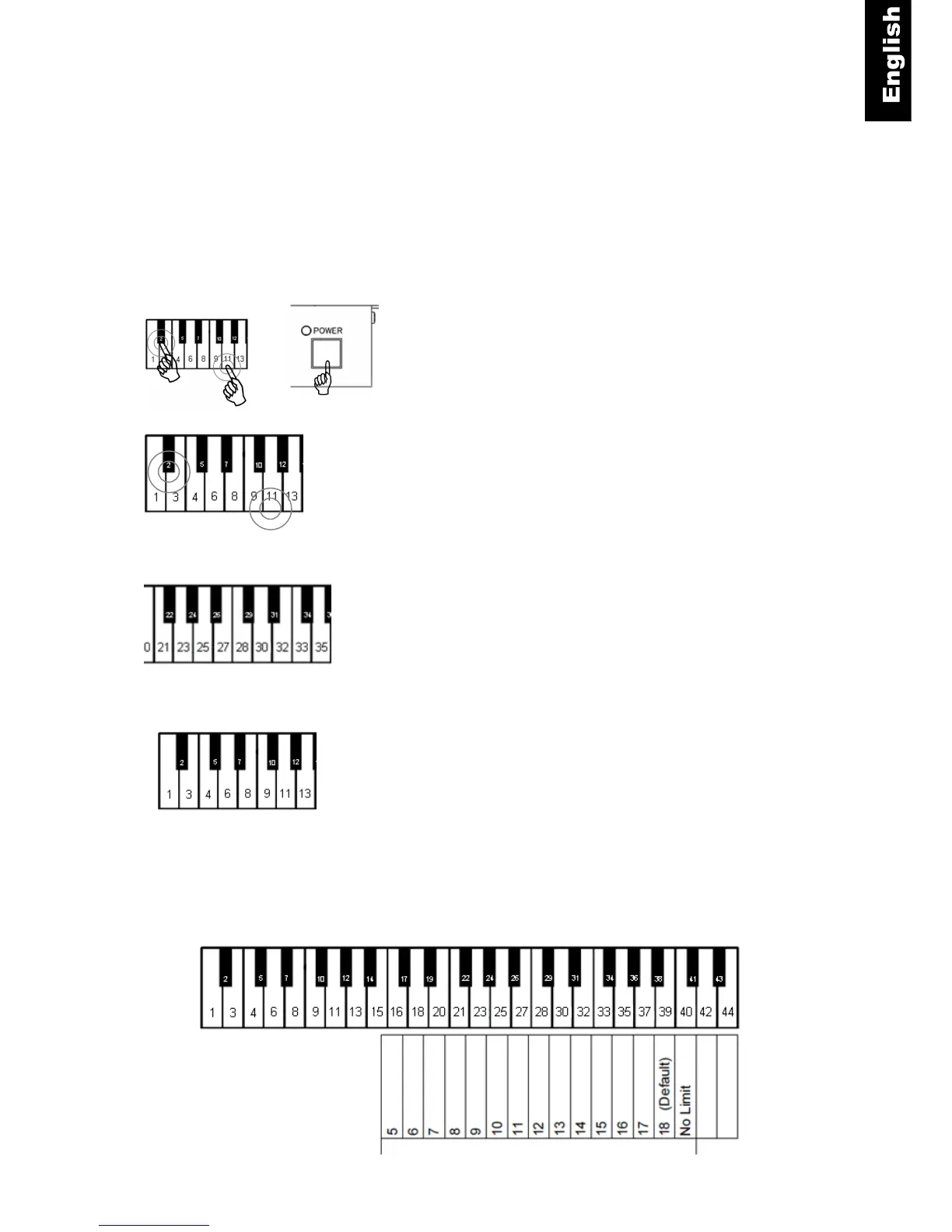
ProRecord can be set up with limits to how many times a note can be repeated per second.
Setup Instructions
Piano keys 2 and 11 + Power ON - Press and hold Key 2 and
11 while turning the power on (refer to the figure below).
If a MIDI device is connected, a MIDI signal will sound confirming
that the system is in setup mode.
Piano keys 2 and 11 - Continue holding the two piano keys.
Piano key 16, 18, ….. 39, 40 - Select the repeat limit desired
from the keyboard (see figure below).
Release the two piano keys to store your setting and to exit setup
mode.
Caution!
Choosing a re-strike limit that exceeds the piano capability may cause undesirable effects.
Bass end of keyboard



 To Next Page