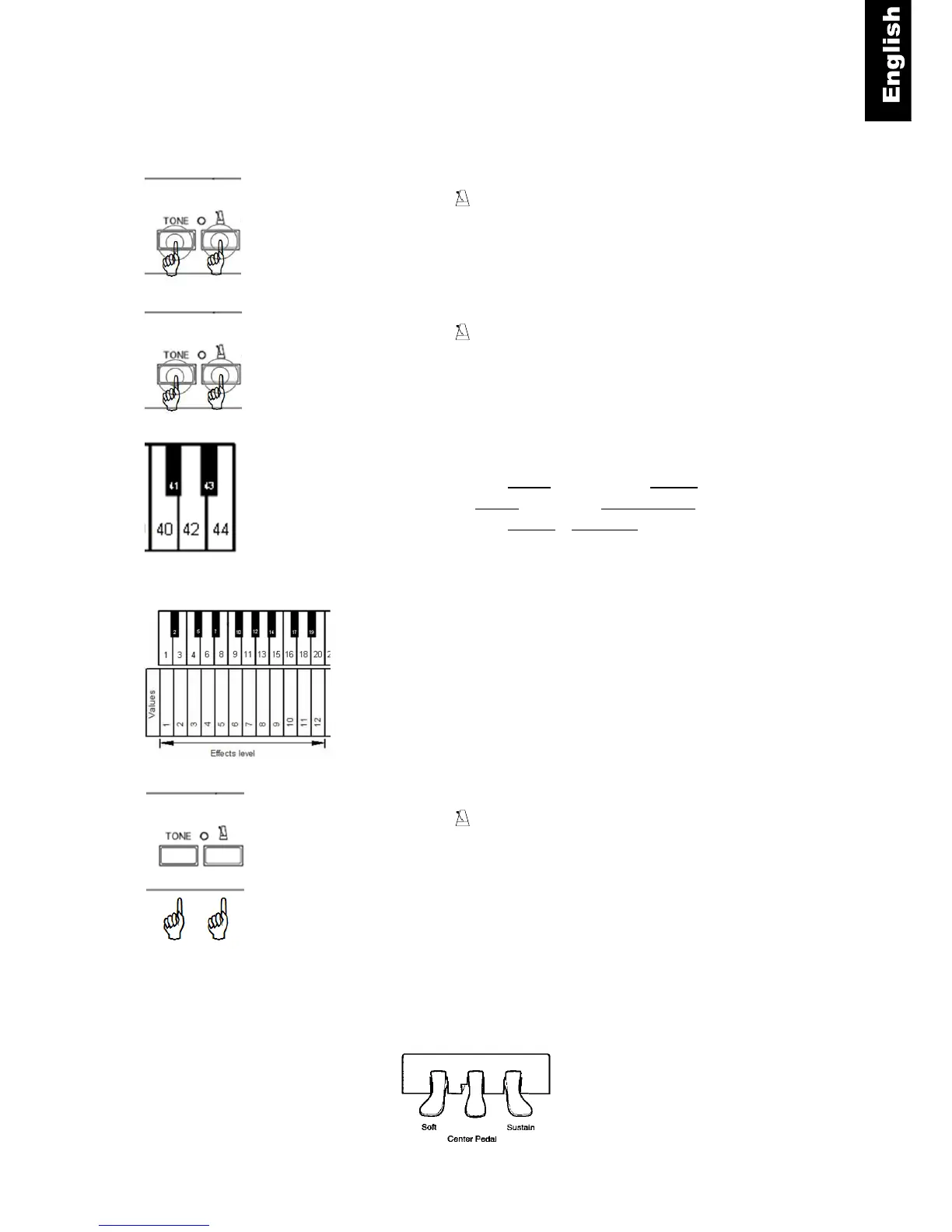
Effect Settings
Chorus/Rotary Speaker
Tone and – Press and hold the “TONE”- and the
“METRONOME”-button.
Tone and - Continue to hold the “TONE”- and the
“METRONOME”-button.
Piano key
– Play piano key 40 to activate the Chorus effect or
– piano key 42 activate the rotary speaker effect.
– Play piano key 44 to deactivate the effects.
Piano key – Play piano key 1, 3 … 18 or 20 to select the level
(intensity) of the Chorus effect.
Tone and – Release the “TONE”- and the “METRONOME”-
button to save your settings.
Note:
The rotary speaker effect changes the function of the pedals!
Right pedal switches between slow and fast rotary speaker effect. Left pedal is used to switch the
rotary speaker effect to semi-off (standby). To fully deactivate the rotary effect and normal pedal
operation you need to switch the effect off completely by using the steps described above.



 To Next Page