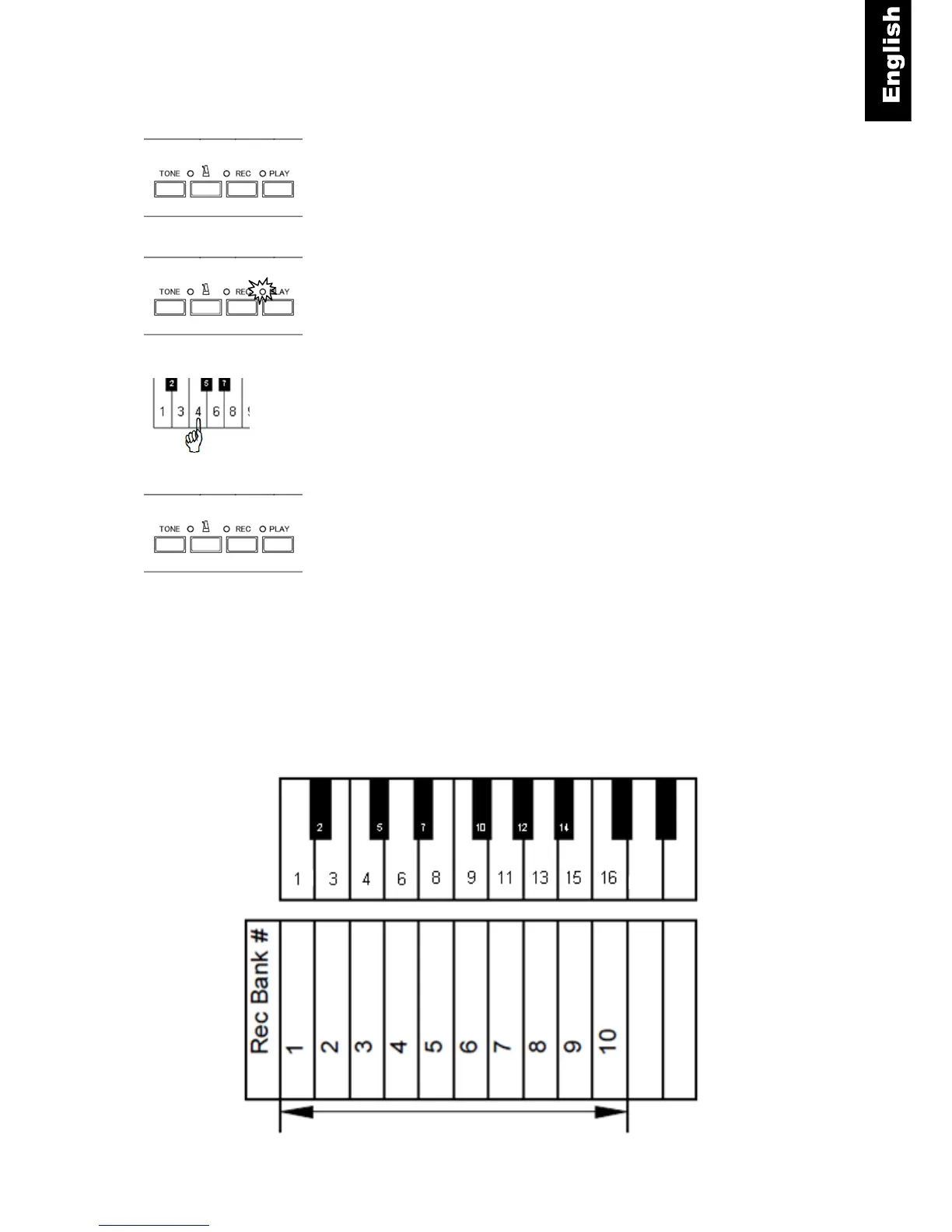
Playback Instructions
PLAY - Press the “PLAY” button.
The “PLAY” lamp turns on to confirm that QuietTime is in play
mode. The recorded song in bank 1 will begin to play about 1
second later.
Piano key - To select a different bank, press the piano key for
the bank desired.
NOTE:
You can also play the piano during playback.
PLAY - To stop the playback, press the “PLAY” button. The
“PLAY” lamp will turn off and playback stops.
NOTE
• The first 10 white keys of the piano are assigned to bank selection during playback. Therefore they will
not sound if you play along with the recording. If they are pressed during playback, a different bank will
be selected for playback. Likewise, the last three white keys of the piano are assigned to tempo
change functions during playback and will not sound.
• Playback will not start if there is no data in bank 1. If there is data in any of the other banks, press and
hold the bank you want to play, and then press the “PLAY” button.
Bass End of Keyboard
Record Banks



 To Next Page