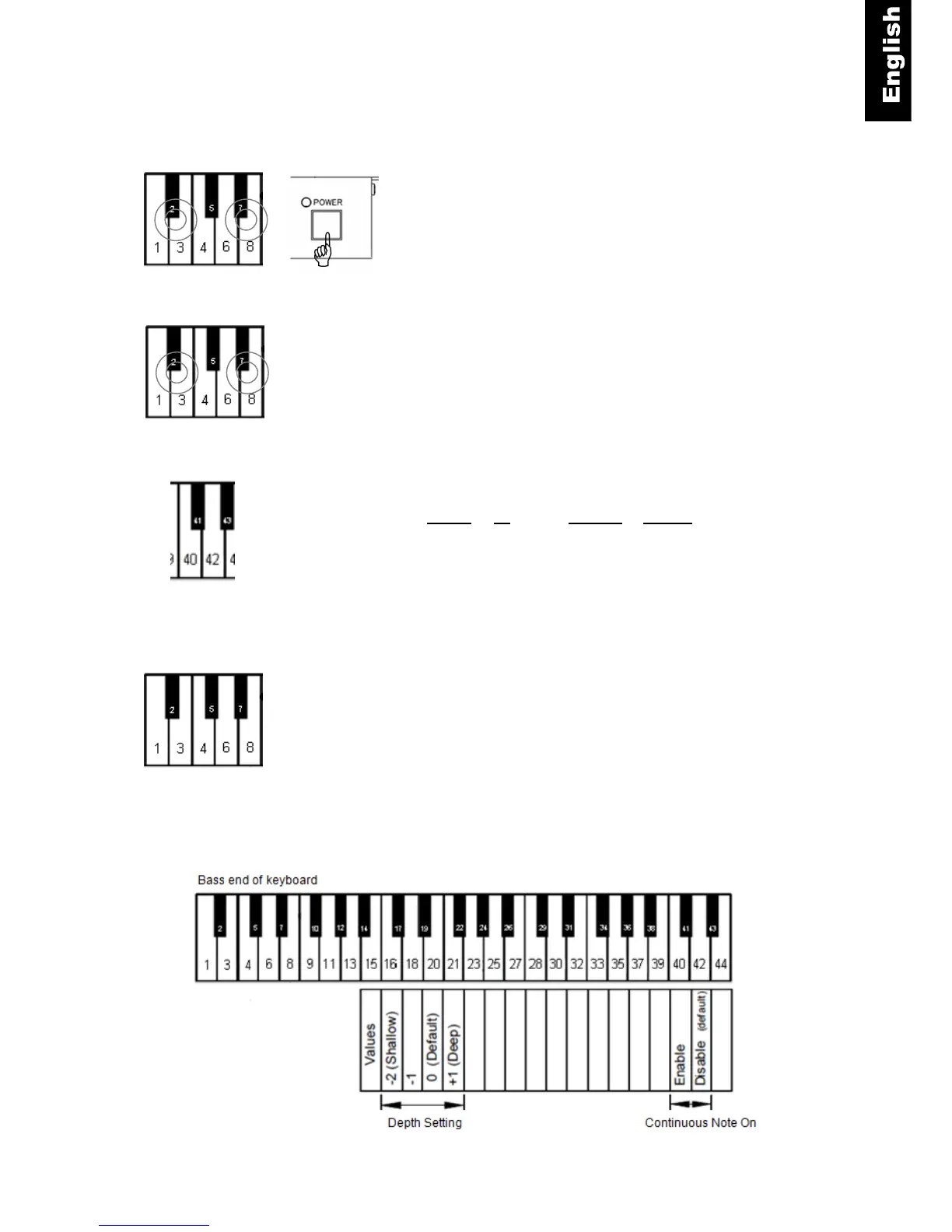
Continuous note-on instructions
Piano keys 2 and 7 + Power ON - Press and hold keys 2 and 7
while turning the power on. A MIDI signal will sound confirming
that you are in the setup mode.
Piano keys 2 and 7 - Continue holding the two keys.
Piano key 40 or 42 - Select Enabled or Disable
(Refer to the following figure.)
Piano keys 2 and 7 - Release the two keys to save your setting
and exit setup.
Bass End of Keyboard



 To Next Page