METRONOME
QuietTime has a built-in metronome function which can be setup with various parameters, such as
beat, tempo, and volume.
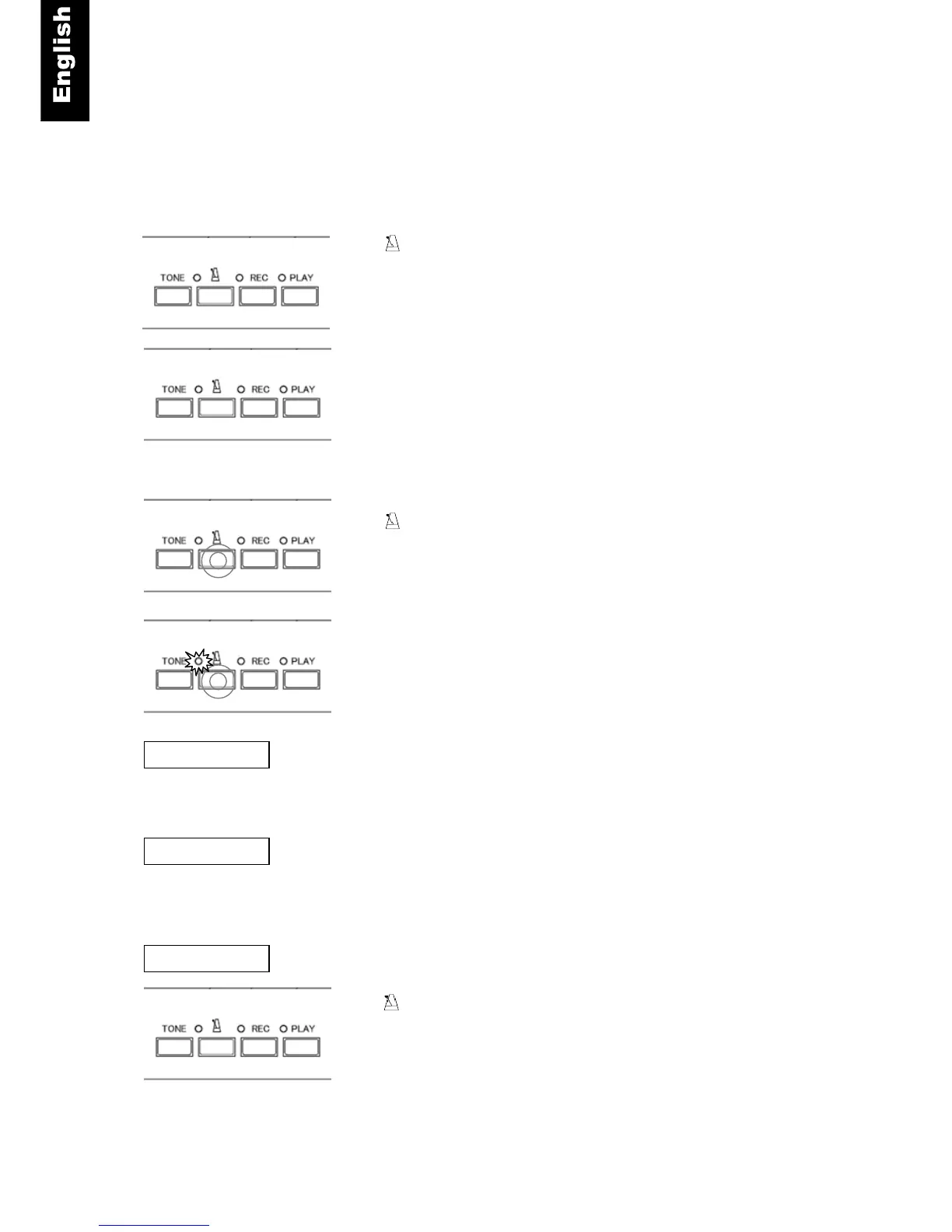
Metronome ON/OFF
- Press the metronome button to start the metronome. The
metronome lamp will turn on and you will hear the metronome
beating. Also, the “POWER” lamp will flash at the set tempo of
the metronome.
Press the metronome button again to stop the metronome
Metronome Setup
- Press and hold the metronome button for about two
seconds.
The metronome lamp flash is indicating that you are in the setup
mode. The metronome will also begin to sound.
Beat - Piano keys are used to choose the beat. (refer to the
figure on the next page). The metronome can be set up with the
following beat patterns: 0, 2, 3, 4, 5, 6, 8. Use the piano keys
indicated to select the desired beat pattern.
Tempo - Refer to the figure on the next page. To set the tempo,
enter the desired tempo using the lowest 10 white keys on the piano.
It is necessary to enter the tempo as a 3 digit number, so tempos
less than 100 need to be preceded by a “0” e.g. for 60 please enter
060. The allowable tempo range is 030 to 250.
Volume - (Refer to the figure on the next page).
- Exit setup mode by pressing the metronome button. The
metronome lamp changes from flash to solid. The metronome will
continue to sound until the metronome button is pressed again.
NOTE:
The metronome settings are saved when power is turned off.



 To Next Page