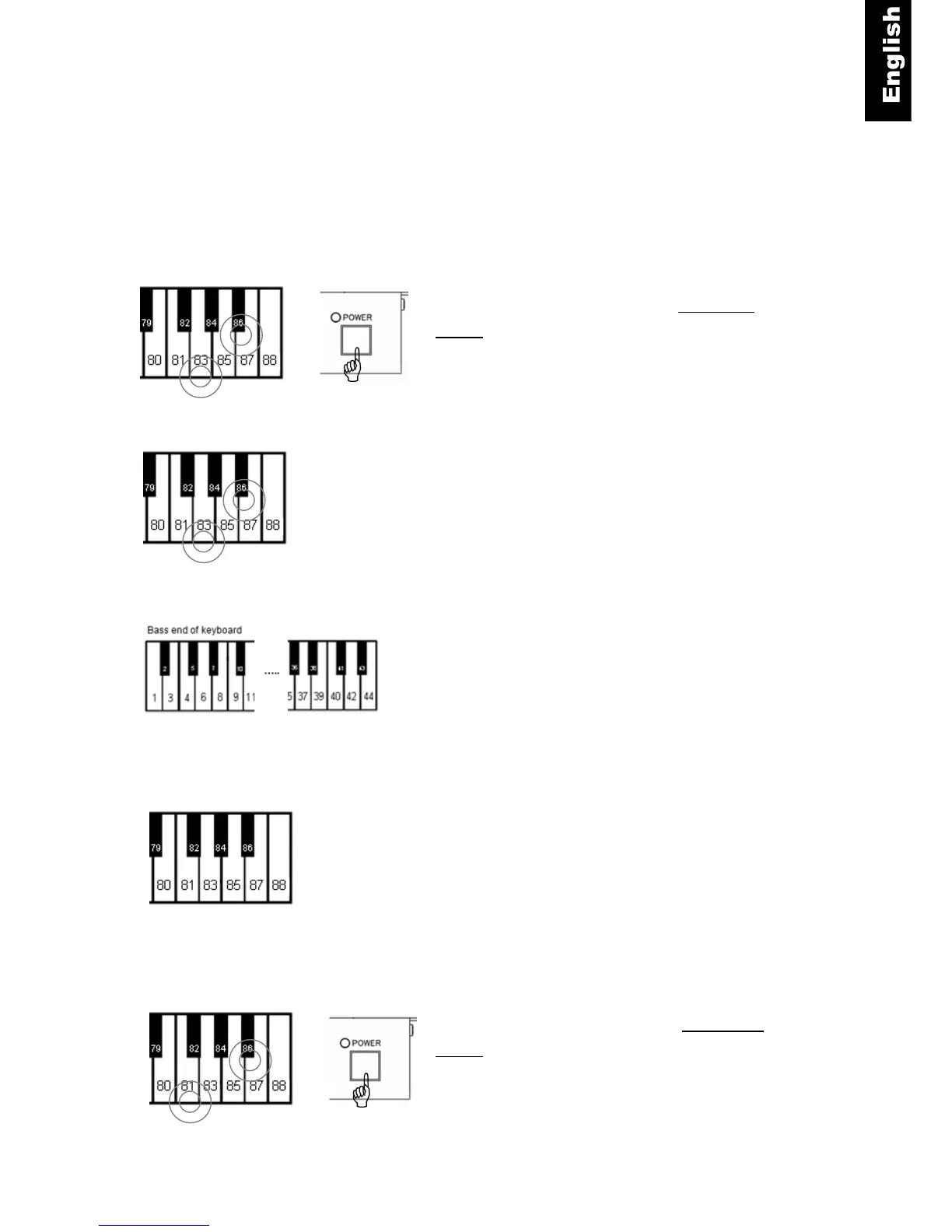
Volume Control for Individual Keys(
((
(Bass Keys)
))
)
The volume level for individual keys can be adjusted in order to get even volume from note to note.
The lower half of the keyboard must be done separately from the upper half. The range of the
adjustment is from -5 to +5. (default is ±0)
Volume Setting Instructions
1. Piano keys 86 and 83 + Power ON -To increase
volume, press and hold keys 86 and 83 while turning the
power on. A chime will sound to confirm that you are in
the setup mode.
2. Piano keys - Continue holding the two keys.
3. Piano key 1, 2 … 42 or 44. - Select the note that needs
to be adjusted from the lower half of the keyboard (key 1
through 44) and press the key repeatedly until the
desired volume is reached. Adjust other notes as
needed.
4. Piano keys - Release the two keys to save the setting
and exit setup mode.
Piano keys 86 and 81 + Power ON - To decrease
volume, press and hold 86 and 81 while turning on the
power. Then do steps (2), (3) and (4) as described
above.



 To Next Page