Commissioning
OperatingManualPNOZs50
1002194EN02
34
INFORMATION
Fordetailsoftheprocedurewhenamessageappearsonthedisplay,
pleaseseethesectionentitled"Displaymenuatcoldstart".
IntheConfigurationoperatingstate("Run"LEDflashes):
}
Thedataiswrittentothechipcardduringconfiguration.
IntheRUNoperatingstate("Run"LEDislit):
}
Thechipcardcontainingavalidconfigurationmustbeinserted.
}
Thechipcardmustnotberemovedduringoperation.
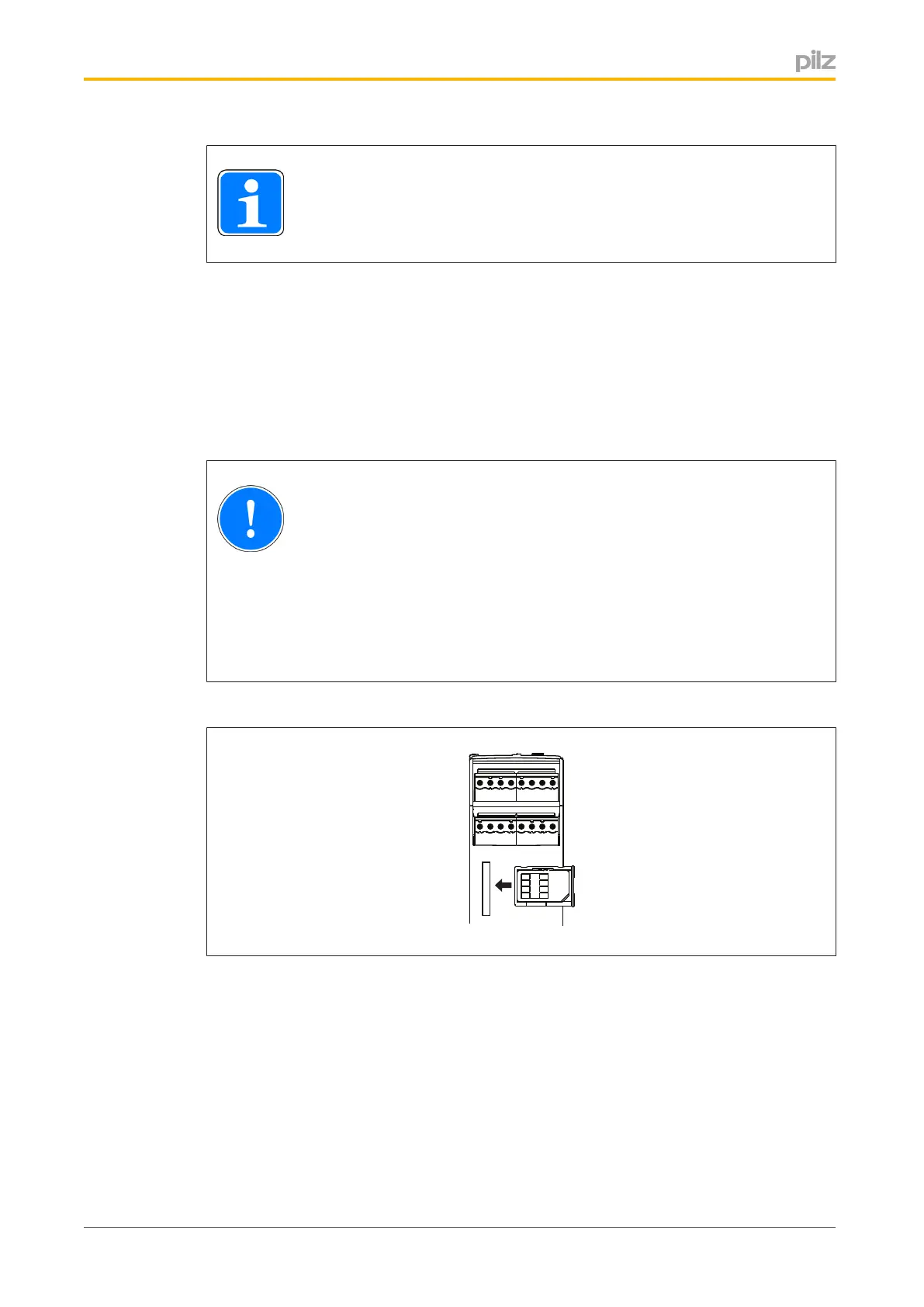
6.2.4.1 Insertchipcard
NOTICE
Thechipcardcontactisonlyguaranteedifthecontactsurfaceiscleanand
undamaged.Forthisreasonpleaseprotectthechipcard'scontactsurface
from
– Contamination
– Contact
– Mechanicalimpact,suchasscratches.
Makesurethatyoudonotbendthechipcardasyouinsertitintothechipcardslot.



 To Next Page
 Loading...