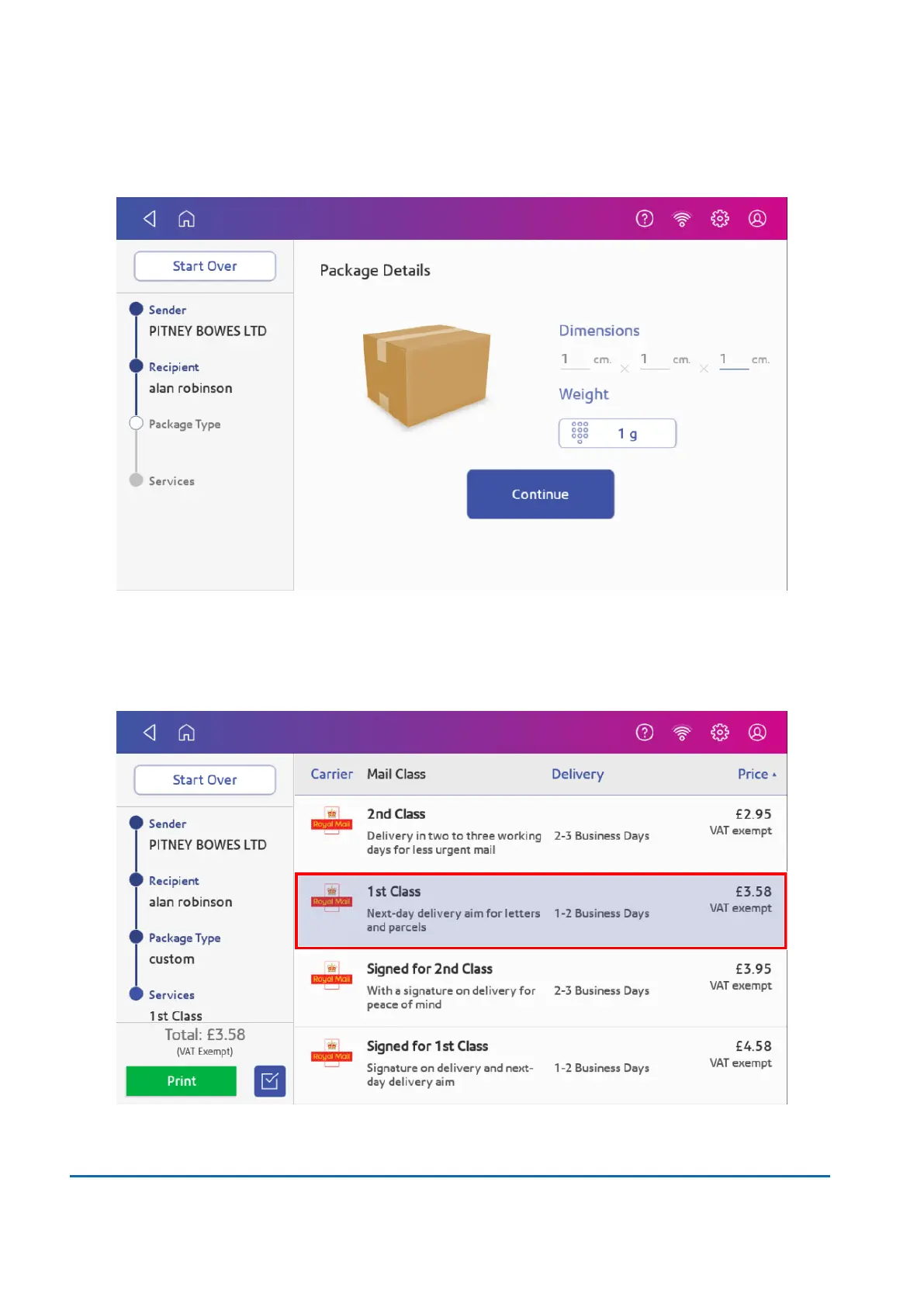
8. Enter the size of the parcel in centimetres within the Dimensions boxes.
9. Tap Weight.
10. There are two options to now choose:
a. Tap Scale, then place the parcel on the scale. Tap Apply, then Continue or
b. Manually enter the weight of the parcel if you know the weight. Tap Apply, then Continue.
11. Tap the service you wish to use, in this example, 1st Class.
6 • Mailing and Shipping
Pitney Bowes User Guide March 2023 56












 To Next Page