11
Control
Using the Note Sequencing Method
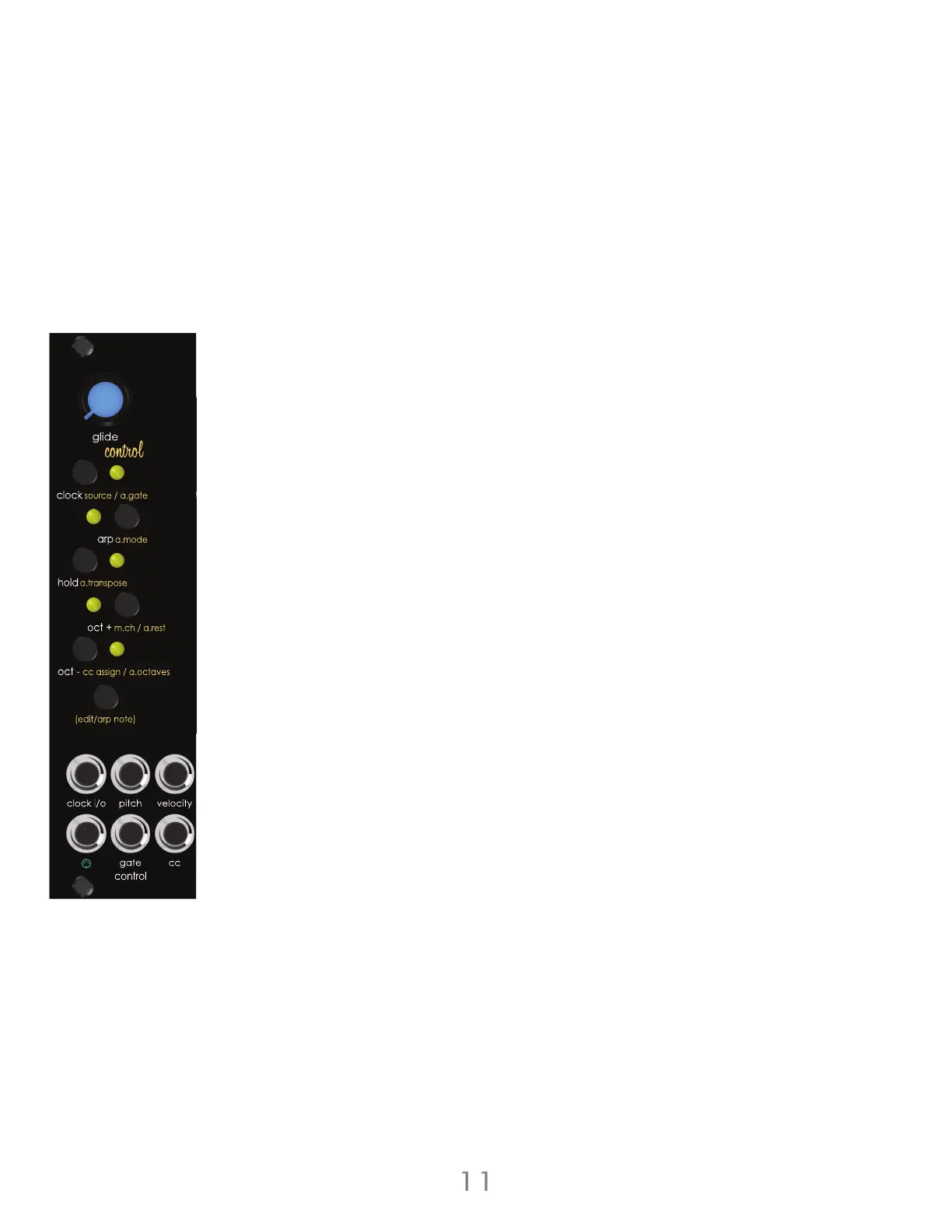
Enable arpeggiator mode by pressing the [ARP BUTTON]. Press the [HOLD BUTTON] to enable
hold mode. Press and hold the voice section’s [EDIT BUTTON]. Press keys on a MIDI keyboard one
at a time to create a sequence of up to 32 steps. While holding the voice section’s [EDIT
BUTTON], press the voice section’s [OCTAVE UP BUTTON] to add a rest. This note sequencing
method automatically enables hold mode. To stop the arpeggiated sequence, press the [HOLD
BUTTON].
Additional Arpeggiator Functions
The arpeggiator offers additional functions to enhance the active arpeggiated sequence: Hold,
Transpose, Random, Arpeggiator Range, Arpeggiator Gate Length, and Random Sequence
Generator.
Arpeggiator Hold
Enable the hold function by pressing the [HOLD BUTTON]. The Hold function allows the
arpeggiator to cycle through the last set of selected notes after the selected notes have been
released, or the voice section’s [EDIT BUTTON] is released when using the sequencing input
method. Disable the Hold function by pressing the [HOLD BUTTON].
Arpeggiator Transpose
Enable the Transpose function by pressing and holding the voice section’s [EDIT BUTTON] then
press the [HOLD BUTTON]. Transpose mode can only be enabled when arpeggiator mode and
hold mode are active. The Transpose function allows an incoming MIDI note to transpose the
active arpeggiated sequence. The sequence is transposed based on the first note of the
arpeggiated sequence. Disable the Transpose function by pressing the [HOLD BUTTON].
Arpeggiator Randomize
Randomize the playback order of the arpeggiated sequence by pressing and holding the voice
section’s [EDIT BUTTON] then pressing the [ARP BUTTON]. The Random function will randomly
jump between the notes of the arpeggiated sequence. Disable Random by pressing and
holding the voice section’s [EDIT BUTTON] then pressing the voice section’s [ARP BUTTON].
3 Voltage Lab 2 Voice Modules



 To Next Page