13
Control
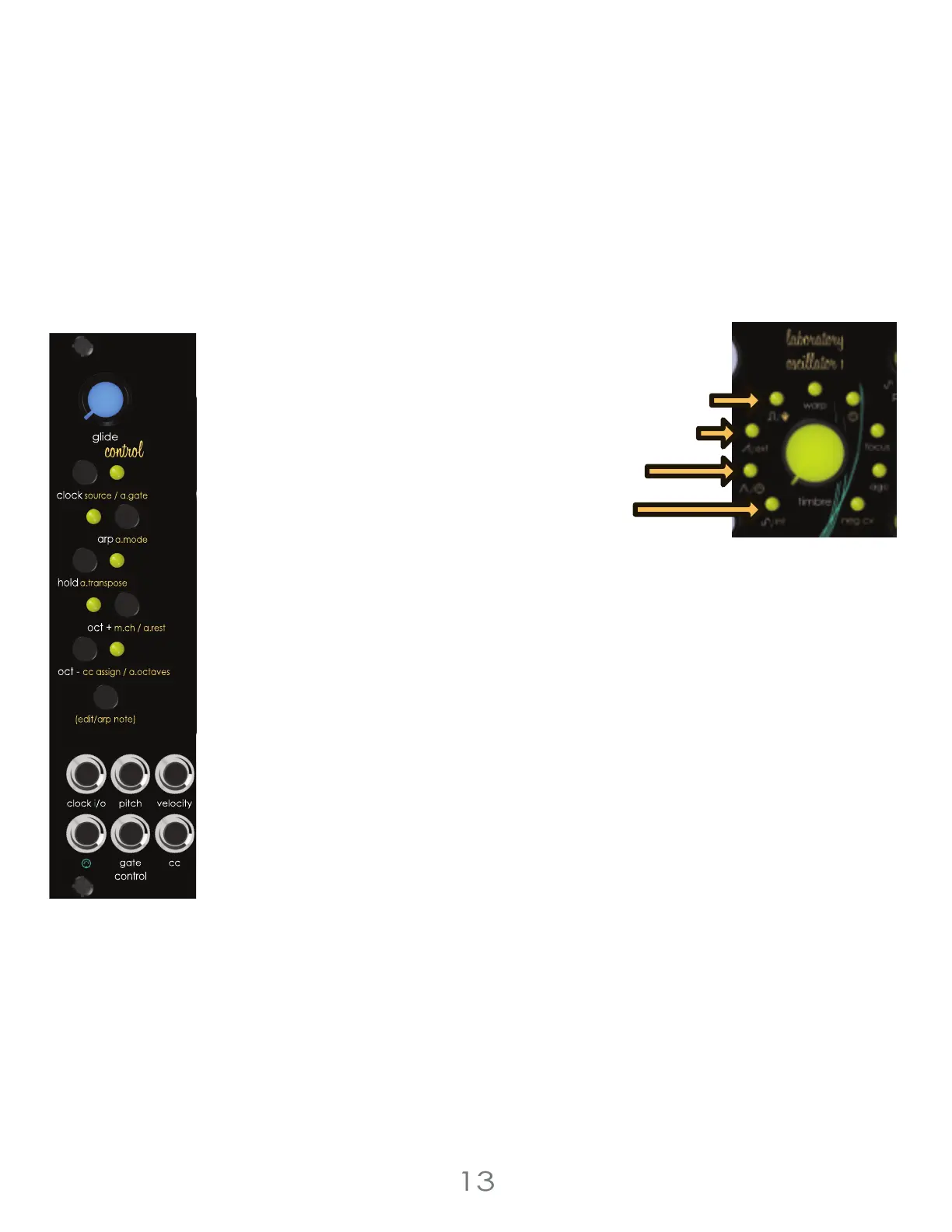
Arpeggiator Gate Length
The Arpeggiator Gate Length function sets the amount of time the arpeggiator gate signal is
high (on). Set the Arpeggiator Gate Length by pressing and holding the voice section’s [EDIT
BUTTON] while the Arpeggiator is active, then press the [CLOCK BUTTON] to cycle through the 4
lengths. Press once to check current length. Press again to advance through the available
options. The arpeggiator gate length can only be changed when arpeggiator mode is active.
Arpeggiator Gate Length Options :
80% of Clock Step Length [Square LED]
40% of Clock Step Length [Saw LED]
30ms [Triangle LED]
10ms [Sine LED]
Random Sequence Generator
Generate a randomized sequence by pressing the [ARP BUTTON] to enable Arpeggiator mode.
Next, press and hold the voice section’s [EDIT BUTTON] then press the [HOLD BUTTON]. This will
generate a sequence with a random length (1-32 steps), pseudo-random pitch values, and
random velocities. The key of the sequence is based on the last incoming MIDI note. If no MIDI
note has been played, the sequence will be based on the key of C. The notes of the sequence
should mostly stick to the selected key. Major or minor will be randomly chosen. Randomized
sequences can include rests.
3 Voltage Lab 2 Voice Modules



 To Next Page