User Manual of VDR-301N
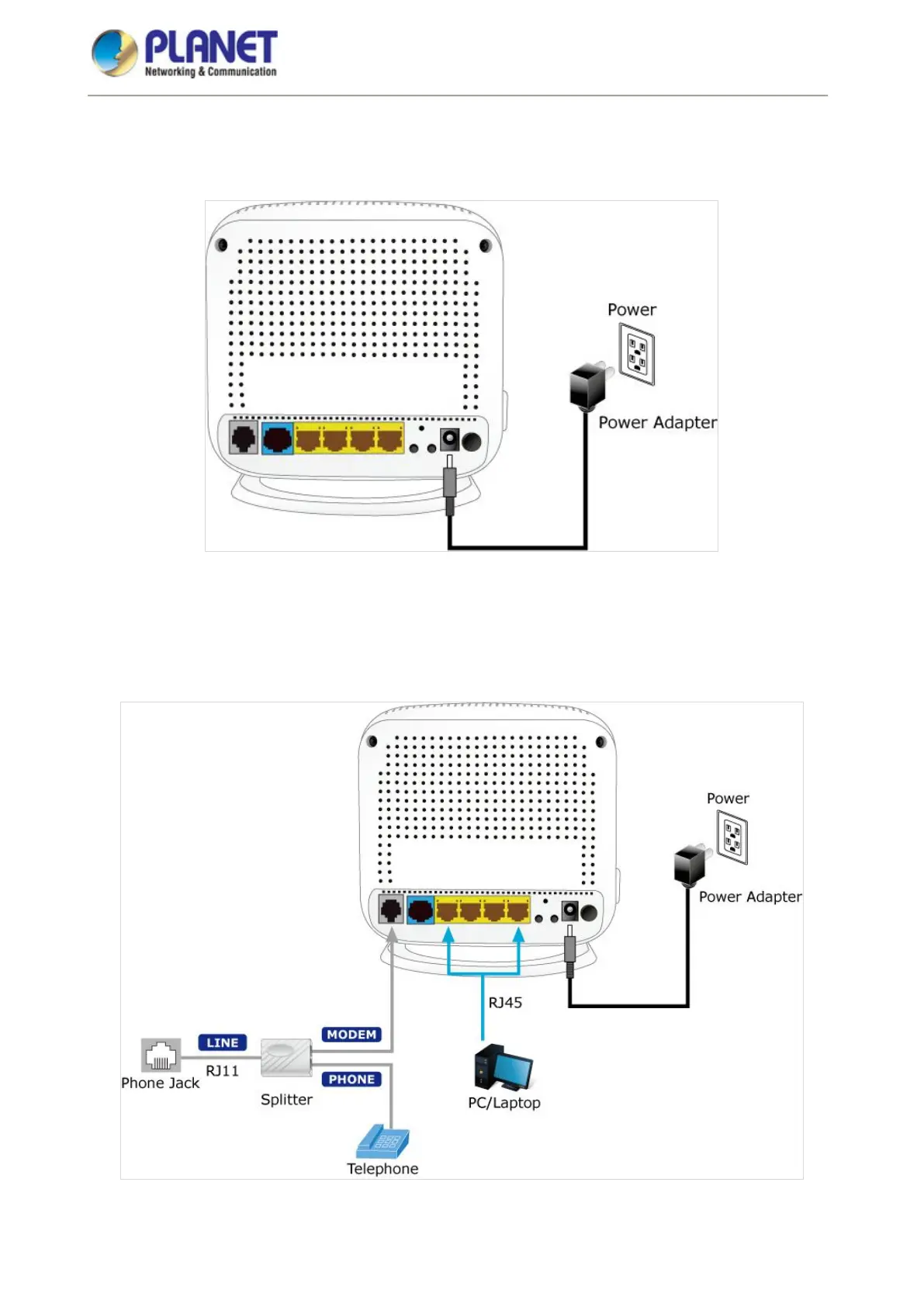
STEP 2. Connect the Power Adapter to the VDR-301N. Check whether the Power LED on the front panel is
on accordingly. Figure3-1 shows the power adapter connection diagram.
Figure 3-1 VDR-301N Power Adapter Connection Diagram
STEP 3. Use Ethernet cable to connect “LAN” port of the router and “LAN” port of your computer.
Follow Figure 3-2 to connect the network devices.
Figure 3-2 VDR-301N Connection Diagram














 To Next Page