User Manual of VDR-301N
5.4.4 CWMP (TR-069)
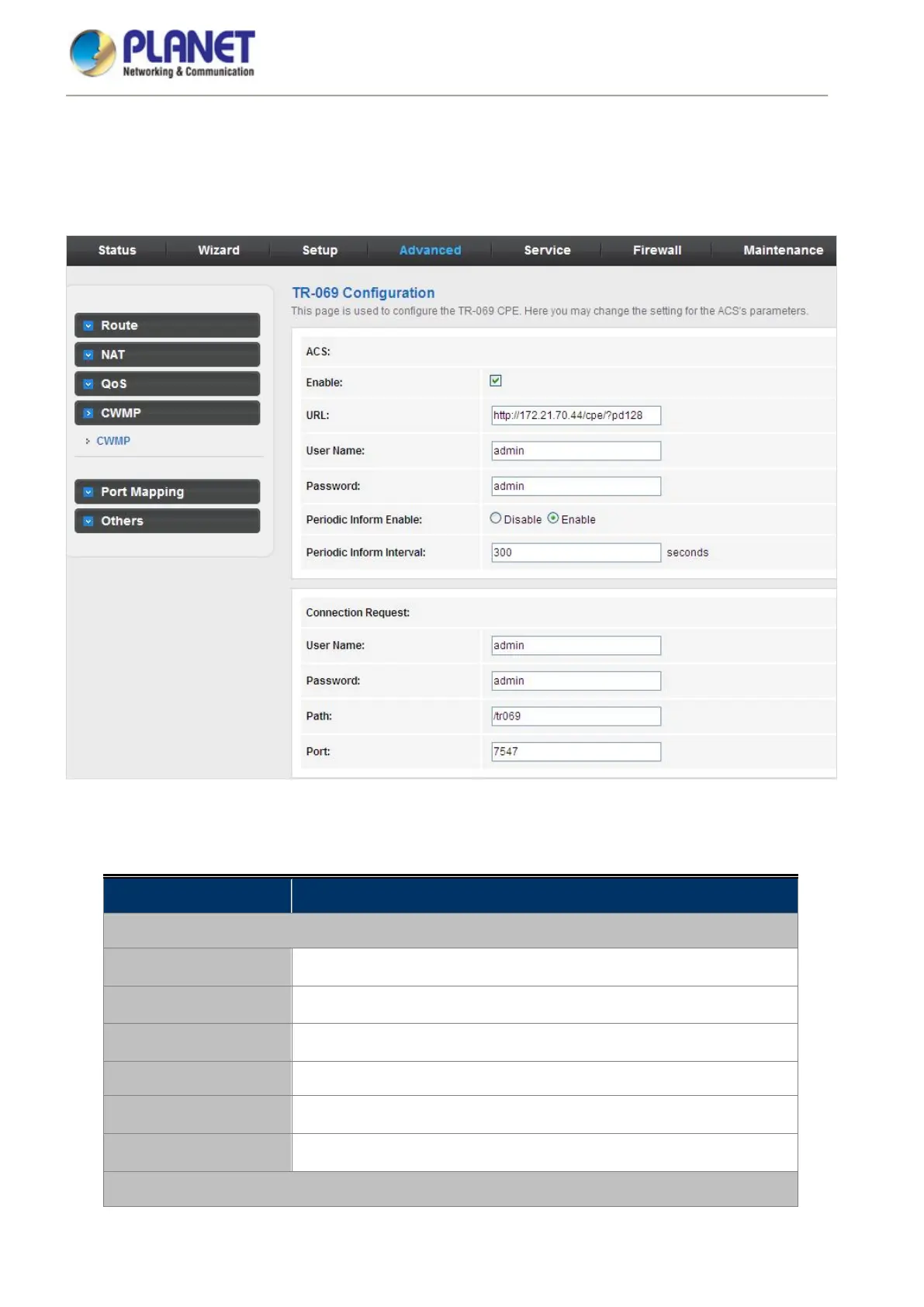
Choose Advanced > CWMP and the page shown in the following page appears. On this page, you can configure
the TR-069 CPE.
Figure 5-55 CWMP
The following table describes the parameters:
Field Description
ACS
Enable
Enable/Disable the function to access.
URL The URL of the auto-configuration server to connect to.
User Name The user name for logging in to the ACS.
Password The password for logging in to the ACS.
Periodic Inform Enable
Select Enable to periodically connect to the ACS to check whether the
configuration updates.
Periodic Inform Interval Specify the amount of time between connections to ACS.
Connection Request














 To Next Page