User Manual of VDR-301N
40
5.3 Setup
In the navigation bar, click Setup. The Setup page that is displayed contains WAN, LAN and WLAN.
5.3.1 WAN
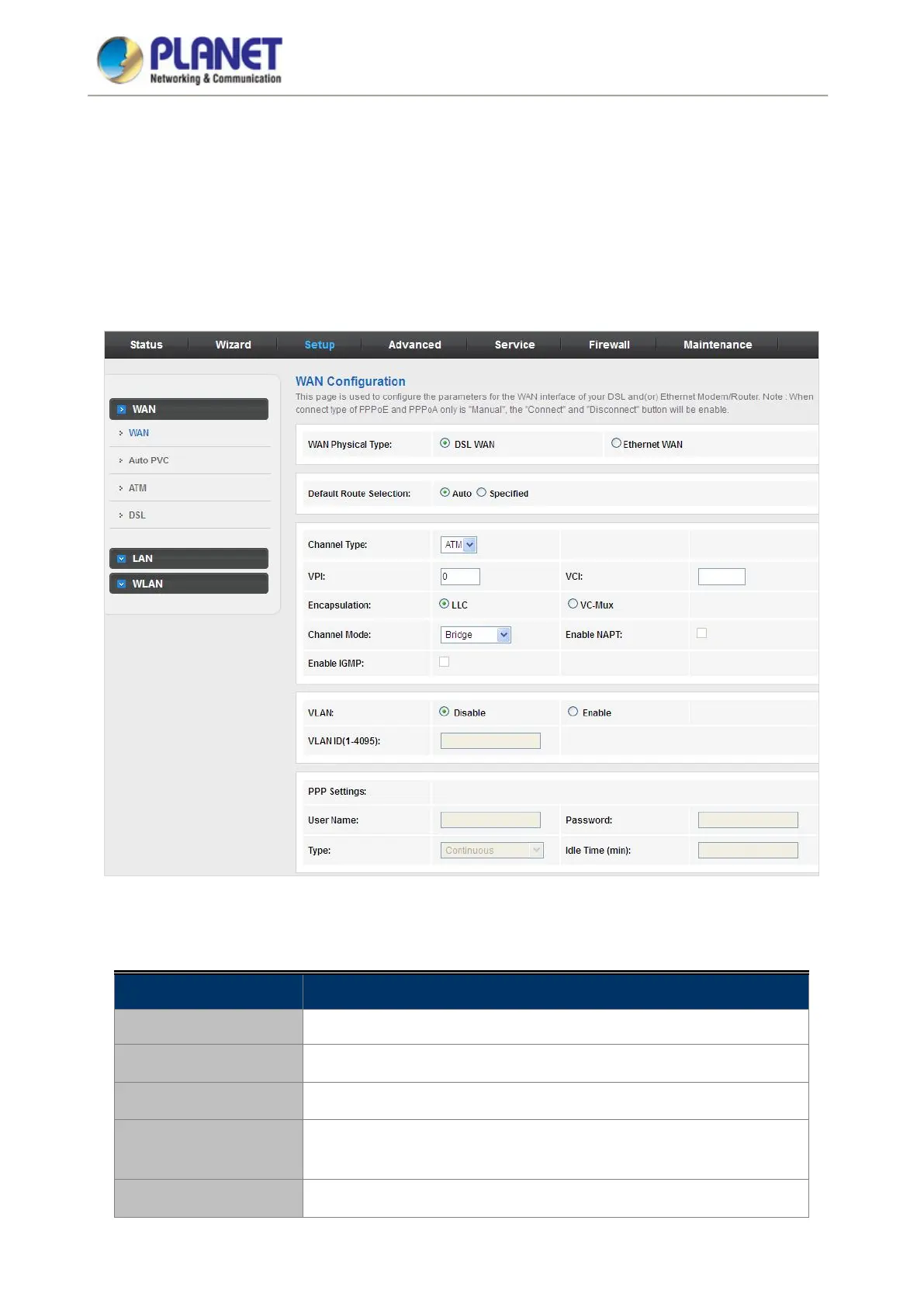
Choose Setup > WAN and the page is displayed below.
Figure 5-21 WAN
The following table describes the parameters:
Field Description
WAN Physical Type
You can select DSL WAN or Ethernet WAN as default WAN port.
Default Route Selection
You can select Auto or Specified.
Channel Type
You can choose ATM or PTM.
VPI
The virtual path between two points in an ATM network, ranging from 0
to 255.
VCI
The virtual channel between two points in an ATM network, ranging from














 To Next Page